is the code spread across multiple files? if so mobile doesn’t have a file explorer. If not then it’s just being stupid and not importing the code. Either way I’ll have to use a computer which I have limited time on, still could work on it though. I also have this tendency to forget easily. Also can’t work on it at school because of STUPID HOMEWORK. I will still try to solve it, assuming I remember.
Basically all you need to do is rename that “myImage0” image to something else and your issue will be fixed!
After looking at your code, there are a few tips I would like to mention!
The first thing to improve are your function and variable names. Please please PLEASE for the sake of anyone trying to read your code in the future, don’t use “a, b, c, d…” as variable names, unless they are in something like a simple For loop. Please use variables that describe themselves so that anyone reading your code can understand them. It is also useful for yourself! When you’re writing code, wouldn’t this:
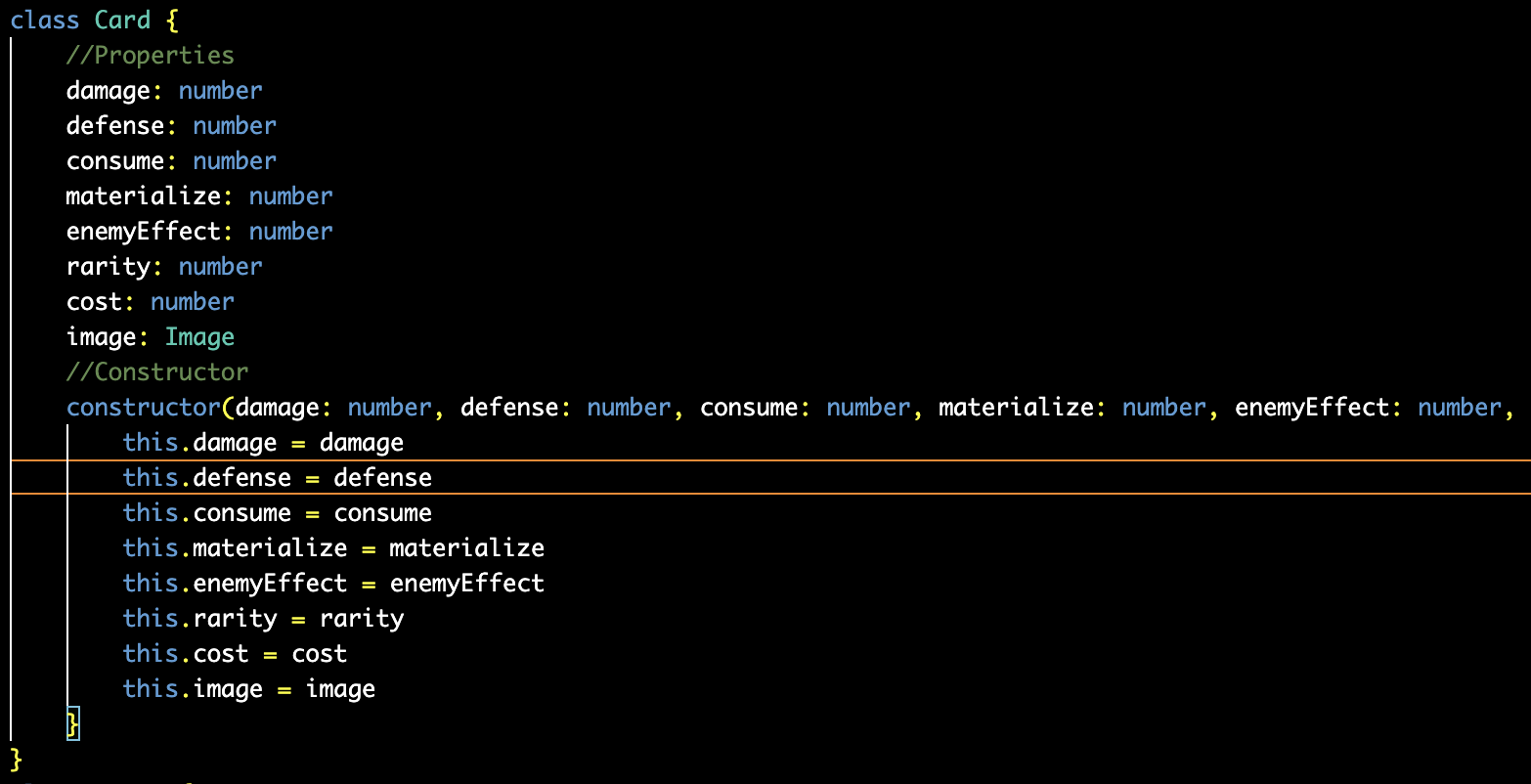
be better than this:
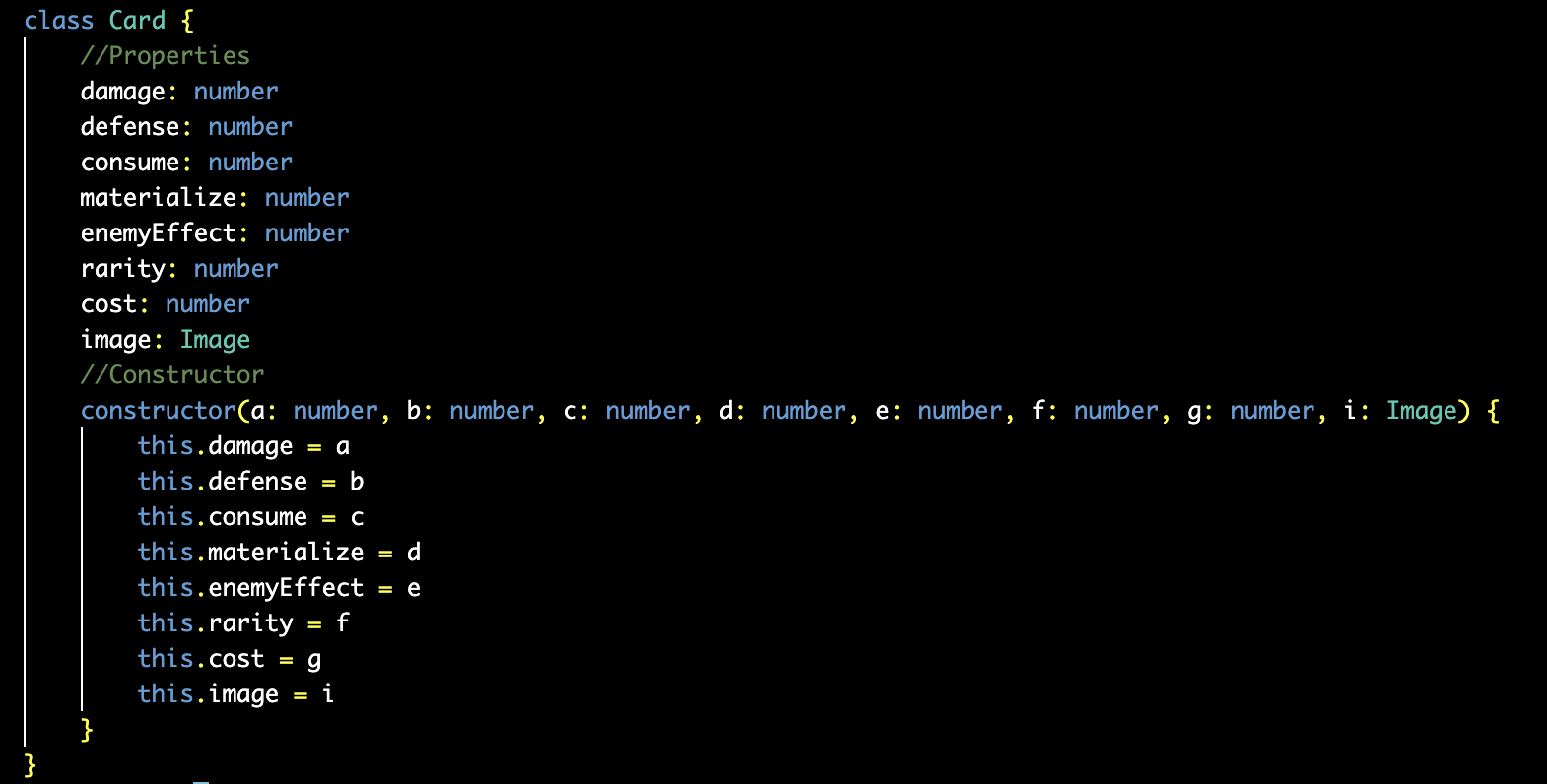
I sure think so. It also lets you conveniently see what each variable means when you’re writing!

It works the same for functions too! That “doSomething” function with 8 single-letter inputs could be renamed to something like “generateSpriteImage” with inputs like “damage”, “defense”, etc. This would improve the readability of your code by so much, and you wouldn’t have to go all the way back to the function definition to figure out what each variable means later on!
The last thing I saw was that you used the sprite onOverlap function as if it had to be called in an update loop. You only need to call it once and it will run the function you input every time the sprites overlap after you call it once. Calling it multiple times creates more events that will run, meaning every time a sprite overlaps with another sprite that function will be run once for every time you have called the function, so basically you will be causing a ton of lag by calling it hundreds of times in an update loop.
2 Likes
I’m to lazy to type it all over again and the memory to remember the values is always sitting in my mind
1 Like
I could have sworn I named doSmth RenderCard at one point
1 Like
it is spread across multiple files
I’m just saying I used to be horrible with that sort of thing. I tried to understand an old project that I had forgotten about and it took me so much longer than it should have to figure out what was going on. It’s also useful for later if you take any programming classes because your teacher (and me when I’m trying to fix your code!!!  ) needs to read your code too!
Anyways, if it works for you that’s fine, it’s just something to consider.
2 Likes
yeah I get that sorry I’ll fix it up when I have some downtime
1 Like
when i opened it nothing was there. There was like 15 extensions added but absolutely no code, and no other files (other than normal project files like assets.json and main.ts)
yo voxel could you split this code into functions.ts classes.ts and variables.ts and code.ts
(edit)
sorry it took so long 
there are 5 files:
- main.ts
- 0-kind.ts
- Card.ts
- Enemy.ts
- Mouse.ts
yes i know thats not what you wanted but its more how people sort their files. also, press ctrl+f and type VoxelMaster64 because i put some comments in each file. There is also a chance that you’ll have to do ctrl+f in every file.
I should also be more active now due to summer!
3 Likes
yippee progress can begin first I need to make this code more readable
1 Like
i Can’t code very well so progress will pick up in September
2 Likes