# Help transporting art
**URL:** https://forum.makecode.com/t/help-transporting-art/34806
**Category:** Help
**Tags:** art
**Created:** [March 22, 2025, 6:32pm UTC](https://forum.makecode.com/t/help-transporting-art/34806 "2025-03-22T18:32:17Z")
**Posts on this page:** 5
**Page:** 1
### Author:  [@RandomGames](https://forum.makecode.com/u/RandomGames)
#### Post date: [March 22, 2025, 6:32pm UTC](https://forum.makecode.com/t/help-transporting-art/34806/1 "2025-03-22T18:32:17Z")
Since I have temporarily left, I usually drew art in Pixilart, but now I want to transport some of that art to Makecode Arcade, since I finally have free time for coding. Could anyone help?
Here is an example of one the arts I want to transfer to Makecode (Only the Ship)

Thanks.
---
### Author:  [@BotWarrior](https://forum.makecode.com/u/BotWarrior)
#### Post date: [March 22, 2025, 11:25pm UTC](https://forum.makecode.com/t/help-transporting-art/34806/2 "2025-03-22T23:25:24Z")
That is amazing art!!!
---
### Author:  [@Luke](https://forum.makecode.com/u/Luke)
#### Post date: [March 23, 2025, 9:40pm UTC](https://forum.makecode.com/t/help-transporting-art/34806/3 "2025-03-23T21:40:21Z")
wooooahhhh amazing art!!
to import you can use @YuHayate’s amazing website
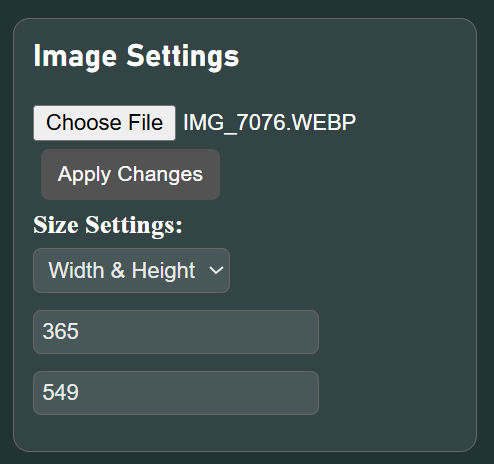
can adjust with this^

adjust colours^
then just copy and paste into a project with the right palette loaded up

btw in the editor you can replace the selected background colour in an image with the selected foreground colour with r (used to be shift+r before the update that just released) this helps if the colour order in makecode is different to the one in the website
---
### Author:  [@YuHayate](https://forum.makecode.com/u/YuHayate)
#### Post date: [March 23, 2025, 9:43pm UTC](https://forum.makecode.com/t/help-transporting-art/34806/4 "2025-03-23T21:43:29Z")
I should really make the ui more user friendly Xd
---
### Author:  [@RandomGames](https://forum.makecode.com/u/RandomGames)
#### Post date: [March 24, 2025, 2:40am UTC](https://forum.makecode.com/t/help-transporting-art/34806/5 "2025-03-24T02:40:28Z")
Thanks for all the suggestions.