# Makecode Full Screen Options?
**URL:** https://forum.makecode.com/t/makecode-full-screen-options/41521
**Category:** Help
**Tags:** extension, game
**Created:** [January 15, 2026, 4:21am UTC](https://forum.makecode.com/t/makecode-full-screen-options/41521 "2026-01-15T04:21:25Z")
**Posts on this page:** 7
**Page:** 1
### Author:  [@BuiltLord](https://forum.makecode.com/u/BuiltLord)
#### Post date: [January 15, 2026, 4:21am UTC](https://forum.makecode.com/t/makecode-full-screen-options/41521/1 "2026-01-15T04:21:25Z")
Hi, is there a way to make the screen take up the whole screen? What I mean is to remove the menu, restart, d-pad, and A and B buttons and instead have the actual part that shows your game, take up the whole entire screen on your moniter?
Like, for example. This is how it is.
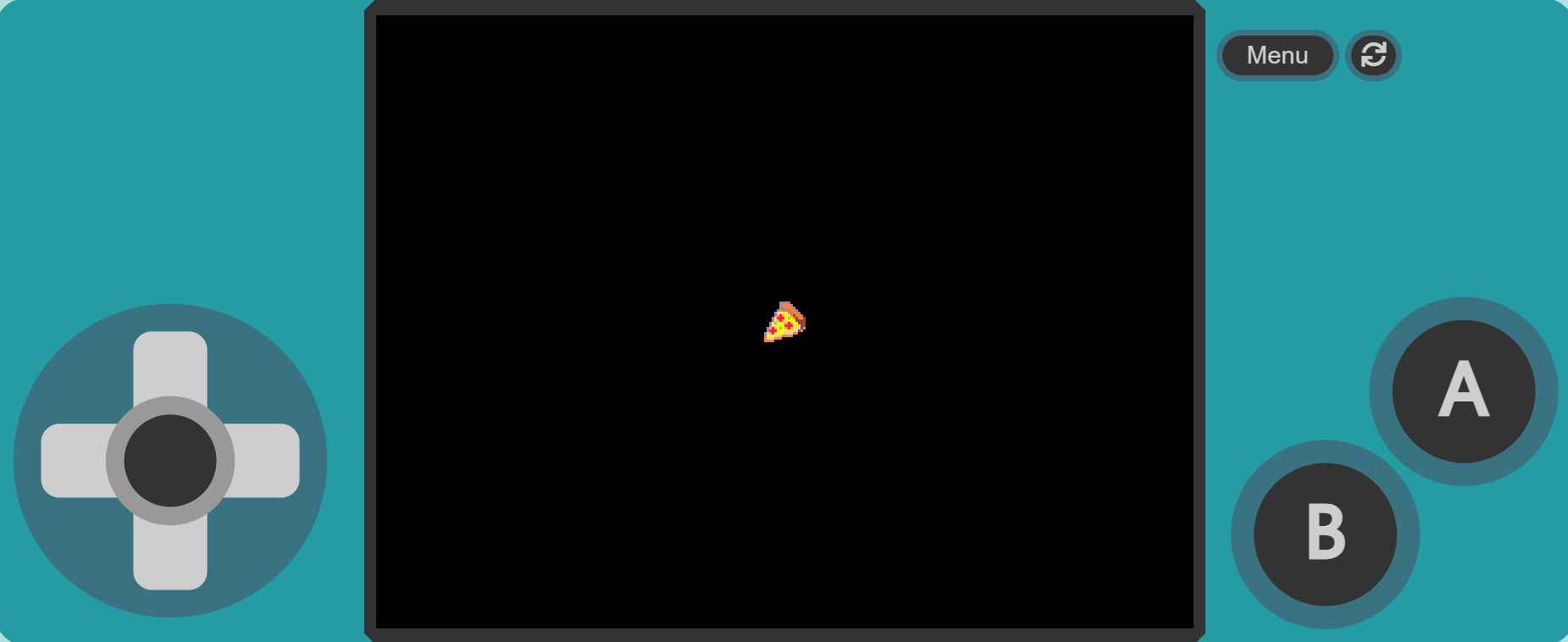
But this is how I want it:
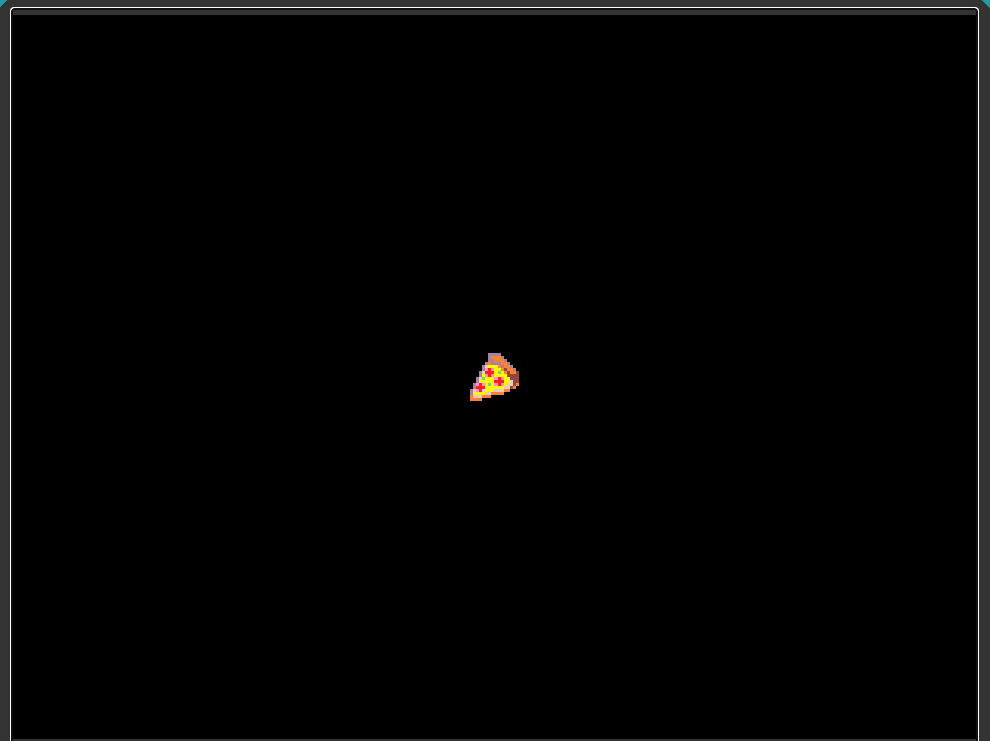
---
### Author:  [@Rune](https://forum.makecode.com/u/Rune)
#### Post date: [January 15, 2026, 5:56pm UTC](https://forum.makecode.com/t/makecode-full-screen-options/41521/2 "2026-01-15T17:56:02Z")
I don’t know if that’s possible, but it should be!
I think there should be a button on the side of the screen that toggles it.
---
### Author:  [@WoofWoof](https://forum.makecode.com/u/WoofWoof)
#### Post date: [January 15, 2026, 6:02pm UTC](https://forum.makecode.com/t/makecode-full-screen-options/41521/3 "2026-01-15T18:02:12Z")
You can always zoom in if it’s in a browser window, but that is awkward and imperfect. I agree that this would be pretty neat! It would be especially good for screenshots too.
---
### Author:  [@kaleb3335](https://forum.makecode.com/u/kaleb3335)
#### Post date: [January 15, 2026, 6:18pm UTC](https://forum.makecode.com/t/makecode-full-screen-options/41521/4 "2026-01-15T18:18:34Z")
there is a way. you have to make it into and HDML file and edit that to get rid of the editor, the dimensions will be weird but it will mostly be full screen when you launch it in the browser. see this page: [Getting rid of the simulator for Itch.io - #6 by jwunderl](https://forum.makecode.com/t/getting-rid-of-the-simulator-for-itch-io/16756/6)
---
### Author:  [@Brohann](https://forum.makecode.com/u/Brohann)
#### Post date: [January 15, 2026, 7:54pm UTC](https://forum.makecode.com/t/makecode-full-screen-options/41521/5 "2026-01-15T19:54:42Z")
Use this URL template and replace the id with the id of your game and done
> **[simulator](https://arcade.makecode.com/---run?id=S05763-84768-62261-42850&hideSimButtons=1&fullscreen=1&autofocus=1&nofooter=1)**
---
### Author:  [@TheEarth](https://forum.makecode.com/u/TheEarth)
#### Post date: [January 19, 2026, 6:18pm UTC](https://forum.makecode.com/t/makecode-full-screen-options/41521/6 "2026-01-19T18:18:39Z")
this method just got broken it says the site might be down
---
### Author:  [@BuiltLord](https://forum.makecode.com/u/BuiltLord)
#### Post date: [January 19, 2026, 6:24pm UTC](https://forum.makecode.com/t/makecode-full-screen-options/41521/7 "2026-01-19T18:24:34Z")
YOOOOO. Thanks man!