# Math.pow floating point issues
**URL:** https://forum.makecode.com/t/math-pow-floating-point-issues/6305
**Category:** PXT
**Created:** [February 22, 2021, 5:22pm UTC](https://forum.makecode.com/t/math-pow-floating-point-issues/6305 "2021-02-22T17:22:35Z")
**Posts on this page:** 4
**Page:** 1
### Author:  [@joshkeys19](https://forum.makecode.com/u/joshkeys19)
#### Post date: [February 22, 2021, 5:22pm UTC](https://forum.makecode.com/t/math-pow-floating-point-issues/6305/1 "2021-02-22T17:22:35Z")
Hi everyone!
I’ll keep this short and sweet. It seems that if you raise a static value to a floating point exponential, it works fine. But if you use variable, and raise it to an exponential, it converts the exponent to an integer:

The code “on button A pressed”, will just compute y^1 as the 1.3 is rounded down to 1.
The code “on button B pressed”, will compute 40^1.3 as I would like.
I have tried multiplying y by 1.0. I’ve tried converting 1.3 to a string then using parseFloat to bring it back, just about everything I can think of to force it to not round. It seems a strange bug. Any ideas?
Thanks,
Josh
---
### Author:  [@joshkeys19](https://forum.makecode.com/u/joshkeys19)
#### Post date: [March 10, 2021, 4:11pm UTC](https://forum.makecode.com/t/math-pow-floating-point-issues/6305/2 "2021-03-10T16:11:07Z")
Hi again everyone,
I’d like to clarify one important point here. The simulator will get this correct, but if you run it on the micro:bit, it will not work. Also the screenshot I put above will try and square a negative number if you press A on the simulator, so I’ve changed it to “strength”:

In case you want to copy the code directly to your javascript:
```auto
let y = 0
let x = 0
input.onButtonPressed(Button.A, function () {
y = input.acceleration(Dimension.Strength)
x = y ** 1.3
basic.showNumber(y)
basic.showNumber(x)
})
input.onButtonPressed(Button.B, function () {
y = 1023
x = y ** 1.3
basic.showNumber(y)
basic.showNumber(x)
})
```
Remember, this works in the simulator, but NOT in hardware (on the micro:bit)
Thanks,
Josh
---
### Author:  [@kjw](https://forum.makecode.com/u/kjw)
#### Post date: [July 25, 2023, 10:31pm UTC](https://forum.makecode.com/t/math-pow-floating-point-issues/6305/3 "2023-07-25T22:31:09Z")
This confused me a lot and chewed up a lot of my weekend as I had some complex maths and it took a lot of ruling out of various possibilities. The bug still exists, I recreated it in beta using [https://makecode.microbit.org/\_2dhdmJFUtHhk](https://makecode.microbit.org/_2dhdmJFUtHhk)
It appears to be micro:bit specific and was reported in 2019 in [GitHub: microsoft pxt-microbit: Error in calculating power function #2192](https://github.com/microsoft/pxt-microbit/issues/2192).
---
### Author:  [@kjw](https://forum.makecode.com/u/kjw)
#### Post date: [August 2, 2023, 9:14pm UTC](https://forum.makecode.com/t/math-pow-floating-point-issues/6305/4 "2023-08-02T21:14:05Z")
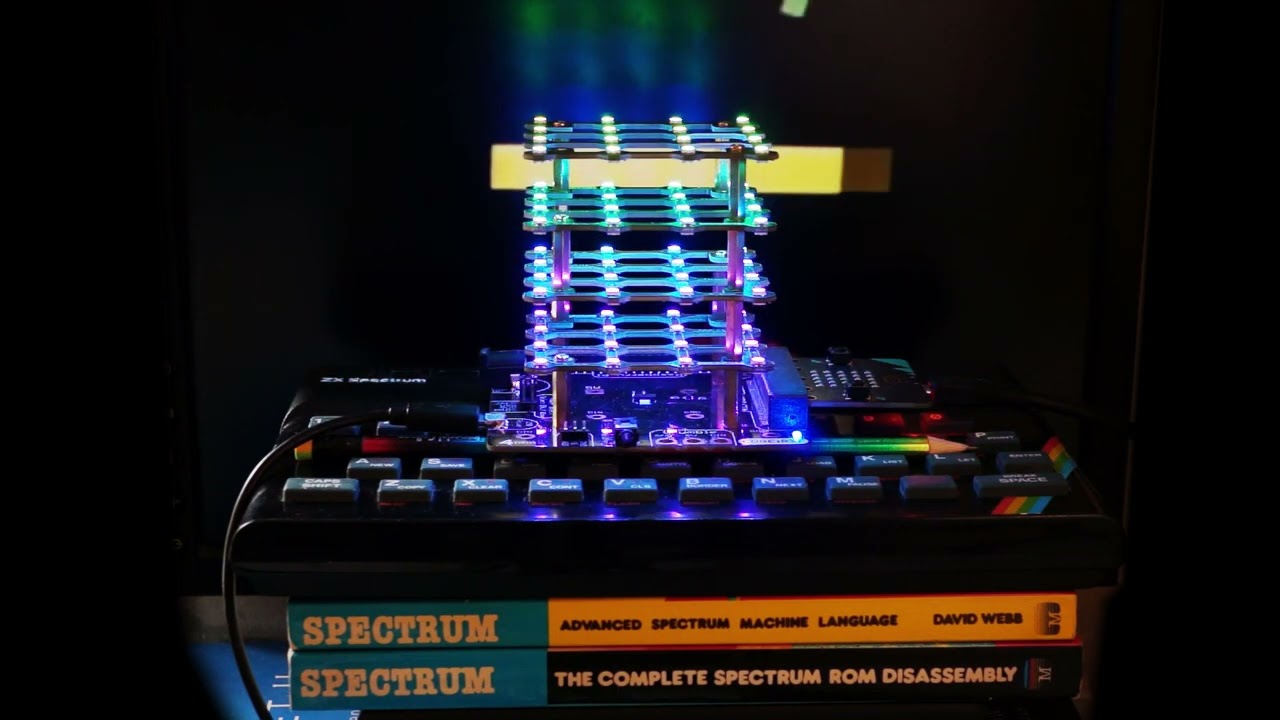
I had a quick look around and realised there were a few ways of doing this. I wasn’t sure which one was optimal but the ZX Spectrum ROM had code to do e^x in software and it was rather fitting for my use case.
If anyone else wants it, the MakeCode Blocks version is in [https://makecode.microbit.org/\_RUHaj1P1rAVW](https://makecode.microbit.org/_RUHaj1P1rAVW)
And here it is in action
[ ](https://www.youtube.com/watch?v=vaz8nqmedn4)
described in [Instructables: Rainbows in MakeCode on a 4tronix Cube:Bit (RGB LED Cube)](https://www.instructables.com/Rainbows-in-MakeCode-on-a-4tronix-CubeBit-RGB-LED-/).