Would you mind, you dont have to agree, but may i create world 2?
Don’t worry! I am not bothered, I am grateful for you to helping me with something I needed! Yes, since I’m busy now, you can create world 2. Everything is good man!
1 Like
Thank you 

1 Like
So i managed to forget that world 1 hasn’t completed so I’ll just finish that
1 Like
Hey @BlueYoshi507, could I make a fan game that works like Mario Maker? I’ve been wanting to do this for a while but I never could figure out the animations and stuff. I do know how to make the maker part, though! And this game is so good that I just have to try! (You can say no, though)
1 Like
Of course bud! I’ve been kinda busy over here, I wanted to make a Mario Maker too. I am not too good at editor making, so I’m glad someone knows how to! If you need something, just tell me!
1 Like
I’ll post it on this topic when I’m done, thanks for letting me do this!
1 Like
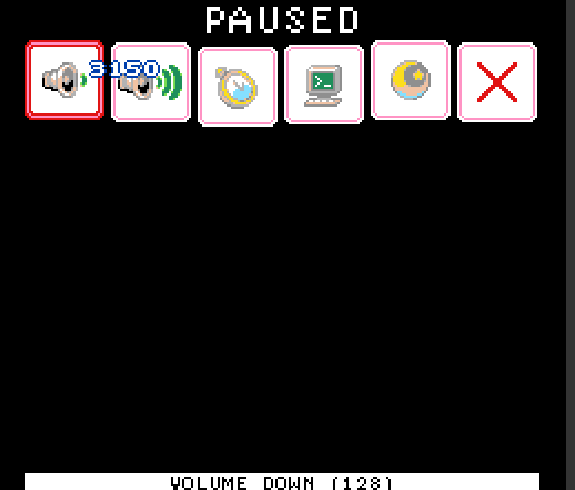
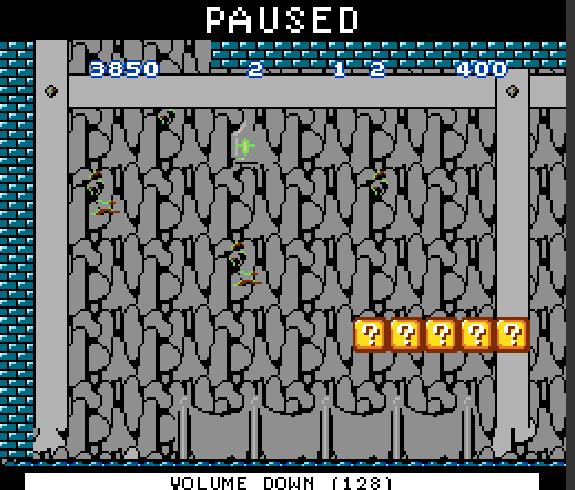
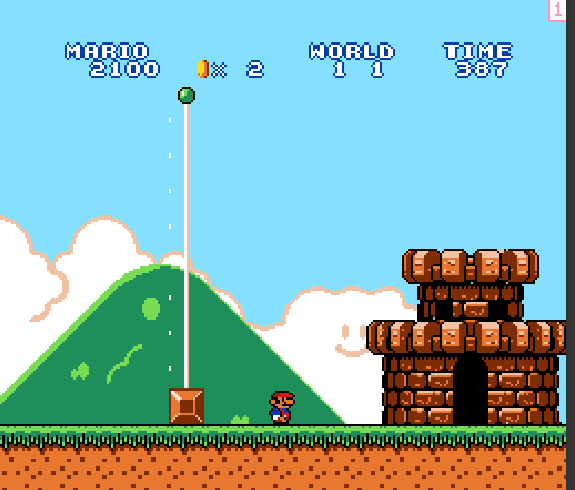
I found a glitch!

You just get frozen here by doing this weird thing:
First, get to the end of the first level.
Then touch the flagpole and press the menu button.
It will load the next level while you are still in the menu.
Then press menu again and you end up like this.

1 Like

It’s been a long four days, but I’ve finally done (most of) it! 
Expect the Mario Maker game to come out soon.
Sneak peek:
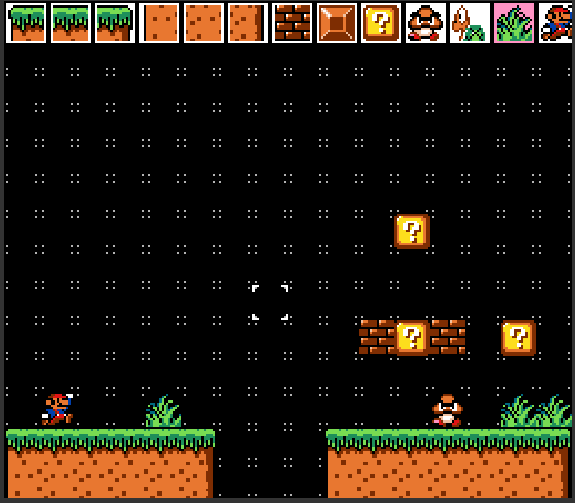
Things I’ve done
- Created the editor menu with all of the options
- Swap feature between menu and editor
- Made the actual placement work
- Reskinned the spawn tile to look better in the editor
This took a ridiculous amount of time simply because of lag. (I spent like 2 hours on the menu)
Things I’ve yet to do
- Add a play/edit swap (Probably menu button)
- Scrolling in the editor
- Eraser
- Extra features (like background swap, theme, etc. (probably will only come after first release))
These things (besides the extra features) won’t take that long.
And, of course, thanks to @BlueYoshi507 for creating the Mario game that allowed this to happen, and for letting me do this!
3 Likes
This looks so cool!
1 Like
Update: I’ve made some more stuff with some more functions. However, I’m working on my Sports Jam game right now so progress has slowed to a crawl. I’ll work on this again after the jam is done.
2 Likes
Nice game @BlueYoshi507! do you mind if i use it?
1 Like
How?? Can you tell me your route pleeeeaaaaase?
1 Like
Ok, I’ll do my best.
Also, in case your planning to beat my time, I was running the entire time, so pretty sure it’s impossible (although there might be a tiny little room for improvement)
Oh yeah, and this took like at least a week - I spent way too much time on this.
Here goes:
As soon as you load in, hold right and B to start running. Then jump to hit the second question mark block in the first brick block part and hold A. Then you just jump over the pipes, pretty much - you can high-jump off of one of the goombas in the last section if you want to be fancy. Then run and jump over gaps until you get to the spot below.
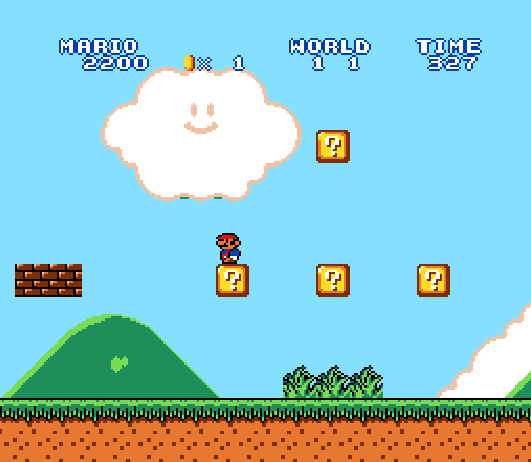
Then you jump into the middle question mark block (to the right three tiles and one tile down from Mario in the above image) and hit the Koopa, destroying the whole line of Goombas. When you reach this area,
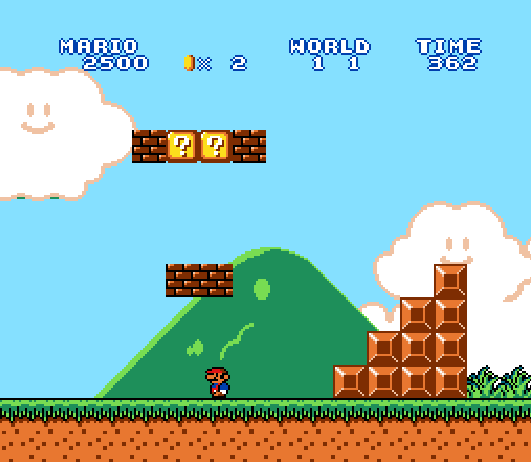
you jump over the Koopa shell and then jump over the stairs until you reach this part:
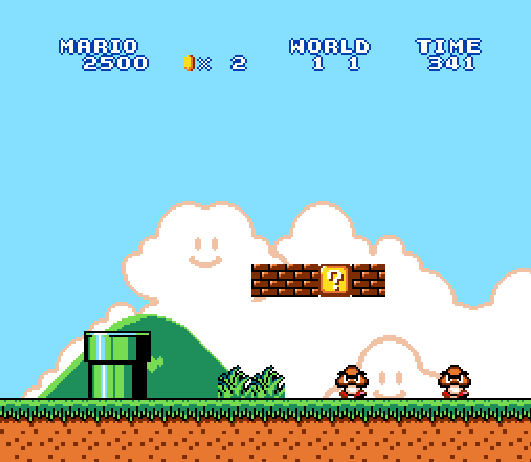
Then, you can either jump over or try to line up a double-kill with the Goombas below, then try to jump up the stairs as fast as you can, taking you to the end.
Also, just gonna note I did this from @BlueYoshi507’s latest update, not the one with the music and stuff. And… I noticed that the time isn’t actually in seconds, so my time is actually a lot less (in seconds, at least)
Sorry for this being a really long post, but I’m also gonna post my Mario Maker game on here, however it isn’t working out. Whenever I place down Goombas (or coins or koopas) in the editor, then try to play, it just doesn’t spawn the Goombas. This still isn’t really in a playable state (you can’t switch back to editor yet) I want to post it in case someone knows why it isn’t working.
Controls
In editor:
B to swap between selecting a tile and placing the current tile.
A to select a tile when in that mode
Arrow keys to move (in tile menu, to select)
A to place current tile in place mode
Menu to start playing
While playing:
Same as usual.
Also, if you spawn Mario right above ground he just falls through it, you need to spawn him mid-air.
5 Likes
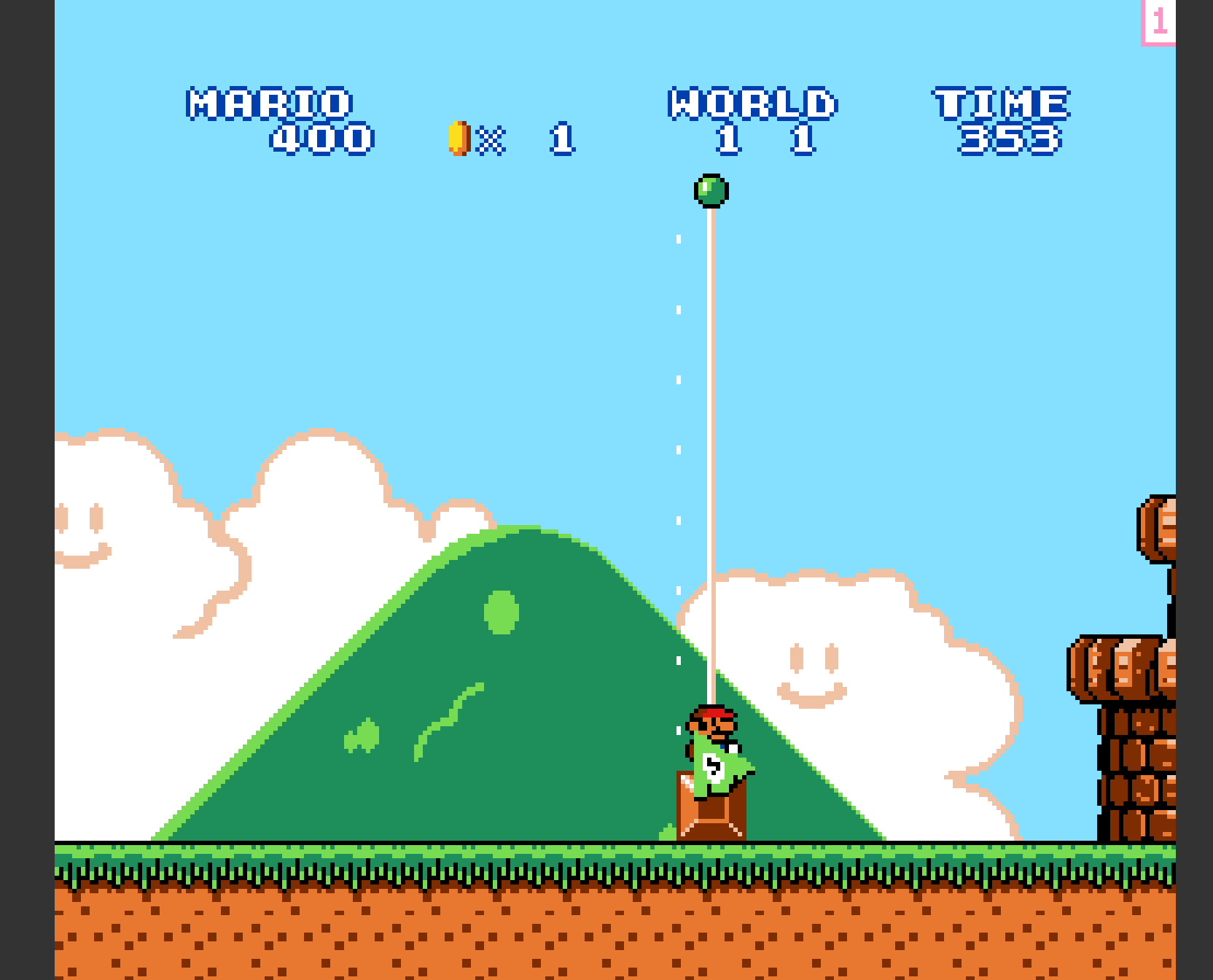
Well, you beat me! (You just had to learn from me first XD)
1 Like
What… You beat ME!! The time goes down!! 
1 Like
Huh…
What time did you really get then?