# Sprite image tools (rotating / flipping)
**URL:** https://forum.makecode.com/t/sprite-image-tools-rotating-flipping/5375
**Category:** Arcade
**Created:** [January 6, 2021, 4:04am UTC](https://forum.makecode.com/t/sprite-image-tools-rotating-flipping/5375 "2021-01-06T04:04:12Z")
**Posts on this page:** 7
**Page:** 1
### Author:  [@felixtsu](https://forum.makecode.com/u/felixtsu)
#### Post date: [January 6, 2021, 4:04am UTC](https://forum.makecode.com/t/sprite-image-tools-rotating-flipping/5375/1 "2021-01-06T04:04:12Z")
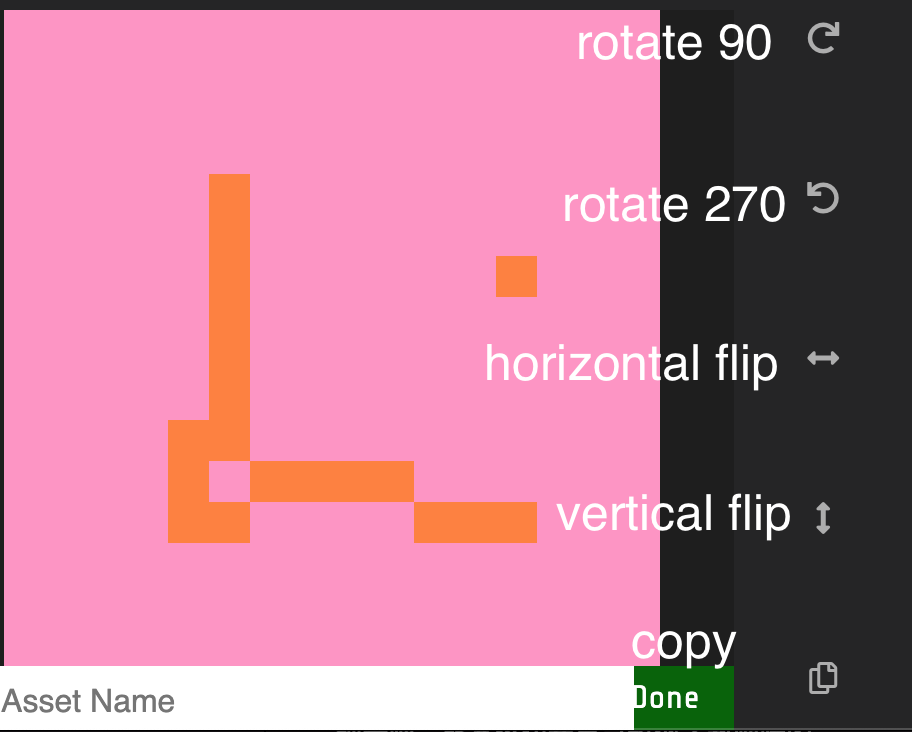
> **[Arcade Image Tools](https://felixtsu.github.io/arcade-image-tools/)**
1. Copy images from sprite editor;
2. Paste into this editor;
3. Rotate / flip;
4. Copy the result and paste back to your project.
---
### Author:  [@NxNMatrixGL](https://forum.makecode.com/u/NxNMatrixGL)
#### Post date: [January 6, 2021, 4:30pm UTC](https://forum.makecode.com/t/sprite-image-tools-rotating-flipping/5375/2 "2021-01-06T16:30:49Z")
I’ve been wanting this, so my kid can make sprites and tiles much easier. At least, he now knows there is code to do this also.
---
### Author:  [@GameGod](https://forum.makecode.com/u/GameGod)
#### Post date: [January 6, 2021, 4:31pm UTC](https://forum.makecode.com/t/sprite-image-tools-rotating-flipping/5375/3 "2021-01-06T16:31:29Z")
I love this, thanks so much!
---
### Author:  [@UnsignedArduino](https://forum.makecode.com/u/UnsignedArduino)
#### Post date: [January 6, 2021, 4:32pm UTC](https://forum.makecode.com/t/sprite-image-tools-rotating-flipping/5375/4 "2021-01-06T16:32:27Z")
👏👏👏
Now we just need to put it in the Arcade editor! (Like in the real one without having to go to a site!)
**SHAMELESS SELF PROMOTION AHEAD**
Also, I have added it to my Awesome Arcade Extensions [here](https://github.com/UnsignedArduino/Awesome-Arcade-Extensions#arcade-image-tools)!
---
### Author:  [@Agent\_14](https://forum.makecode.com/u/Agent_14)
#### Post date: [January 6, 2021, 4:32pm UTC](https://forum.makecode.com/t/sprite-image-tools-rotating-flipping/5375/5 "2021-01-06T16:32:42Z")
I love this tool. It is really helpful with complex unsymmetrical sprites, so I only need to tweak some small things instead of starting it from scratch.
---
### Author:  [@GameGod](https://forum.makecode.com/u/GameGod)
#### Post date: [January 6, 2021, 5:13pm UTC](https://forum.makecode.com/t/sprite-image-tools-rotating-flipping/5375/6 "2021-01-06T17:13:19Z")
I found a glitch - if you draw an image that does not have the same height as the width (for example 5 by 10) and flip it, it changes the dimensions from 5 by 10 to 10 by 5 and erases part of your drawing.
---
### Author:  [@felixtsu](https://forum.makecode.com/u/felixtsu)
#### Post date: [January 7, 2021, 4:16pm UTC](https://forum.makecode.com/t/sprite-image-tools-rotating-flipping/5375/7 "2021-01-07T16:16:50Z")
Oops, I made a silly mistake 😄, thanks for pointing out, fixed and deployed.
Glad that you guys like it.