# Version Control: How to do it?
**URL:** https://forum.makecode.com/t/version-control-how-to-do-it/1331
**Category:** micro:bit
**Created:** [March 5, 2020, 8:36pm UTC](https://forum.makecode.com/t/version-control-how-to-do-it/1331 "2020-03-05T20:36:46Z")
**Posts on this page:** 3
**Page:** 1
### Author:  [@yorke.paul](https://forum.makecode.com/u/yorke.paul)
#### Post date: [March 5, 2020, 8:36pm UTC](https://forum.makecode.com/t/version-control-how-to-do-it/1331/1 "2020-03-05T20:36:46Z")
I have been coding since early 80s, yes I’m old.
Anyways, I like micro:bit and MakeCode, but how do you make new versions of existing projects. It always seems to want to
1
a) Start from a clean sheet
b) Change and overwrite existing code
Just to be clear, I am talking about in the browser block code.
---
### Author:  [@richard](https://forum.makecode.com/u/richard)
#### Post date: [March 5, 2020, 8:50pm UTC](https://forum.makecode.com/t/version-control-how-to-do-it/1331/2 "2020-03-05T20:50:22Z")
If you’re familiar with git and GitHub, we support GitHub repos (even for blocks)! Right now this is a beta-only feature, so you’ll need to go to [makecode.microbit.org/beta](http://makecode.microbit.org/beta) to use it.
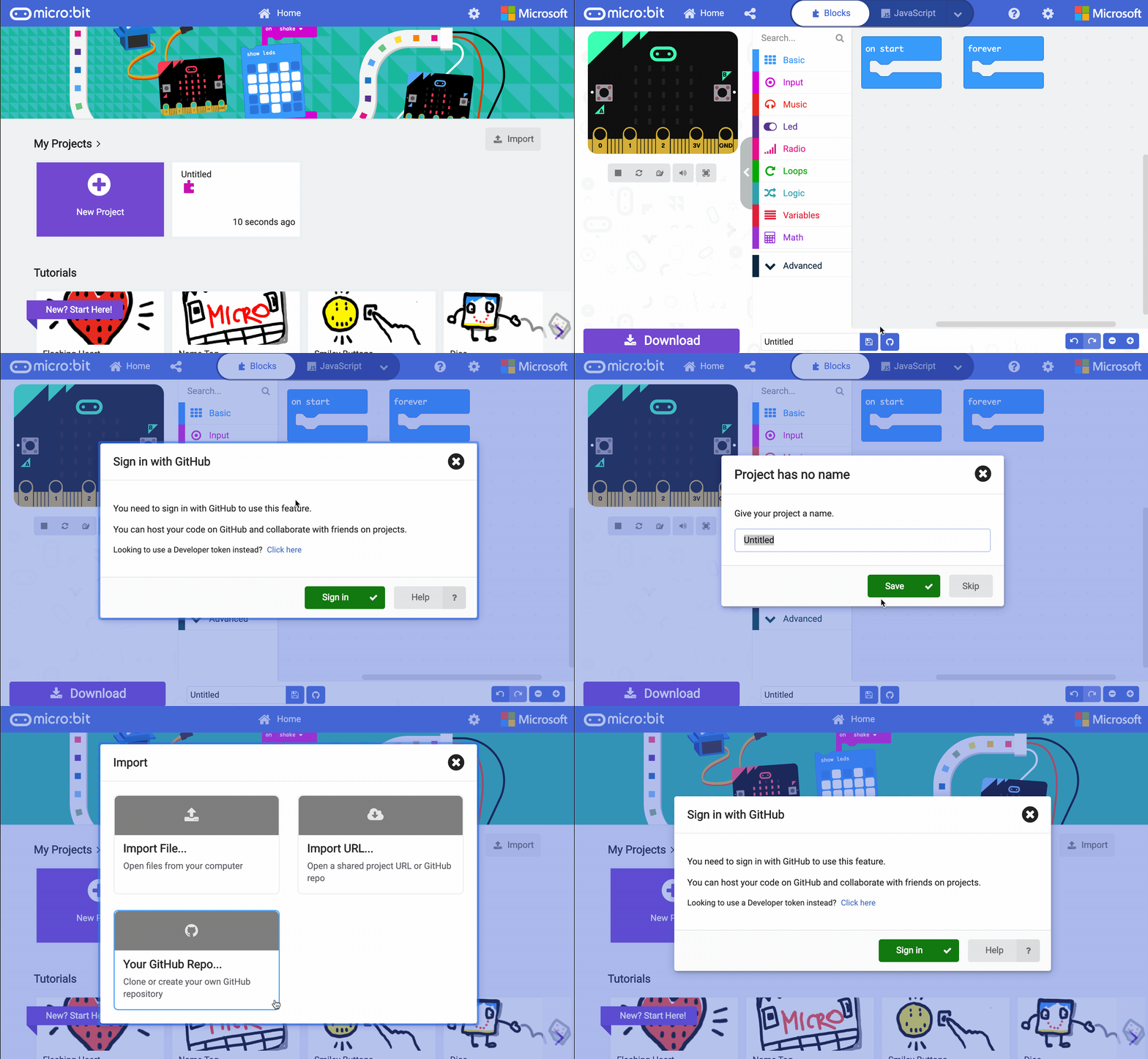
Inside the blocks editor there is a GitHub button at the bottom of the screen (the one with the cat icon). If you click on that you can turn the current project into a new repo. You can also import existing repos from the homescreen. Here’s a GIF of me doing both of those things:
---
### Author:  [@yorke.paul](https://forum.makecode.com/u/yorke.paul)
#### Post date: [March 5, 2020, 9:15pm UTC](https://forum.makecode.com/t/version-control-how-to-do-it/1331/3 "2020-03-05T21:15:58Z")
> [@yorke.paul](#):
>
> I have been coding since early 80s, yes I’m old.
>
> Anyways, I like micro:bit and MakeCode, but how do you make new versions of existing projects. It always seems to want to
> 1
> a) Start from a clean sheet
> b) Change and overwrite existing code
>
> Just to be clear, I am talking about in the browser block code.
Thanks, I did not even notice that import button, thats all I need.