How to make a 3d shadow
Requirements
First, copy and paste https://github.com/jwunderl/arcade-sprite-util
into the extensions selection area and press enter, you need them later on.
Part 1: Creating functions
Go to advanced and go make a function.
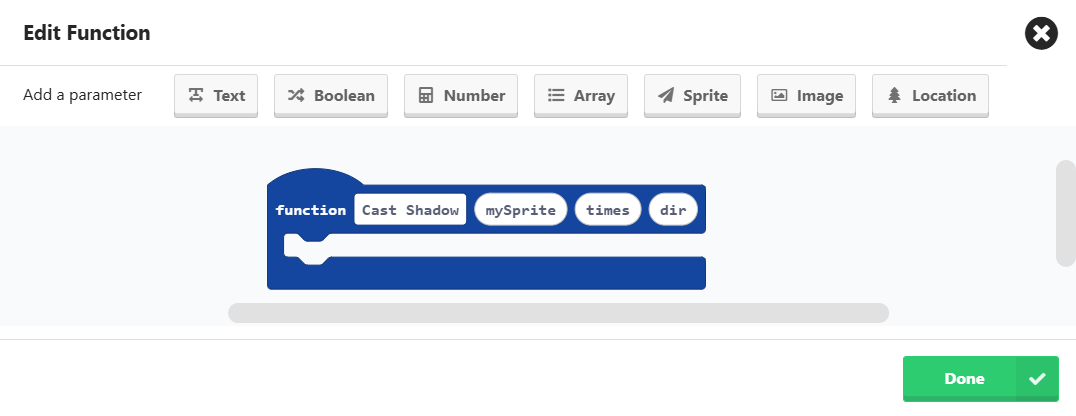
Name the function to Cast shadow and add a sprite, and 2 numbers. It should look like this:
Part 2: The code
Now let’s do the sprites, first step is pretty explanatory.
Make sure the background is white or else you can’t see the shadows
Add the function to the on-start block and put the sprite into the sprite input.
Set the sprite depth to 100 so that the shadows wont overlap.
Add the for index from 0 to block into the function and put the timer to replace the zero.
Make a projectile like this:

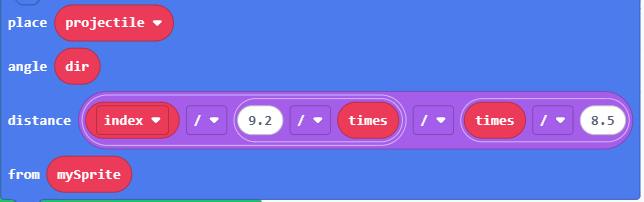
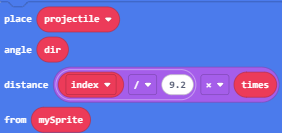
Get the place () angle () distance () form () on the sprite utils block into the index block.
Chnage the block to this:
Your code should look like this:
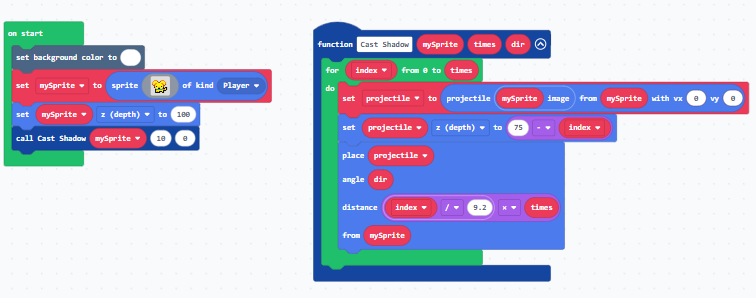
You can chang the times and the dir of the functions but that all.