Can you make this into a website that converts the games into an exe
Already responded
2 Likes
I have not, mostly because the plan was for people to use an external game launcher like Steam:
Since the kiosk mode isn’t a single Arcade game I’m not sure what you would need to do, it would proabably be easier to just make a custom kiosk mode by hand with some HTML/CSS/JS that links to games, then compile that all into an executable.
3 Likes
another reason why makecode should just let you download either an exe or a png file 
Well, you already can download the PNG file to reopen on the MakeCode Arcade website, and as for executable files, they would also run into the same problems of needing engineering time and money to maintain this
1 Like
i meant exe files to play offline. and for money, i mean microsoft is a multi billion dollar company.
@michaelcaplan I have a setup now that I’m about to document that allows you to run a real cabinet using the exported .elf files and a standard linux environment.
The repo I have is here: https://github.com/Kikketer/CreationStationArcade proper tutorial documentation is coming.
To make things easier we are also dependent on the “export as elf” to be a little easier:
But basically it’s offline then, the raw elf files are what actually run and use the GPIO pin inputs for the raspberry pi 3 (I use a 3 since it’s less likely to crash/freeze based on the students games, we aren’t at the level yet to worry about optimization).
Side note: I’m actively changing this right now to auto-pull from the repo on boot so changing the active game on the arcade can be as simple as doing a push to this repo + reboot the box. Also adding more “push this button to absolutely kill the current game” safety checks and possibly drop McAirpos completely in an effort to track the PID myself.
2 Likes
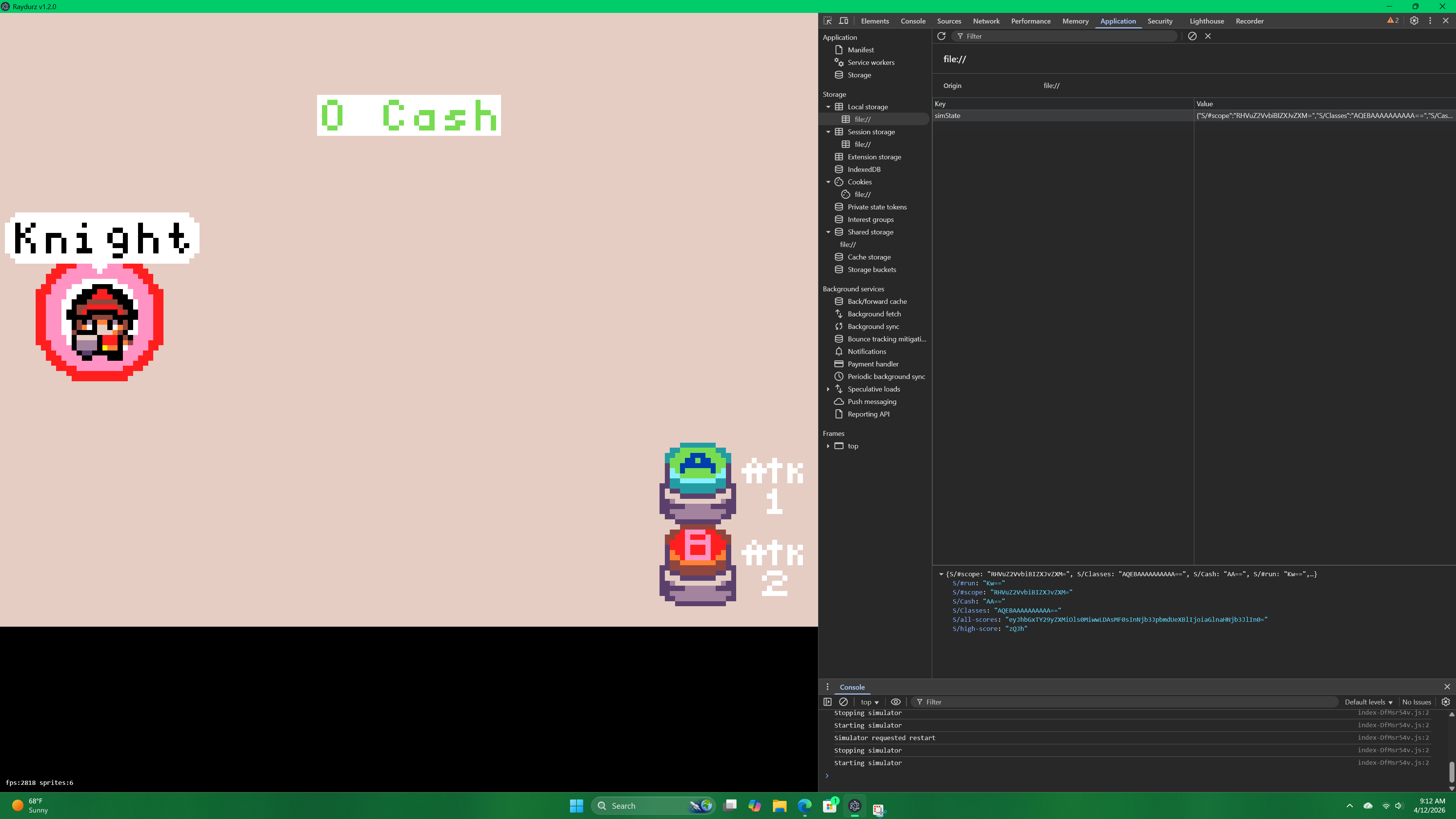
I’m having a problem with the settings extension. Ok so in the website version of my game it saves data from cash earned and maps beaten. However, when I created an exe of it using electron, it doesn’t save. I beat a map then earn no cash or having it say that the map was completed afterwards.
1 Like
I’m having the same issue with my projects, it was working before the MakeCode update in February so it might be due to that? @UnsignedArduino
I don’t think so. I did it after the MakeCode update since I did it 2 days ago. So it’s probably a different issue.
1 Like
@UnsignedArduino Hm, do you know what’s going on here? I’m guessing the values for my settings extension is encrypted. Problem is that these values never get updated even after finishing a match. And it’s not a problem with my project; it’s a problem with electron since the website version of my game stores and writes saves just fine. https://arcade.makecode.com/S23683-68597-53100-14209
1 Like