I am working on a practice project being recreated by a class of elemantary aged coders this spring. It is a simple tilemap with a car jumping over obstacles. The goal is to teach them how the programs works and how to fix minor issues in their projects. Many of them have little experience with tech whatsoever. In making this practice project I have run into a little problem. I have coded it to jump over obstacles, have a defined start and end, speed up at the press of a button, ect. Now I am looking for a challenge for students who want to go above & beyond. Was wondering if you all had any ideas/additions that are level appropriate & how to implement them.
My hope was to find an easy way that if they hit an obstacle, it would reverse for a second, say something funny, and then resume its forwards trajectory. Right now, no matter how I play with the code I can not get it to resume its forward motion after the backing up. Help? Preferably the easiest way to set this mechanic up, as some of my group is as young as 7.
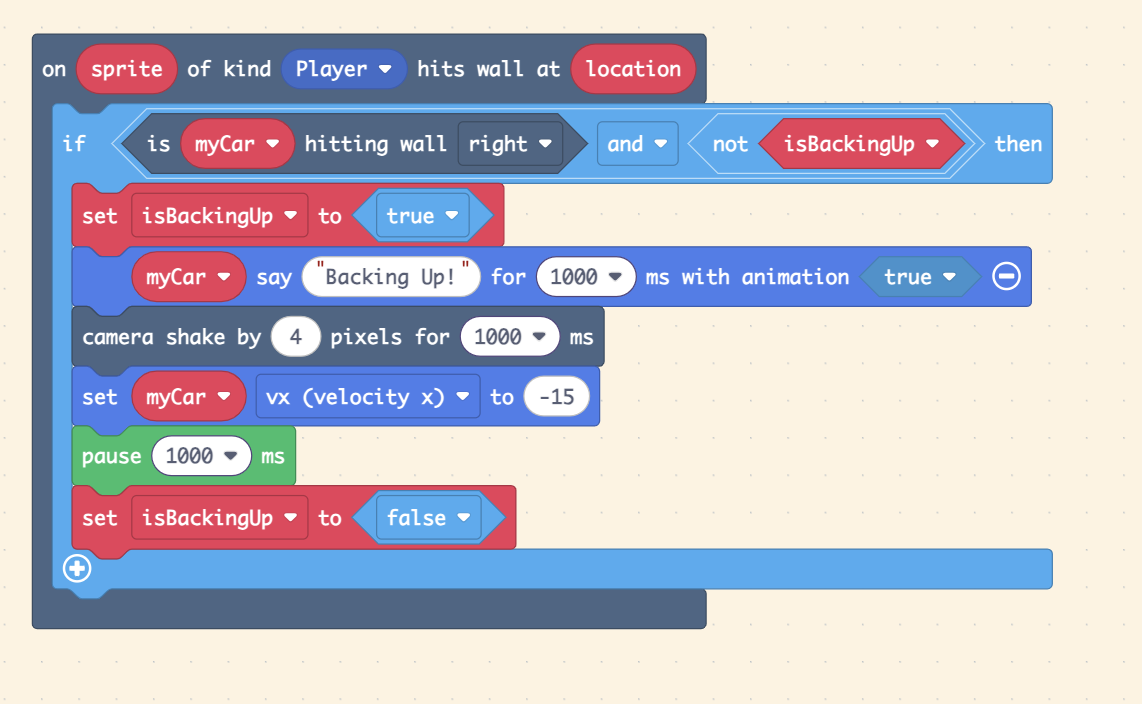
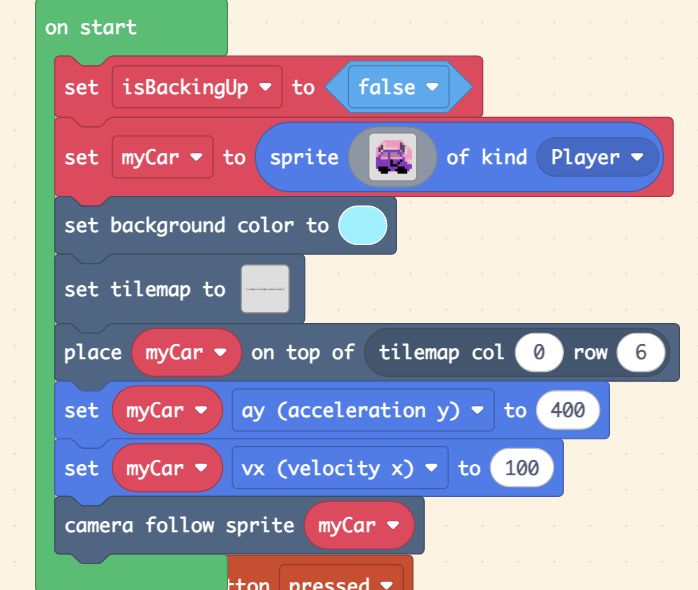
This is what I have so far:
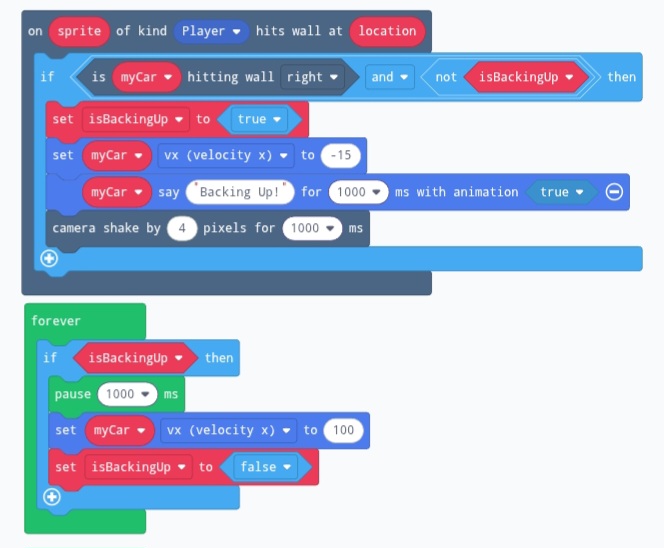
This is what I have for the “reverse if you hit a tree” part, but it doesn’t pause, and I’m a bit lost on how to make it resume.
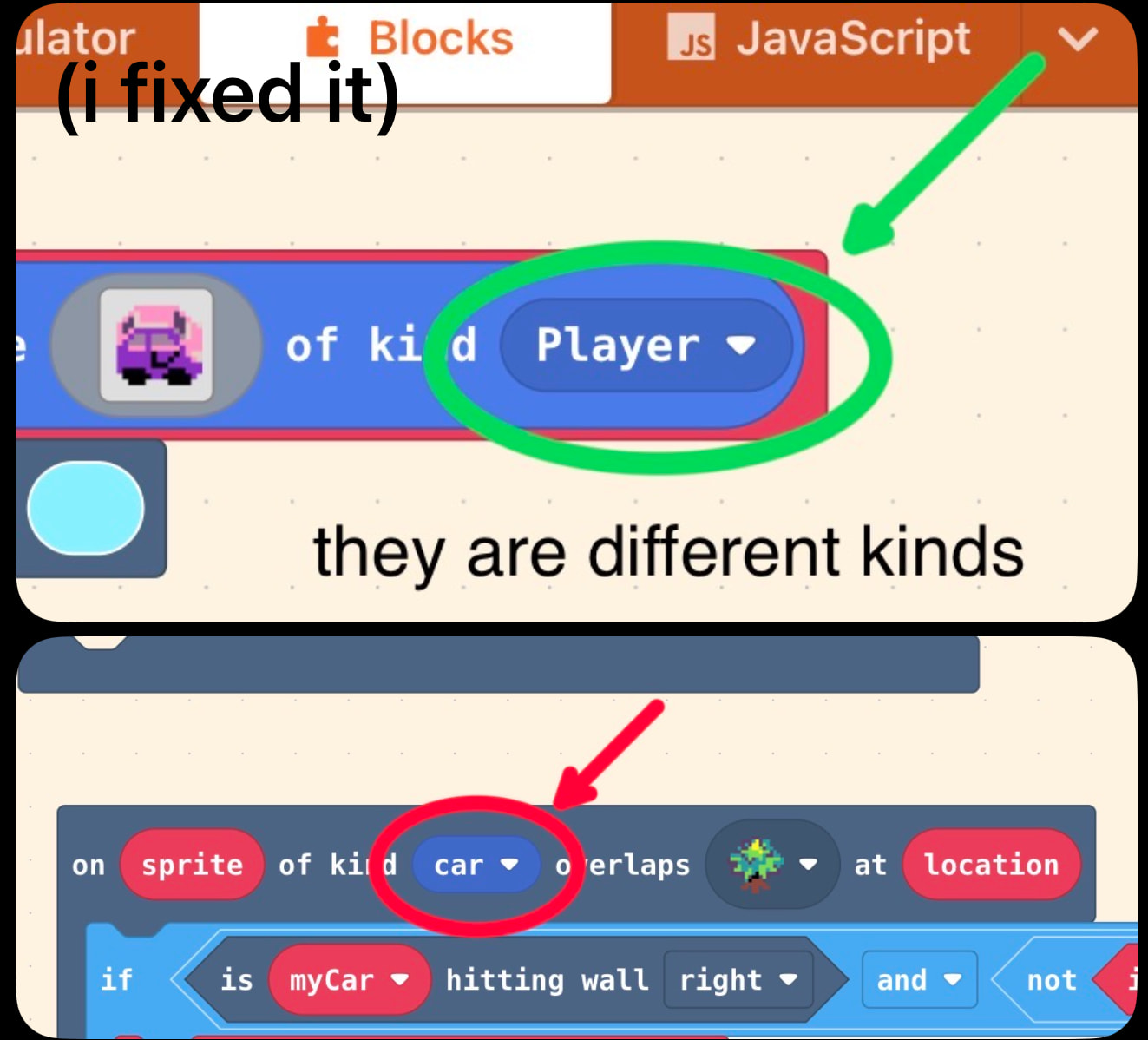
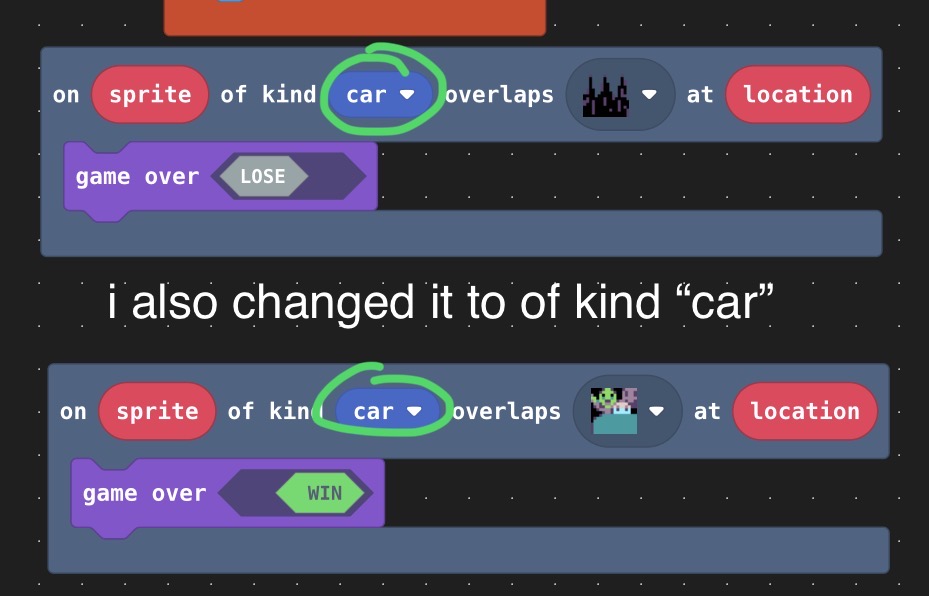
These are different kinds of sprites, so when the car overlaps (or hits) the tree, it won’t work because it is detecting a sprite with kind “car”. (Also, this didn’t work because the tree is a solid, so I changed it to “when of kind sprite hits wall”.)
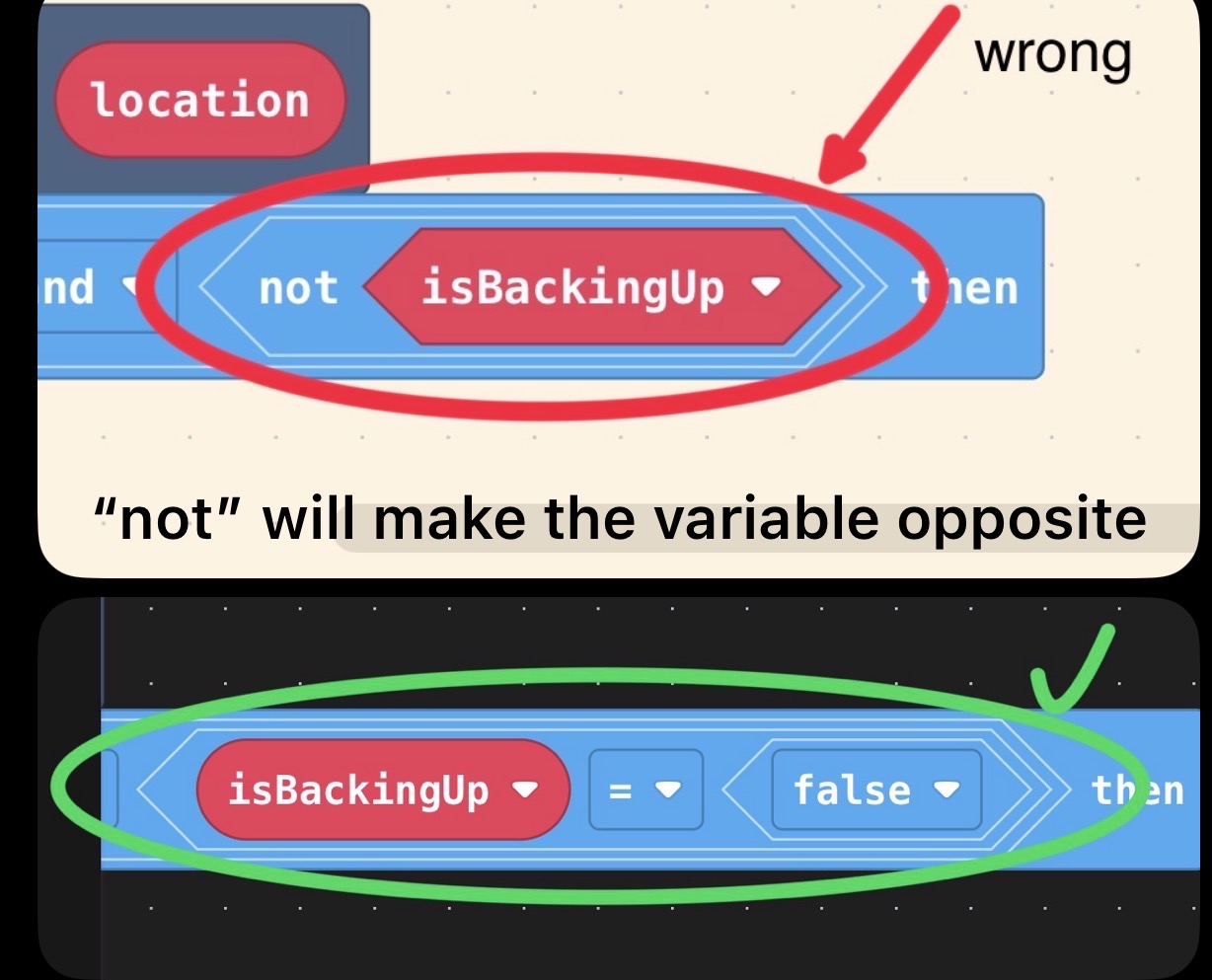
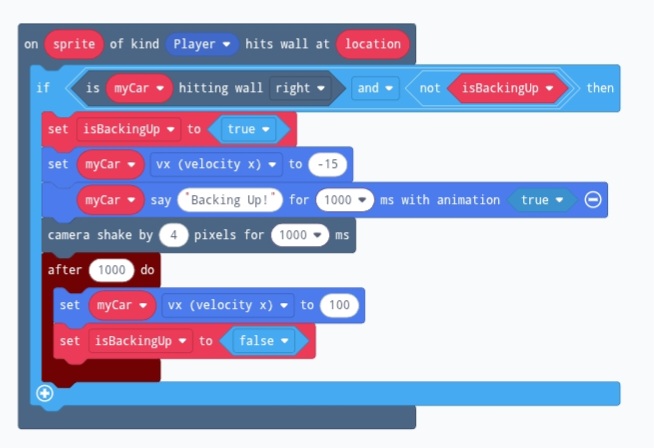
Here is my version of the backing up car code. I’m not completely sure if it’s simple enough for what you wanted, but it is, in my opinion, quite easy to follow with a very basic understanding of coding.
Your code had a few problems. Firstly, (although not in the screenshot), the overlap block said on sprite of kind car, which is wrong because the car’s sprite kind is player. Also (again in the project, not the screenshot), you were using an overlap block rather than a hits wall block, which will not work as the trees are walls.
Anyway, here’s my fixed version. Tell me if you have any questions about it.
Basically, how the hit wall block works is that on every update to the game state it checks its conditions, and if it can run its code, it will do that untill it is complete. The game cannot update until the overlap block (and some others) have finished their code.
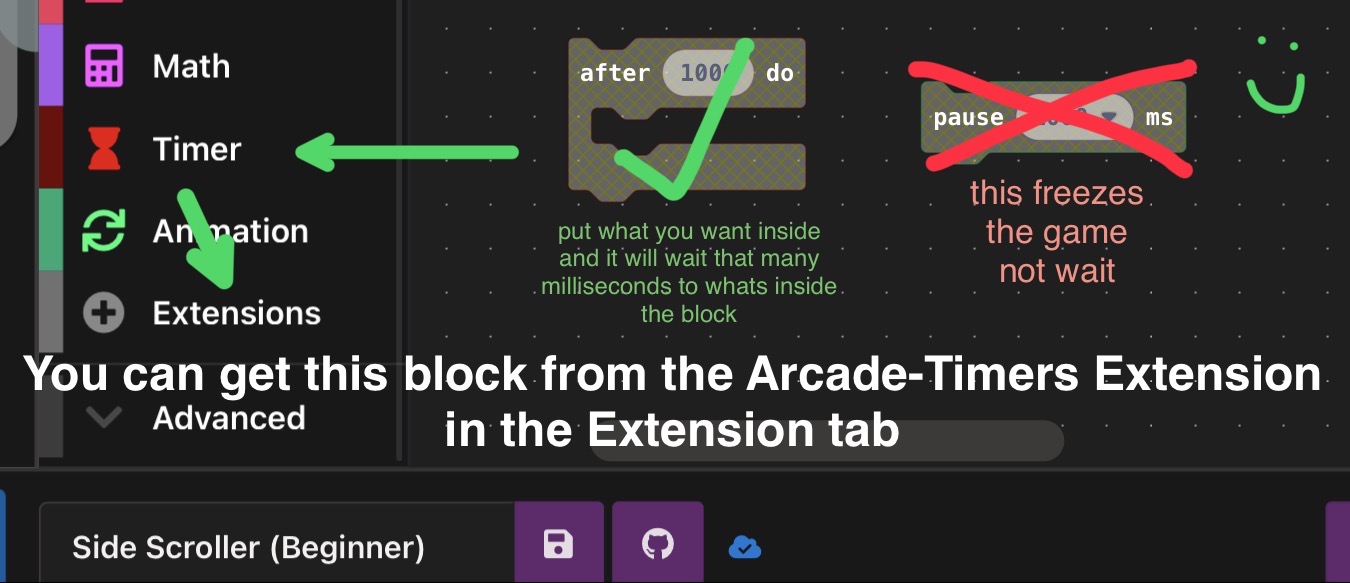
The issue comes with putting a “pause” block in the hit wall loop. The game will have to wait until the pause is finished to update, causing it to freeze for a second.
I propose 2 solutions:
Solution 1
Use the Timers extension and replace the “pause 1000ms” with a “after 1000ms do” block:
I found a way to fix this, here it is. It may not be optimal, so feel free to simplify it or something. It won’t let me put in the picture, but you had 2 problems. One was that the car never overlapped the tree, so the code wasn’t running. I fixed this using the “tile to right of myCar is: “ The other problem was the pause was pausing the whole game. This is a really annoying problem that I usually fix using the timer extension for small scale things like this. Let me know if this helps!