Ive been trying to work on my current project but my workspace is so laggy that as I drag my camera around the workspace I can unintentionally delete giant things of code and I have trouble moving to where I’m trying to get to due to the lag. Im moving at around 2-4 fps
Try turning off your wi-fi or closing the game window or both
2 Likes
Without doing the obvious of using a better computer, here’s some suggestions:
- close any other tabs or windows or programs open on your computer
- Right click on the workspace and click “collapse all” to hide most of the code
- delete any greyed out / unused blocks lying around the workspace
- close the simulator (the pop up showing your game running) when you’re not using it
- Clear up storage space on your computer (if your computer is very close to full, it can cause lag)
- Use a new browser, chrome should be best
Other than that, the only thing left is to optimize the code, meaning you remake it in a way that uses less blocks. But the first two should help a lot— LMK if this works for you! 
4 Likes
…
Idk, collapse blocks you aren’t inspecting?
For non-function block containers, right click it then click “collapse” or something like that
You can also right click anywhere and click “collapse all” or something like that
2 Likes
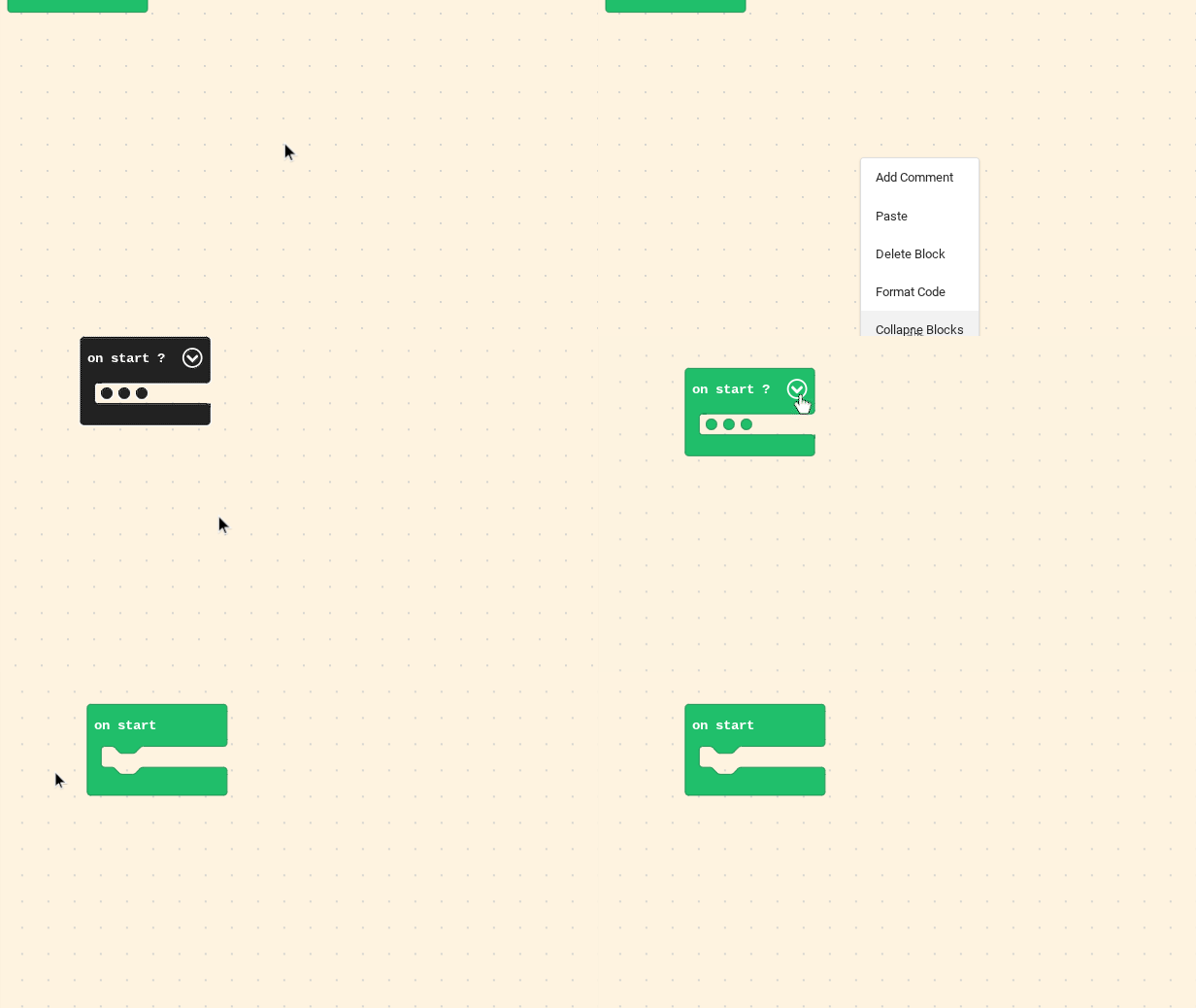
try collapse blocks
2 Likes
collapsing the blocks really reduced the lag and deleting the greyed out blocks, thank you so much man!!!
1 Like
Or use js
1 Like