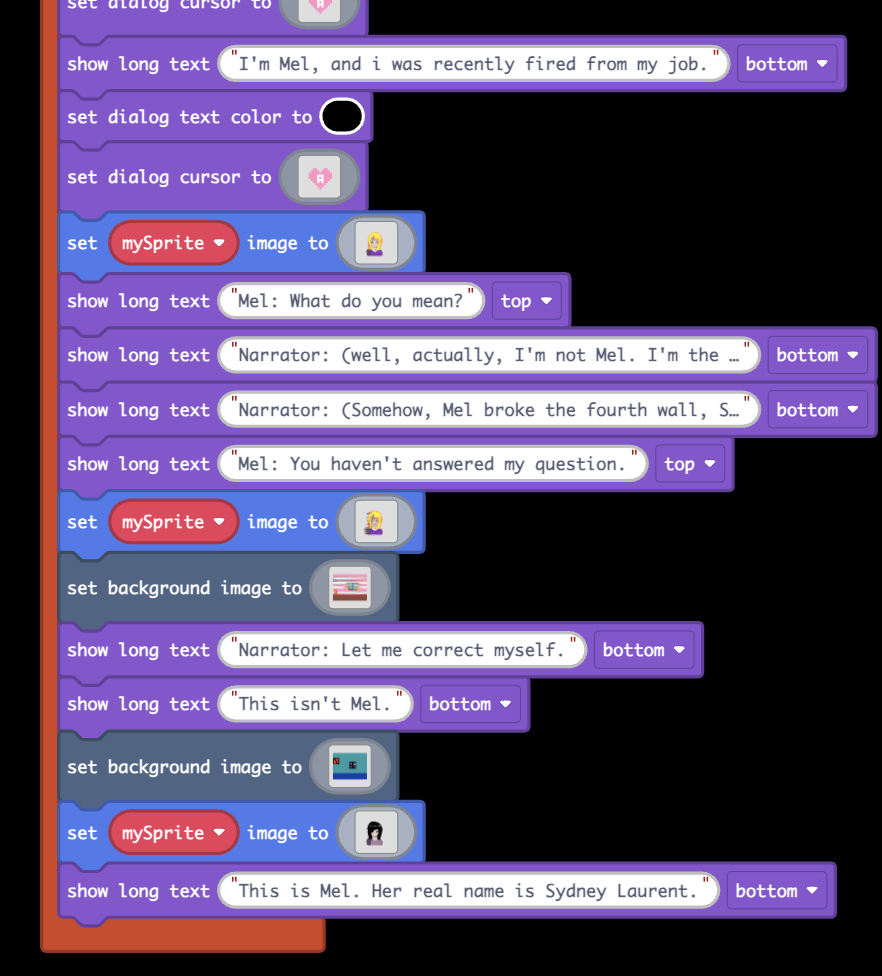
(I’m using blocks) I need some play testers for my game, but i also need some help with the blocks. For some reason- the previous sprite doesn’t dissapear when i set it to something else, so there are parts that can be seen from the previous one behind the new one. if i explained poorly (which i did), play it and you’ll probably understand what i mean.
https://arcade.makecode.com/S72610-42037-41261-43718 here’s the game. all help is appreciated!
Also, another glitch (i just found), after the scene changes to sydney, it glitches out and repeats the scene.
3 Likes
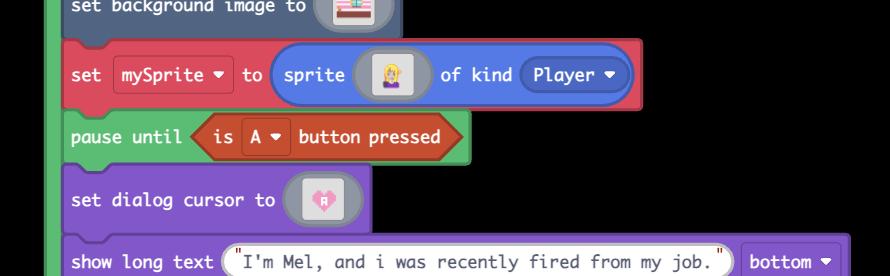
The thing with the sprite not getting deleted is that the sprite actually gets added to the “scene” when it’s created, and is not really contained inside the variable you use. The variable is just a thing that holds the location of the sprite in memory (it’s a “pointer” to the sprite) so when you change the variable to a new sprite it just stops pointing to the old sprite and starts pointing to the new sprite. To actually delete the old sprite you’ll have to use the “delete (mySprite)” block. Alternatively, you could simply change the image of the sprite, like this:
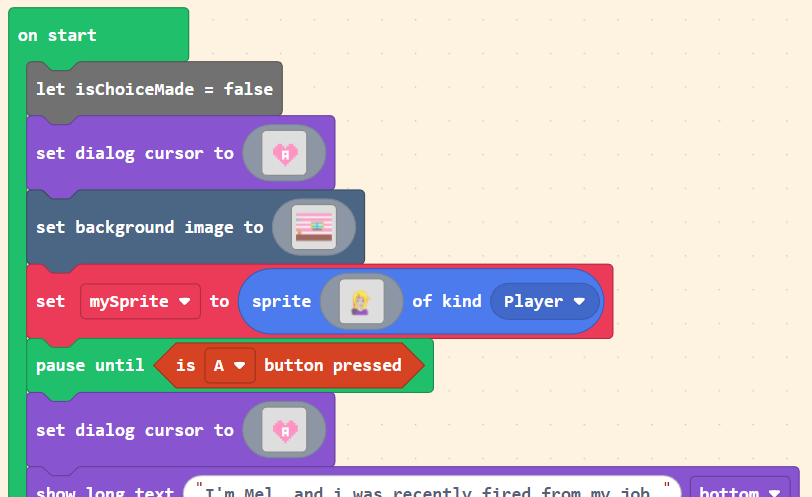
The thing with the dialogue restarting is happening because the “on button pressed” blocks keep track of the number of times they are pressed while the code inside is still running and run again once that code is completed. Instead of using these, I would put all this inside the On Start block and use a “wait until <A button is pressed>” block to pause at the start of the game.
Consider adding some text like “A to start” at the beginning, to avoid confusion.
This is a cool game and I really like your pixel art. I hope you share it here again once it’s done!
4 Likes
Welcome!  The art in this game is AMAZING!! The characters are so cute, and the story is really intriguing
To fix this bug:
This is because you are using the ‘set sprite’ block here:

Instead of just changing the image of the sprite, this actually creates an entirely new sprite. Because the old one is never destroyed, it doesn’t disappear, and you can see both of them.
To fix this, use the ‘set sprite image’ block instead! That will make sure you’re changing the image of the sprite rather than creating a new one.

To fix this bug:
This is happening because you are using ‘on A pressed’ to trigger the next part of the game. Because the player is pressing A to move forward with the dialogue, the player keeps pressing A, and it keeps triggering the game to play again.
To fix this, I’d put your code in the ‘on start’ block so it only runs when the game starts. If you still want the game to only start once the player presses A, you can use the ‘wait until’ block to only start the game once the player presses A:
Here’s the fixed code! From my playtesting, I couldn’t find any other bugs, but let me know if any more appear.

4 Likes
tysm! this was so helpful
2 Likes
Tysm, this was so helpful!
2 Likes
This game is awesome, @NikkiDev! I like how it turns from a regular beginning to some dark sides.
3 Likes
that art for the characters are really good
4 Likes