So rencently I have gone down the 3ds homebrew rabbit hole and I wanted to learn, and create my own little app for the 3ds. So I would like to interduce makecode arcade 3ds!
The makecode arcade 3ds app is unofficial Homebrew that lets you play your makecode games on a 3ds. here is what my game frost haven looks like when running on it.
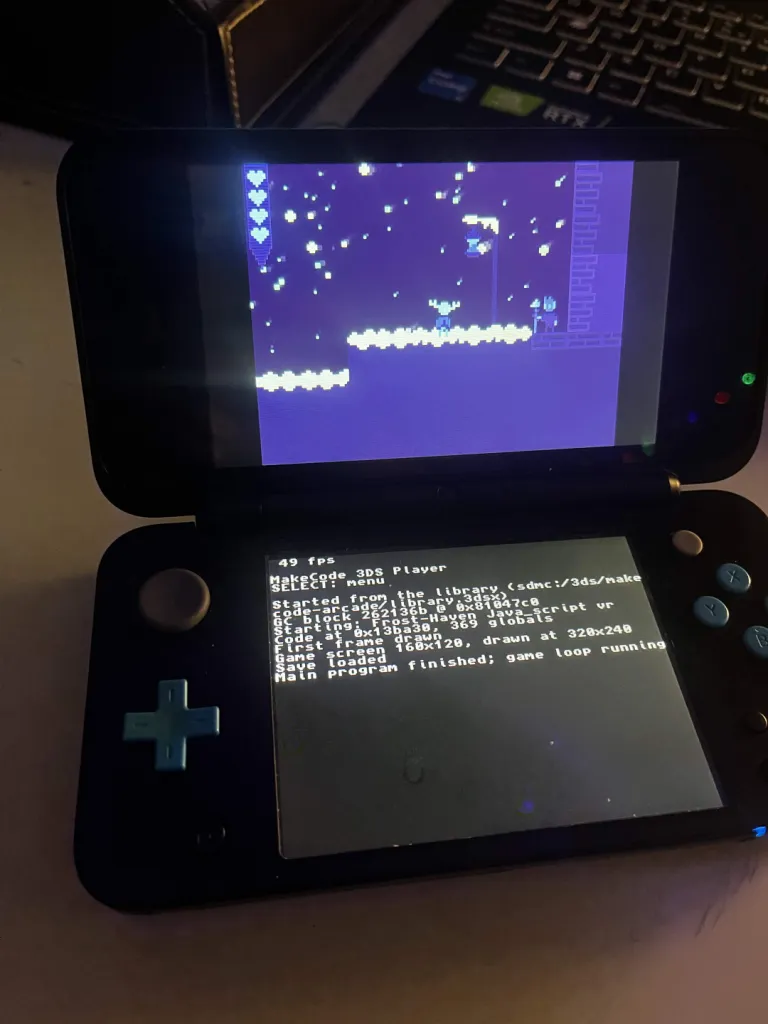
On a new 2ds xl it runs a stedy 49-50 fps
it also runs all of my games with at least 30 fps on my 3ds which I am quite happy with becouse thats way better than any of the offical makecode suported hardware can do on my huge games!
I also worked on disigning a pretty cool libary app that will display all the games you decide to put on your 3ds
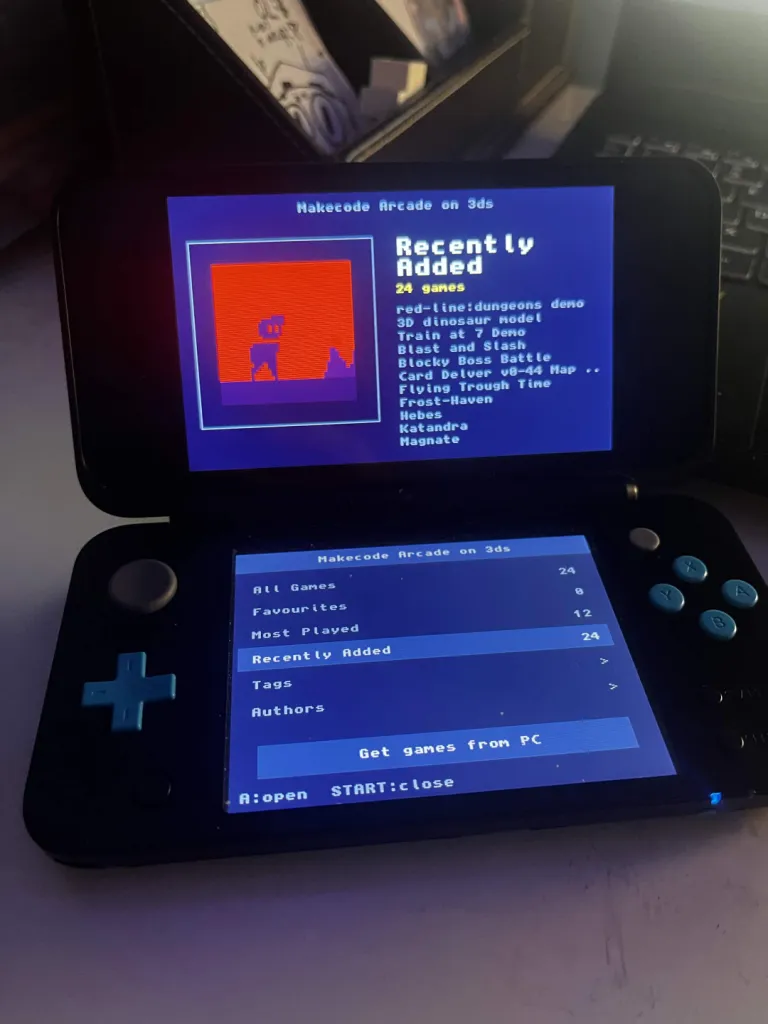
So yeah thats the basic show offs of what I’ve been up to if you want to try out the app you can download it form the gitub here.
Github project link:
Stetup
to get the app set up you need to download the latelst realse on github and go to the built 3ds games folder there you will see a folder titled makecode-arcade and a Makecode Arcade on 3ds.cia file. Copy the makecode-arcade folder to the 3ds folder on your 3ds’s sd card, and then put the Makecode Arcade on 3ds.cia on the sd card and install it onto your homebrewed 3ds. form there you can run the MakeCode 3DS.exe on that app input the game link of the game you want to app to your 3ds let it download and compile that game once it’s done you can add a title, author, and icon, then click save once you do that you can then get the game through Get games form pc button on the libary app or by copying the contents of the makecode-arcade folder found in built 3ds games which has the outpit of all the compiled games inside it. infact if you just want to run your game without the libary app you can with the .3dsx file found in makecode-arcade/your game name
Final throughts:
This was a really fun project to work on even though I did use ai to help me build the compiler and do the libary app back end it was a lot of fun. I learn a bit of how makecode games work, and I learned alot about how the 3ds system works. I hope this is something cool the comunity can use and I hope i’ll motavite people to make more games like how seeing my games on hardware has inspired me to learn more.
Ps. The app only works on windows as thats the only os I use, and I have no clue how mac works even tho I’ll probably go down that rabbit hole soon, and also I do wanta say I did use ai for this project, but as for my stance on ai it will never be used for coding my games only for overly complex stuff like this, and I will always be open on weather I used ai or not so you can know what I used ai for and what I didnt use ai for. I think one of my friends phrased this the best “ai should be for helping with hard things in stem, not replacaing things like human writing or designs” yeah that just about sums up everything. Also Sorry if the github is a bit rushed I lowkey had ai help me push it out as soon as I could becouse I am ready to move on form this project and work on frost haven again.
Ps Ps. frost haven will come guys trusts me br-