Making an extension for every JavaScript exclusive feature I can think of!

Looks like any function that takes in a function and returns a value will have to wait. It seems support for that sort of block is… only halfway baked. Here are some screenshots of my suffering:


Adding //% draggableParameters="reporter" results in this classic issue:
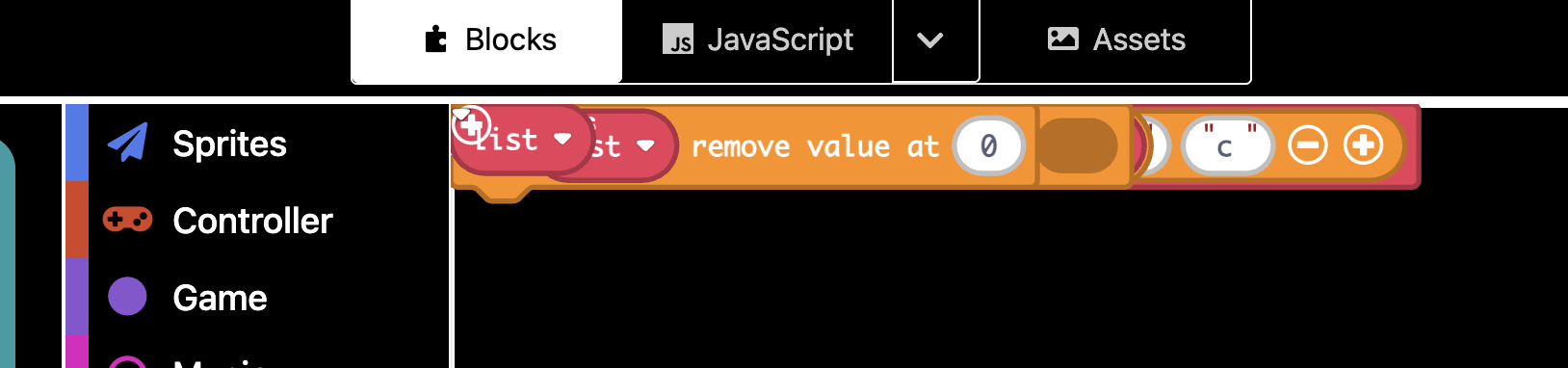
Then I just ignored those and tried to get it working and it seems that it just forgets that the block is supposed to add the code inside to the javaScript half of the equation entirely and resulted in a error in blocks that didn’t stop the game from running and wasn’t an error once switched to javaScript:
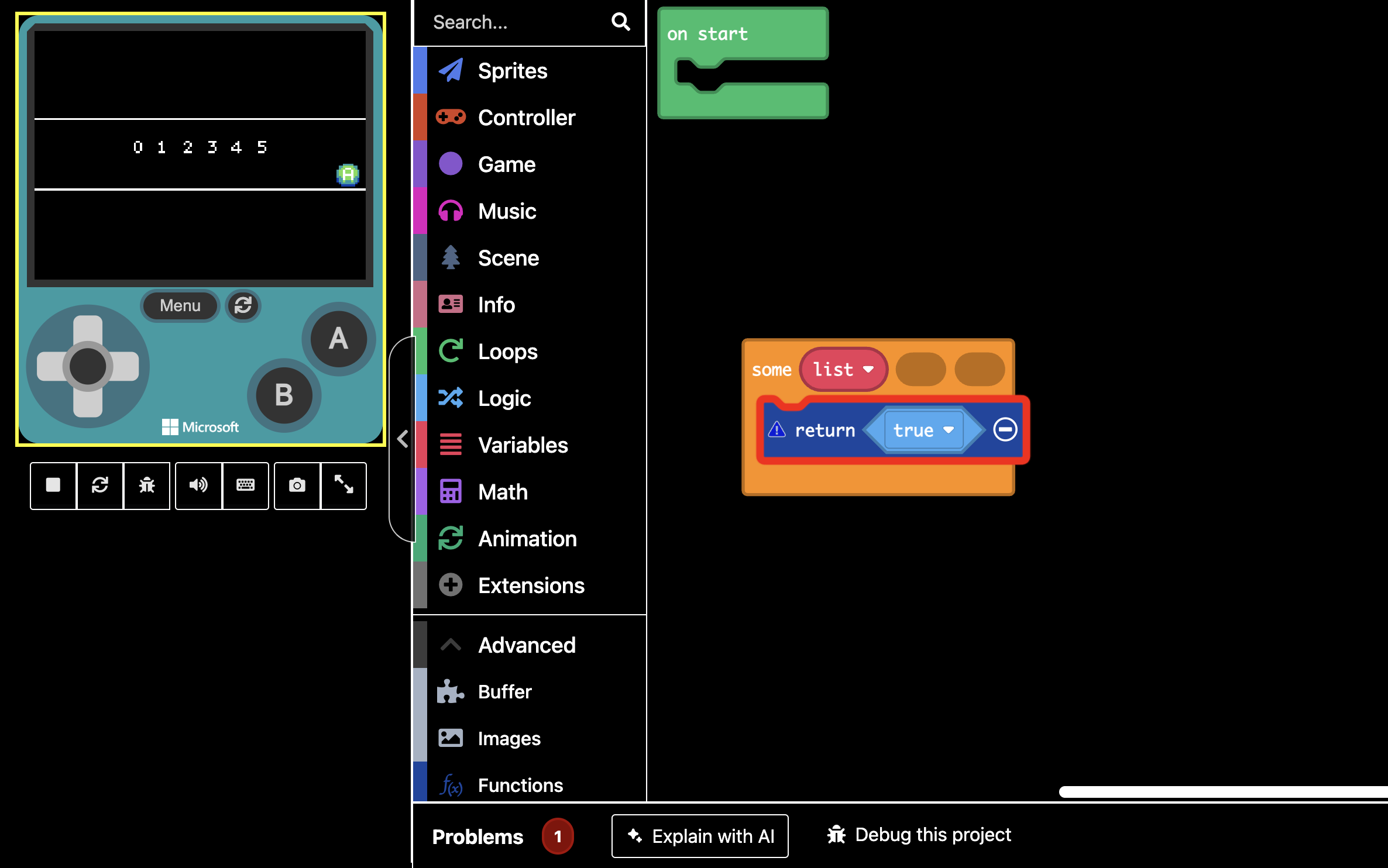
Anyways yeah. Some absolutely cursed looking blocks here. @richard if you have any advice, it is more than welcome! I’ve tried every permutation of having and not having certain parts of this, but here is all of stuff I’ve tried written into one block:

    /**
     * Returns true if any element of an array makes the code return true.
     */
    //% blockID="extras_some_array"
    //% block="some $target=variables_get(list) $value=variables_get(value) $index=variables_get(index)"
    //% group="Operations"
    //% draggableParameters="reporter" // This would be required for the block I want but does not work.
    //% handlerStatement // idk I thought it might do something. It didn't.
    //% blockNamespace="arrays"
    export function some_array_block(target: Array<any>, condition: (value: any, index: number)=>boolean) {
        return target.some(condition) // This would be ideal but I have tried the other one and it's not working either it seems.
        //target.some(condition)
    }
5 Likes

Ooh … yeah … returning a value from a container appears not to be supported. Don’t know if that’s a limitation of the underlying Blockly framework or if it’s something that could be tweaked within MakeCode. Looking forward to hearing what Richard thinks. Sorry about the wild goose chase, WoofWoof!

4 Likes

Yep, lol, tried to create a block that let’s you create you’re math function and then be able to return your value. Sadly, didn’t work and richard said something about this too about it.

1 Like

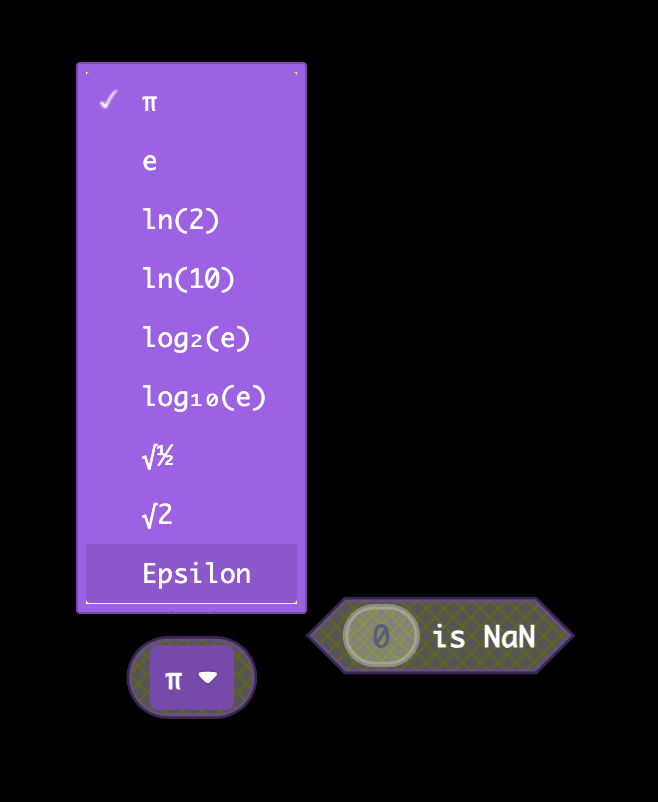
Hey @WoofWoof maybe you can expose Number.Epsilon and Number.isNan()

1 Like

Well the others will certainly be possible!
They probably have never set up that functionality because they never had a block that needed it… so probably it won’t ever be set up but that’s alright.

2 Likes

Well that was easy!


About your other suggestion, just use negative numbers in the slot.

None of these blocks are published in the extension yet though, you’ll have to wait just a bit.

5 Likes

definitely not supported!

7 Likes

I don’t really know if this is possible when coding the extension, but do you think it’s possible to add like these types of arrays (I forgot what they’re called :rofl:) for blocks?

let characterKeys: CharacterKey[] = [ // CharacterKey is an interface 

    { key: browserEvents.A, character: "a", wasPressed: false },

    { key: browserEvents.B, character: "b", wasPressed: false },

    { key: browserEvents.C, character: "c", wasPressed: false },

    { key: browserEvents.D, character: "d", wasPressed: false },

    { key: browserEvents.E, character: "e", wasPressed: false },

    { key: browserEvents.F, character: "f", wasPressed: false },

    { key: browserEvents.G, character: "g", wasPressed: false },

    { key: browserEvents.H, character: "h", wasPressed: false },

    { key: browserEvents.I, character: "i", wasPressed: false },

    { key: browserEvents.J, character: "j", wasPressed: false },

    { key: browserEvents.K, character: "k", wasPressed: false },

    { key: browserEvents.L, character: "l", wasPressed: false },

    { key: browserEvents.M, character: "m", wasPressed: false },

    { key: browserEvents.N, character: "n", wasPressed: false },

    { key: browserEvents.O, character: "o", wasPressed: false },

    { key: browserEvents.P, character: "p", wasPressed: false },

    { key: browserEvents.Q, character: "q", wasPressed: false },

    { key: browserEvents.R, character: "r", wasPressed: false },

    { key: browserEvents.S, character: "s", wasPressed: false },

    { key: browserEvents.T, character: "t", wasPressed: false },

    { key: browserEvents.U, character: "u", wasPressed: false },

    { key: browserEvents.V, character: "v", wasPressed: false },

    { key: browserEvents.W, character: "w", wasPressed: false },

    { key: browserEvents.X, character: "x", wasPressed: false },

    { key: browserEvents.Y, character: "y", wasPressed: false },

    { key: browserEvents.Z, character: "z", wasPressed: false },

    { key: browserEvents.Space, character: " ", wasPressed: false }

]
1 Like

(object literals) (not possible but you can use e.g. sprite data or microsoft/arcade-block-objects: An extension for MakeCode Arcade that adds JavaScript like objects to match the behavior close enough)

6 Likes

Also, I just added a few blocks for you @WoofWoof to add to your extension:

Blocks included:

  • Infinity
  • negative Infinitiy
  • isFinite
  • non-null assertion
  • optional chaining
  • nullish coalescing
  • is array
  • is sprite
  • text includes
  • text starts with
  • text ends with
  • Boolean conversion
  • String conversion
4 Likes

Also @WoofWoof , I’m going to be creating an extension from these blocks with obv, a different name since I have some other blocks I’m going to be adding such as unknown.

2 Likes

do you have typeof(…) yet (though I forget if that returns a type or a number)? It would Also be cool if you made a typeTo(n: any, type: type) { return n as type } which is:

function typeTo<T>(n: any): T { 
    return n as T; 
}

How exactly would a typeTo function be useful in blocks? I mean I’ll add it if you can give me an example I guess. I believe I already have a typeOf function but I’ll look.

Yes, I’m pretty sure he has typeof().

We need Spread lol. I’m pretty sure it’s not supported though.

2 Likes


:frowning:

2 Likes

? What’s that

2 Likes

So if you have an array like this: let arr = [0, 25, "hello"], the type will be (number | string)[]. if you then do if (arr[1] == 25), there would be an error (since arr[1] is a number | string). but doing if (castTo<number>(arr[0]) == 25) would work. I think in js you can also do arr[1] === 25 (that could be a function typeEquals(a: any, b: any) { return a === b }), but you still cant do aStringVariable = arr[2] even though arr[2] might be a string.

Maybe also, if possible, something that makes a variable’s type any? (basically function toAny(a: any): any { return a } but idk if that works)

2 Likes

Fair enough. I was not aware that you could make those types of arrays in blocks! They only work if you define them in the On Start, which generates code like this:
Screenshot 2026-08-12 at 6.34.20 PM
If you define them in any other block it doesn’t work because it generates code like this:


But sure I’ll add the block! I’m gonna need to do a lot more organization of my blocks because I think I’m gonna start putting them in new tabs, so the next release is gonna take a while.

2 Likes

Basically a special array functionality that can be used to easily insert one array into another array.

let array1 = [1, 2, 3]
let array2 = [9, …array1, 8]
// Now array2 = [9, 1, 2, 3, 8]

3 Likes