Easily convert MIDI tracks to the hexcodes used within MakeCode Arcade’s built in music feature: Play Song
Go to the tool: HERE
- Drag and drop (or select) MIDI file.
(Default settings are good but you can tweak the octaves)
-
Copy the generated code with the copy code button
-
In MakeCode Arcade editor, switch to the JavaScript (JS) option and paste in your song.
-
Switch back to blocks to see it on the visual score!
Try it with Daisy Bell
Inspired by some of the work from 2022 by @UnsignedArduino
 Would love to hear everyone’s thoughts on this tool and any improvements!
9 Likes
This is awesome, I’m glad you made the tool so easy to use!!
I should’ve used something like this on my rendition of daisy bell, I got the notes all wrong 
1 Like
@WoodysWorkshop I was literally searching for a way to do this a day before this got approved, but can you make it so it recognizes what note to place
2 Likes
Update! V1.2
Now with Lyrics Sync!
It’s a lot like Animal Crossing!
Try the new tool: HERE
Here’s a demo project:
1 Like
Yeah I will  Hex data is tricky! I did have a go at this today but couldn’t match up the instruments quite right so I’ll come back to this.
- First, you need the Text-Sprite extension
-
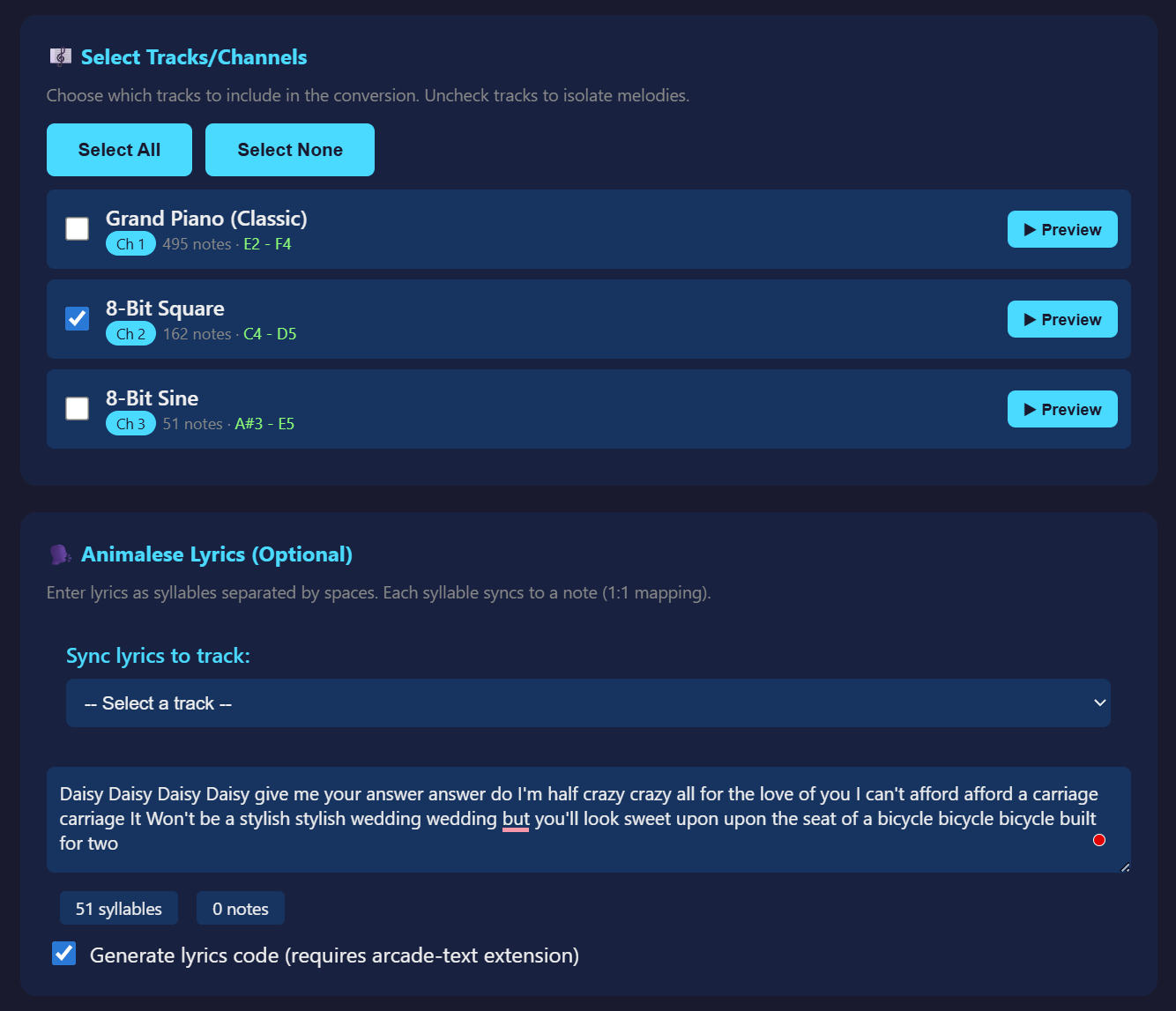
Choose the audio track for the lyrics to sync to; 1 note: 1 syllable
-
The demo project looks like:
Select the one channel that carries the melody. From the Daisy Bell example, this is the middle one “8-Bit Square with 162 notes”.
The notes of the melody could show as ‘Dai sy Dai sy give me your an swer do’, but I wanted the whole word to show instead of the syllable, which is why you see words with more than one syllable repeated.
wow! just found this – such a good idea and fills a void!
3 Likes