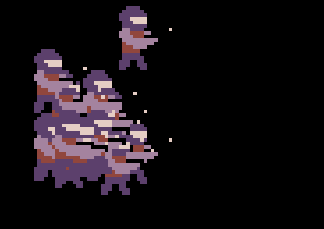
Was making a little simulator of my game but my player sprites keep overlapping each other and shooting at the same spots. The walking animation for them wasn’t play as well.
This was their code to make them automatically move.
Press B to place the units.
1 Like
I would recommend adding an invisible hitbox to detect for the sprite coming to overlap, then force the sprite to go the other way, if you want, I might be able to do it for you
If you dont want them to overlap. you can use the same block u used for animation but do this:
for element (value) of (array of () tiles) do
Create (your sprite)
place (your sprite) on row ((value)row) and column ((value)column)\
That should work. that how i put it on some on the tiles i want it to be on.
though you’ll have to place tiles on a tile map of where you want them to go. dont fill the entire tilemap with the same tile if you dont want the sprites to be on all of them.