no pretty GIFs and demos this time unfortunately, but I hope you still enjoy!
This is dev log #2.
Rewriting MakeCode-Arcade-to-App into an Actual Build System
MakeCode-Arcade-to-App (mkcd2app for short) is an (unofficial) tool I’m working on that converts MakeCode Arcade games into a static website, an Electron app, or a Tauri app, so you can ship polished games that don’t need the internet without using a share link or GitHub Pages. I’ve been working on a rewrite of it from scratch (prompted by @randomuser and @InvalidProject getting Hebes on Steam!), and there has been enough progress that I finally have something to talk about!
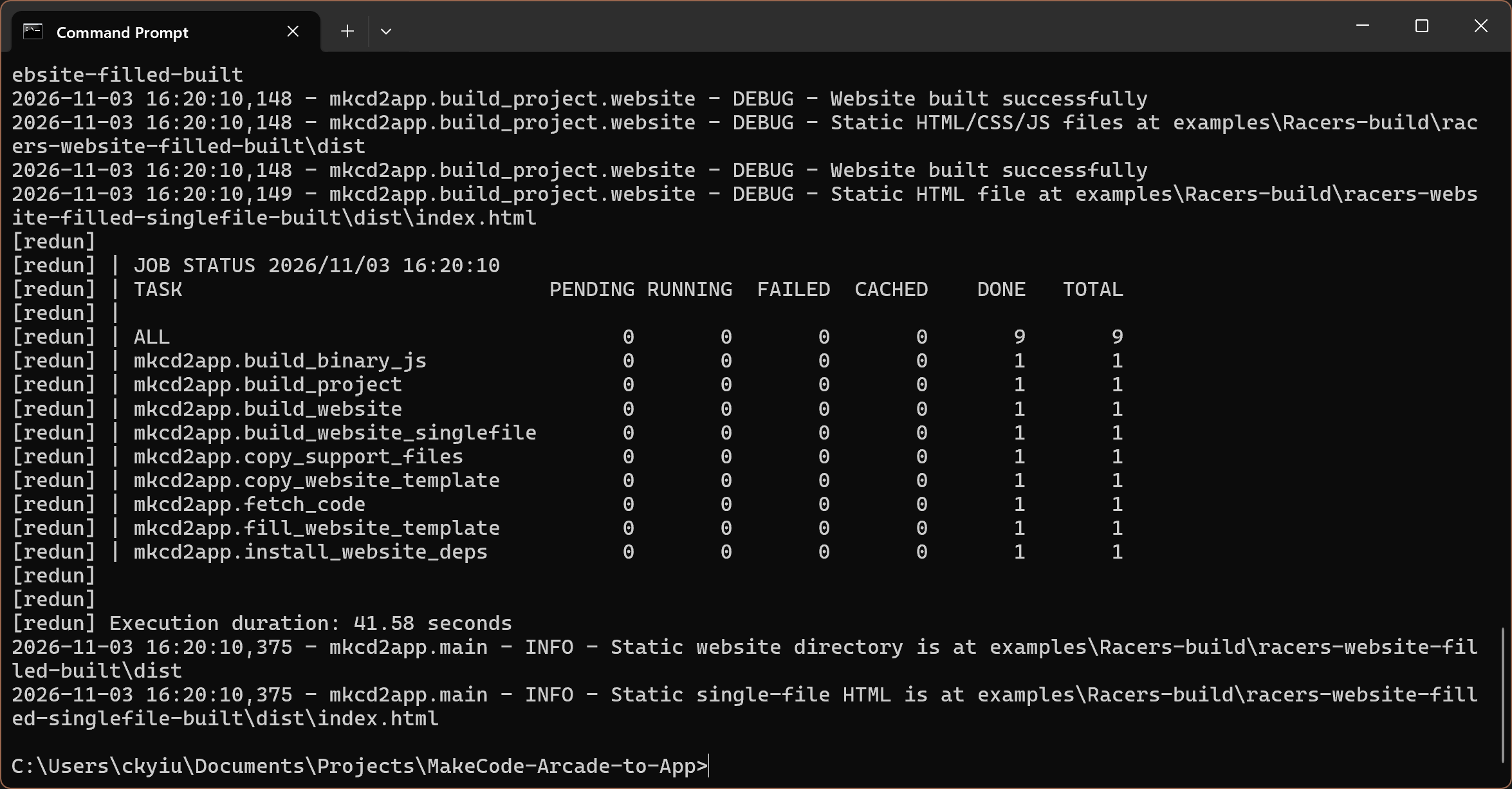

Times are on my ASUS Vivobook S 16 (Ryzen AI 9 HX 370, 32 GB unified DDR5, 1 TB gen 4 NVMe) running off wall power (not battery)
Why Another Rewrite?
If you define “work” as in a Python script that felt more like a fragile bash script running commands in sequence and blowing up when the moon isn’t in the correct phase on the 23rd of the month, then yeah, the original did “work”, but it didn’t feel like a proper tool that developers like you all could rely on. It ran a bunch of commands in a sequence (download the game, compile with mkc, scaffold and build a Vite site, and scaffold and build an Electron or Tauri app) and every few months something in the JS ecosystem would break it - scaffolders like create-vite or create-electron-app ran on @latest so whenever a new interactive prompt was added or parameters changed, the whole thing broke horribly and I’d have to go back in and fix (or send an AI to fix it  ).
Caching was also fake - you had to pass --skip-* flags yourself and pray that you remembered to remove those flags if you changed something.
So the goals for the rewrite were:
- A proper incremental build system that feels professional.
- Be
lazyefficient - only redo work when things changed. - Something that runs happily on Windows, macOS, or Linux, on your computer or in CI.
- Owning the templates myself so the JS ecosystem changing every 6 minutes doesn’t break a build.
- Builds that work offline, like a “regular” build tool.
Toolchains and Targets like Rust
AI seems to really like Rust, so it must be a good idea to copy what they’re doing. In particular, now the network-heavy setup that doesn’t change between games is done once, like when you install a toolchain with rustup or a specific version of Python with uv:
mkcd2app toolchain install             # installs the mkc CLI and warms the npm cache for the website template
mkcd2app target install 4.0.14         # warms mkc's compiler cache and downloads the simulator for that Arcade version
mkcd2app build "examples/Racers.yaml"
The YAML build configuration (which has changed) specifies which version of MakeCode Arcade will be used. (Almost) everything that needs the internet gets vendored at toolchain install and target install x.y.z time, so after that the website builds run npm ci --offline against the cached packages - MakeCode Arcade extensions are still fetched per game. mkc won’t cache extensions that don’t have a semver, and some extensions don’t have them.
Your game code can come from a share link, a GitHub repo, or a local folder (like if you are using the MakeCode Arcade for VS Code extension I mentioned in the last dev log hehe). Currently you can build to static (an assortment of HTML, CSS, and JS files) or static-singlefile (double-click an HTML file and it works - no internet needed). electron and tauri obviously are coming later.
Incremental Builds with redun
Under the hood, every step of the build is a task in redun, which is a Python library that figures out the dependency graph from how tasks pass results to each other, and caches every task’s output in a SQLite database.

Mermaid diagram of the build pipeline was generated by Claude.
If you rebuild without changing anything, the whole build comes straight out of the cache - change the title and some steps are skipped.
AI was very helpful in debugging and monkey patching parts of redun, such as path handling on Windows or directory hashing by file contents. Pydantic objects don’t pickle deterministically - that was fun to find out - so that breaks redun’s hashing. And each stage uses a fresh directory for caching instead of working all in one directory so hashes don’t go stale.
One big thing with caching: redun only sees what’s in your config file. If you edit the game in a local folder, push to the GitHub branch, swap out the icon file, etc., it doesn’t know, and you’ll be served the same build again in seconds. Run build with --full-rebuild!
Testing and CI
End-to-end tests are currently running in GitHub Actions, testing the toolchain and target installation and game compilation (of an empty game) in Windows, macOS, and Ubuntu on every PR - luckily they’re all green as of now! I’ve also modernized myself by using these fancy new tools such as a linter (ruff) and type checker (mypy).
What’s Built
This tool is not ready to use yet - it lives on stacked draft PRs, only the website outputs work, no README, and no polish at all. If you want to package a game up into an Electron or Tauri app, the old version on main is still the one to use!
- After installation of Python and Node.js, setup your toolchain and MakeCode Arcade targets with simple commands:
mkcd2app toolchain install mkcd2app target install 4.0.14 - Use a simple configuration file to build to static HTML or single-file HTML:
mkcd2app build "examples/Racers.yaml"# examples/Racers.yaml # See the full one at https://github.com/UnsignedArduino/MakeCode-Arcade-to-App/blob/toolchain/examples/Racers.yaml version: 1 project: name: Racers path_friendly_name: racers description: "Enjoy the high-speed thrills of car racing in MakeCode Arcade! For the MakeCode Arcade Mini Game Jam #3." author: Cyrus Yiu version: 1.3.2 title: "{NAME} v{VERSION}" inputs: # Can be share_link, github, or path code: type: share_link value: https://arcade.makecode.com/84426-33815-03715-00484 assets: # Icon is optional but highly recommended, it will be used as the favicon # and app icon icon: # Can be url or path type: url value: https://raw.githubusercontent.com/UnsignedArduino/MakeCode-Arcade-to-App/refs/heads/main/examples/Racers%20icon.png build_dir: "./examples/Racers-build" target: 4.0.14 outputs: - type: static - type: static-singlefile
What’s Next
Next posts may be more C3D or MakeCode-Arcade-to-App rewrite content:
- Testing
 (more E2E, or adding unit or integration tests)
- Building for Electron and Tauri and working out proper settings storage per OS
- Simplifying user installation
Definitely more planned. I’d also love to hear what you’d want out of a tool like this - which outputs you’d actually use or any other features you would want from this!
PRs below:
Follow this thread if you want to stay updated on MakeCode-Arcade-to-App’s rewrite or any other work by me!
AI Usage
See devlog #1 for why I use AI.
For this rewrite, AI was used for:
- Reviewed the old code base.
- Drafting and reviewing the rewrite plan and important decisions.
- AI implementing code for boring or “less important” parts.
- Reviewing code.
- Helping write and debug tests.
- Taking progress and outlining major points to talk about in this devlog.
Again, I’d say roughly 50/50 split for work done so far on the rewrite.