


This game has been in development for over 3 month and I’m finally going to make a devlog for this (and start making REAL progress).
The game link is here
Elemental
3 Likes
can you explain how it works and controls and stuff?
2 Likes
click a card
@WoofWoof I am wondering why the function for create enemy when called doesn’t give me an enemy sprite
1 Like
@woofWoof and @richard I have a question why is my code causing 13 errors when I seperate the code into multiple ts files like such
heres a file to import to replicate the bugs

When a project is split into multiple files, they are loaded in alphabetical order (with the exception of main.ts, which is always loaded last).
Make sure that classes and variables are declared before they are used.
2 Likes
I’m not seeing any create enemy function in your code. Have you committed recently? Cause all I see in the main.ts file is like 30 lines of code, most of which is an image of the cursor.
(later…)
Oh I see in the dif that you recently deleted a bunch of code. Did you mean to do that?
3 Likes
I think your can edit pxt.json to change that, but it’s better to stick with an init function because it’s safer (if you don’t know what they are I can attempt to show you)
1 Like
yes and thanks Alexk they were put after
assuming you changed pxt.json, if you edit it again do you see the original changes?
1 Like
I never edited pxt.json as far as I remember in this version
I’ll look at it in the morning when it isn’t 11:15 PM for me. Goodnight!
2 Likes
ok thanks
1 Like
Yeah so I have no idea what’s happening here. How exactly are you making new files/moving code around? I would recommend for now just reverting to a previous version that works using GitHub, if such a version exists.
1 Like
Ok I imported it from the first github link you sent and it seems to be working and I see a createEnemy function, so I can finally start helping! Woohoo!
1 Like
Ok for some reason the image “myImage0” is just completely blank, even though it is obviously not completely blank according to the assets tab. You can see that if I fix it by making it a different style of image, being in the code instead of the assets tab, it works just fine:
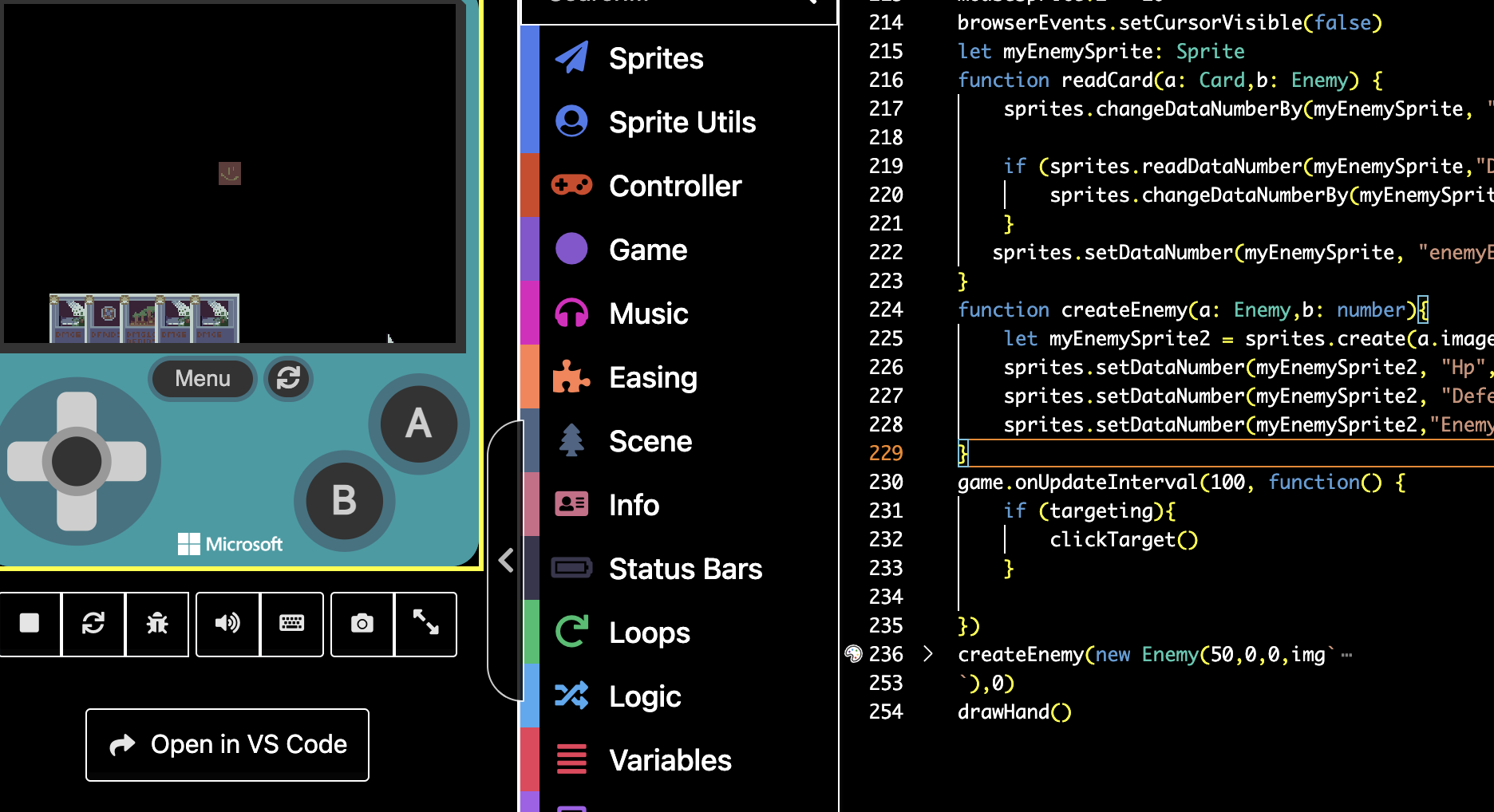
You can make this style of image by just writing "
img`.` " and then clicking on the little image editor button that pops up to the left of the line.
@richard this is a very odd bug. I actually did fix the image by renaming it to “myImage00” and then when I tried to turn it back to “myImage0” it gave me this error:

It turns out that @Sarge’s BetterArrays extension uses this image name in its code (probably a test image, I didn’t look into it) but for some reason the assets editor allowed the name to be used, which it shouldn’t do. This BetterArrays image happened to be all black, so the enemy was invisible when spawned.
1 Like
yo I’m confused but could you upload the fixed version this code stuff is weird man
@VoxelMaster64 Could you help debug this version nothing loads even though the function drawHand is called in the zCode.ts