Save system V2 guide-
for this guide, you will need the mini-menu extension, the save settings extension, and the overworld extension.
so, you wanna make a save system. the simple idea of a save system, is a system where you can save progress in a game, so you don’t lose everything when the game resets. of course, the simpler version of this system accomplices that, but maybe you’re looking for something with more flexibility for the player, like save files! luckily for you, this version has exactly that!
so, the first step is making a save file function so we can access our save files from the home screen.
we then need to set up a mini menu with our file options in it.
we then need to set up another part of the function to detect which file is being chosen.
and then, as a final part of this function, have each option lead into a different file function, as shown here.
now for this next section, remember that you can just copy and paste the 1st file function for the other file functions, but remember to change the names of the settings to match the file.
now that we can choose files, we need to load these files.
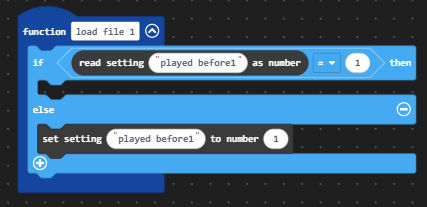
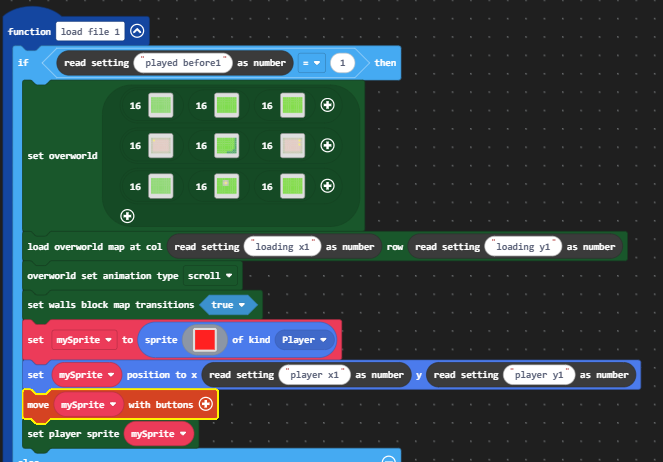
first, make a system like this to avoid loading things that don’t exist yet.
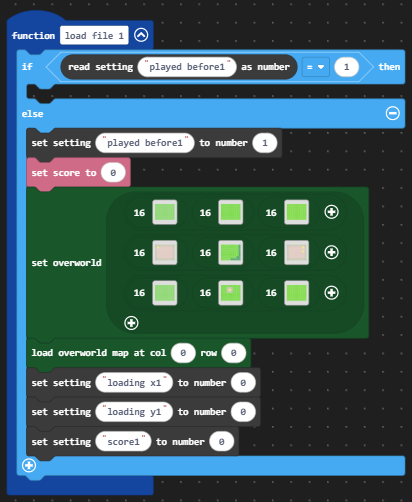
then, in the else part of the if statement, place in the starting settings for a game file.
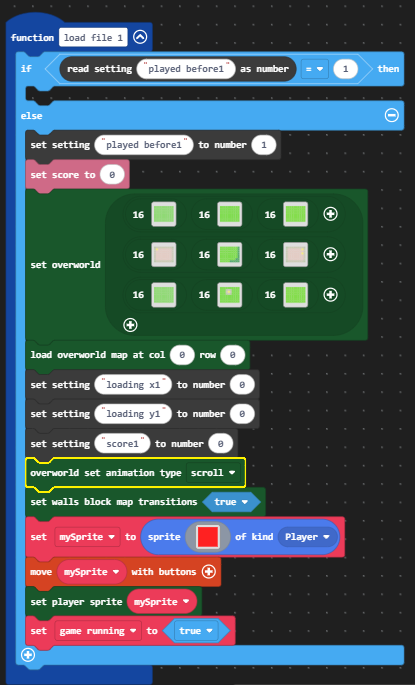
and finally, spawn the player sprite.
the game running variable you see at the bottom of the function is for button locks, which help avoid letting the player press buttons before they do anything. make sure to add something similar if you ever use a title screen for your game.
now that we have the stuff ready for the first time the player plays on save file, lets make sure we can load the info we save.
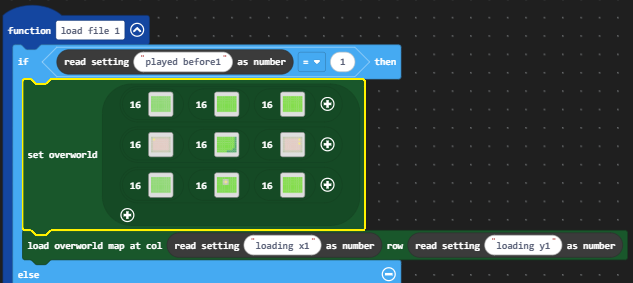
firstly, make sure to load the player at their previously saved position on the map like so.
then load the player and place the player sprite on its previously saved coordinates.
finally, make sure anything such as the score is being changed to whatever it was when last saved, like so.
with this, the save file function should be fully done!
now, lets move onto saving and or updating our data.
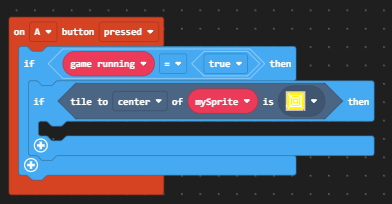
for this, we will be using a save point system, as shown here.
this if string allows up to only open our next menu when on a save point and pressing A. we also will only open when the games running to avoid issues with that.
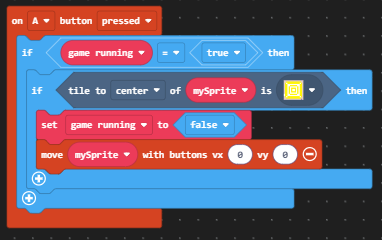
for the next part, make sure to turn off the games running variable to avoid repeats, and make sure the player is menu ready.
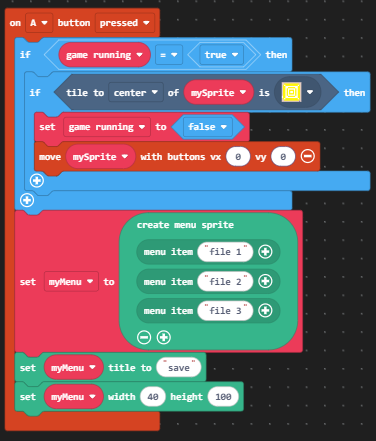
then set up the menu.
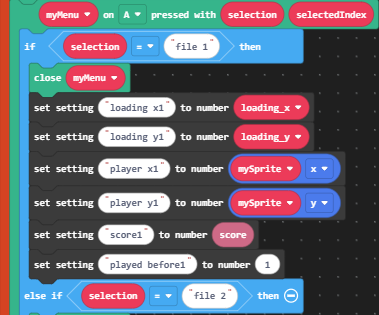
after that, add the stuff to detect which option is being picked, and change the settings for that particular file if its chosen.
with this, we set our current score to the saved score for the file, our coordinates, and our loading X and loading Y for our overworld position based off of the variable loading X and loading Y, which the variables are determined by this bit a code below.
now that we have our ability to save the game and load the game from the title screen, to make it so that we can load our save files mid game, lets add a second loading menu.
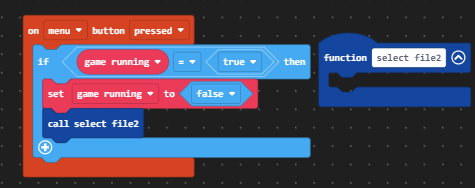
first, set up a button system similar to this.
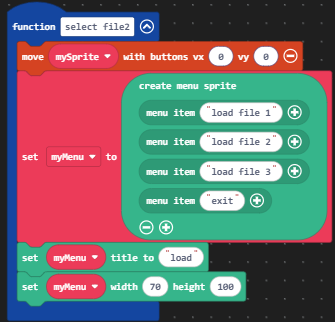
then, make a new secondary file select function.
make sure to turn off anything that you don’t want the player doing mid selection, such as moving, and then making a new menu.
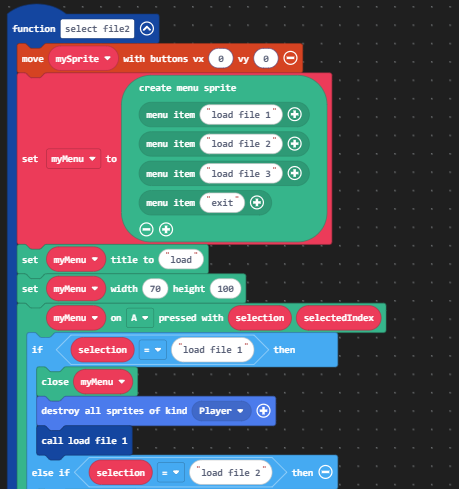
finally, make sure that on selecting a file, we delete any and all sprites and load the selected file.
and with that, your system should be done! I hope this guide has been helpful for making and editing and system similar to this one!