Functions are an important part of coding, but a lot of makecoders dont know how to use them or what they even are. Here, ill try to explain everything you need to know about functions to use then in your project!
Functions
Lets start with an example: youre making a platformer, and you want to jump when pressing the A button. But you only want to jump when touching the ground, and you also want a sound effect and a particle effect. Your code could look something like this:
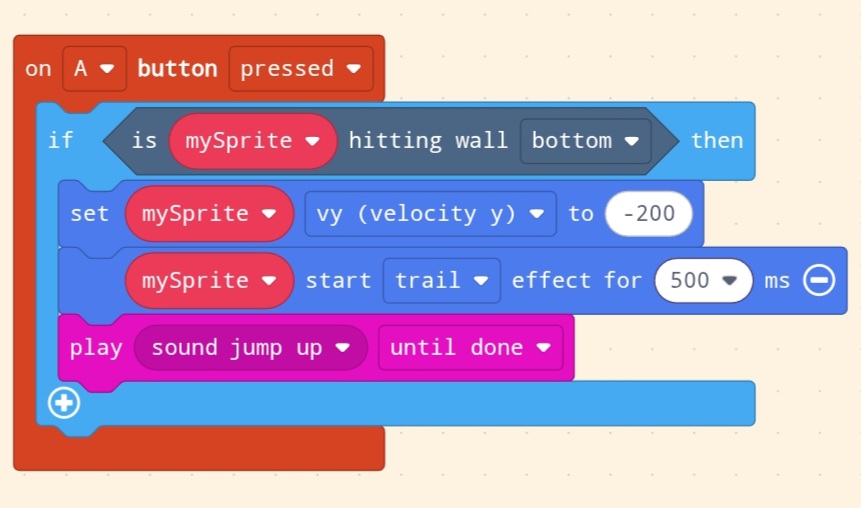
But now lets say you also want to jump when you press the Up button! You could simply copy-paste the code from the A button, but if you wanted to make something more complicated, it could turn into messy unreadable code very quickly. So heres what we will do: we will create a custom “Jump” block. Heres how to do it:
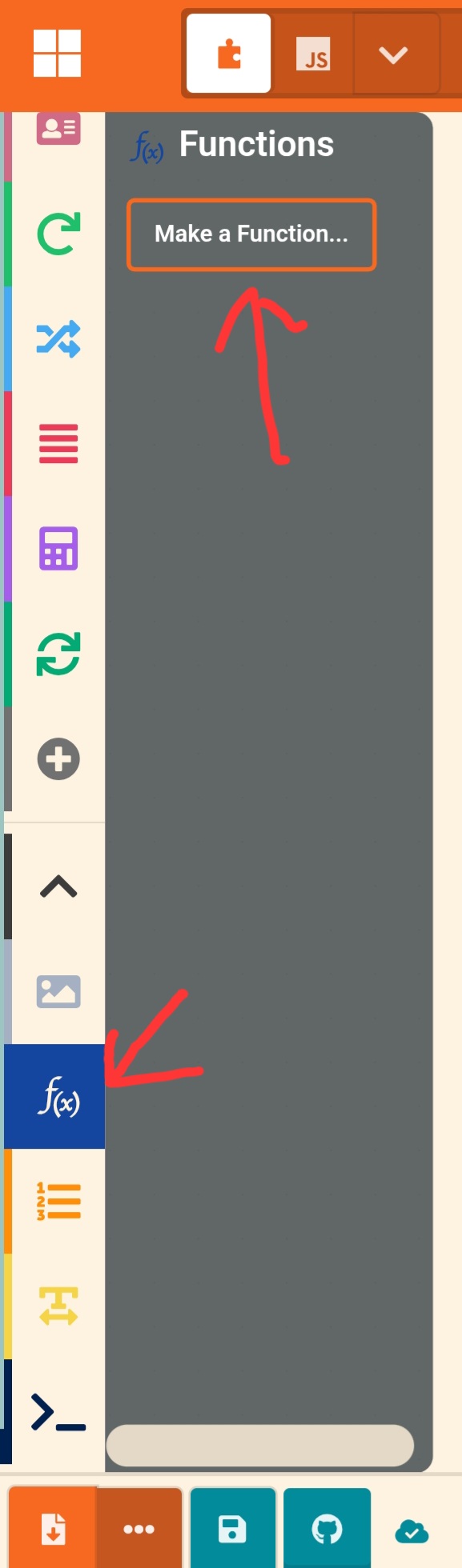
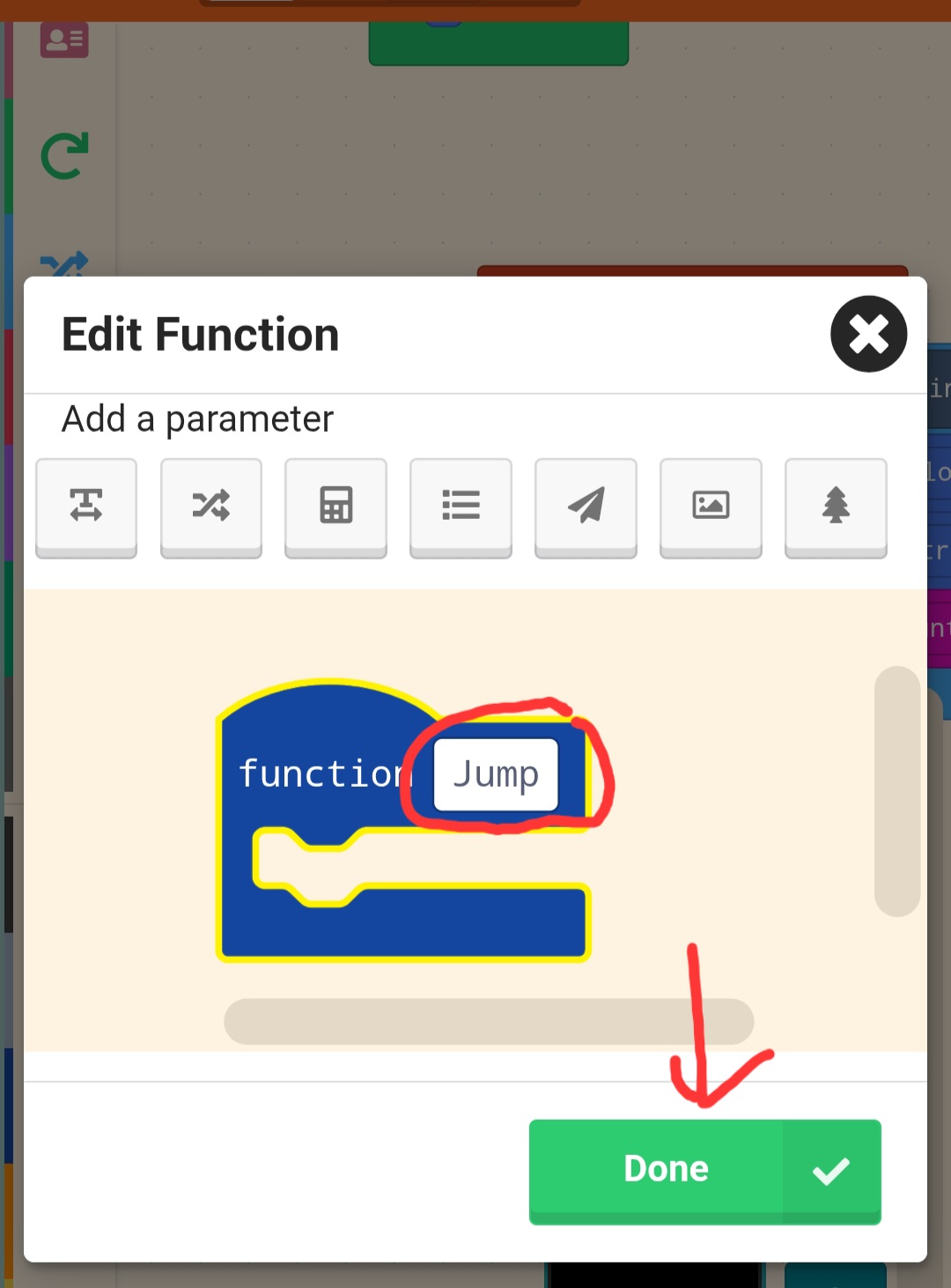
Now, an empty blue block should appear in your workspace. We can simply drag the code from the “on A button pressed” block to this new “Jump” block.
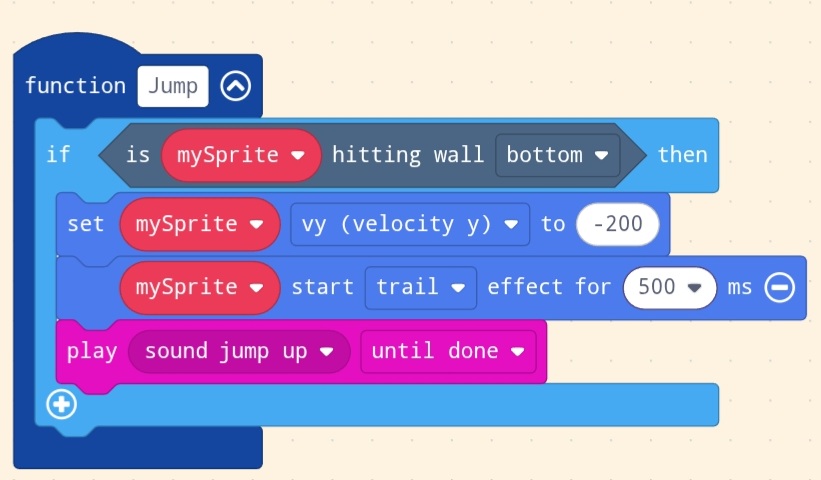
And now when you open the functions category, you should see a new block “call Jump”. This block will do the the same thing as all the block in the “function Jump” code!

Now, if you want to add more things that make you jump, or more things that happen when you jump, it will be much easier to do!
Function inputs
Lets stay in our platformer example, and to make things more interesting, lets make the player jump less when pressing the up button than when pressing the A button. We could make another function, but that would be useless as we would only use it once. We can do something better: we can “tell” the function how much we want to jump when calling it. To do this, right click the function and click “edit function”. This will bring us back to that weird menu we used to create it. Now click the button with a calculator as shown here
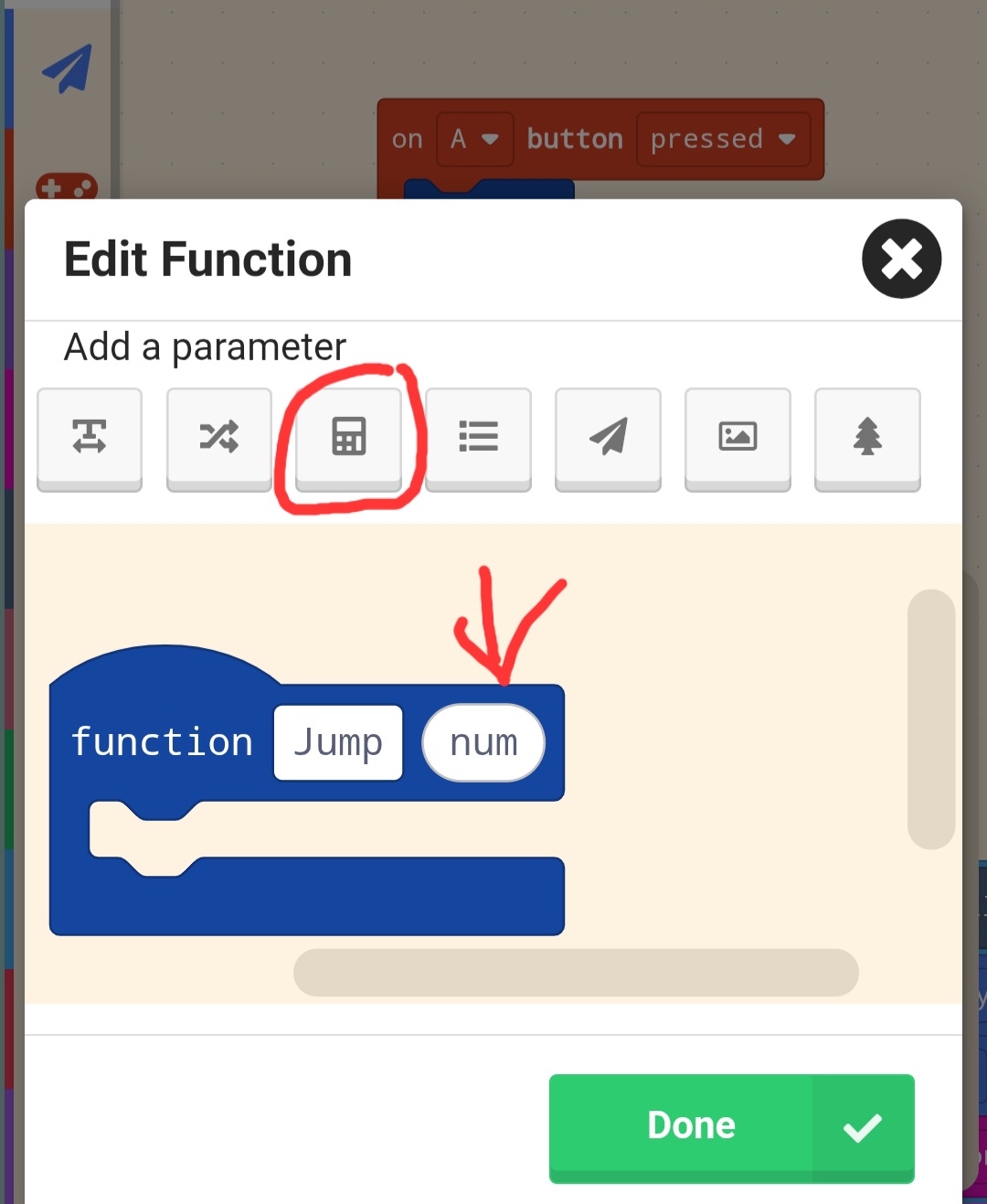
Now after clicking “done” you will see a red “num” in the “function Jump” block and “1” in the “call Jump” blocks! This “num” works kinda like the variable but only inside of the function. You can drag it inside the “set mysprite vy to” block. Now the function will behave differently depanding on how we call it!

But we can improve this further! The “num” is just a number so you can do calculations with it to make using the function easier.

This is the main way to use functions! Now lets get to some of the more advanced things.
The return block
You might have noticed the “return 0” block in the function category. Thered two ways to use it:
1. Stop the function early
2. Return a value from the function
Lets start with number 1 as its simpler.
Stopping a function early
For that ill use another example. This time it will be a fighting game. I wnat to spawn an enemy but only when theres less than 5 on the battlefield and when peacefull mode is off. I could do that like this:
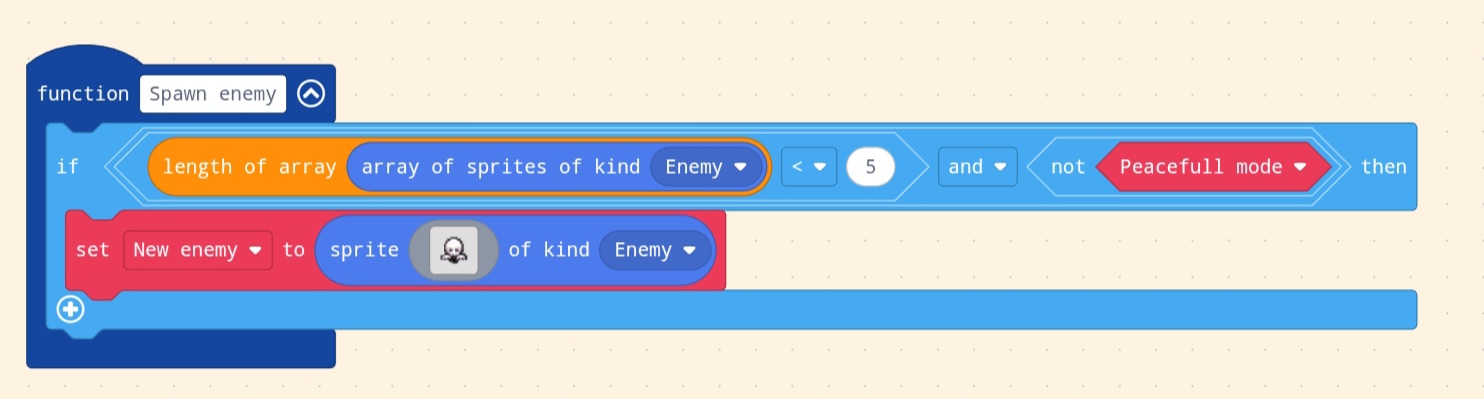
But as you can see, its already getting quite wide, and if i would want to add more constrains, it would be a mess. A better approach would be to stop the function early using the return block!
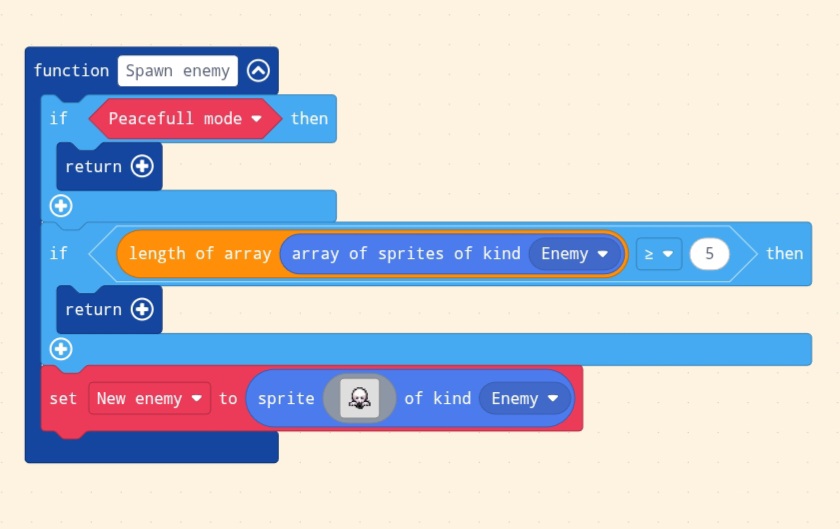
(Click on the - circle to remove the 0 from the return block)
How this works is that when it gets to the “return” block it stops the function and doesnt do any other code inside of it. This is makes complicated functions much more readable.
Now its time move onto number 2.
Returning a value from a function
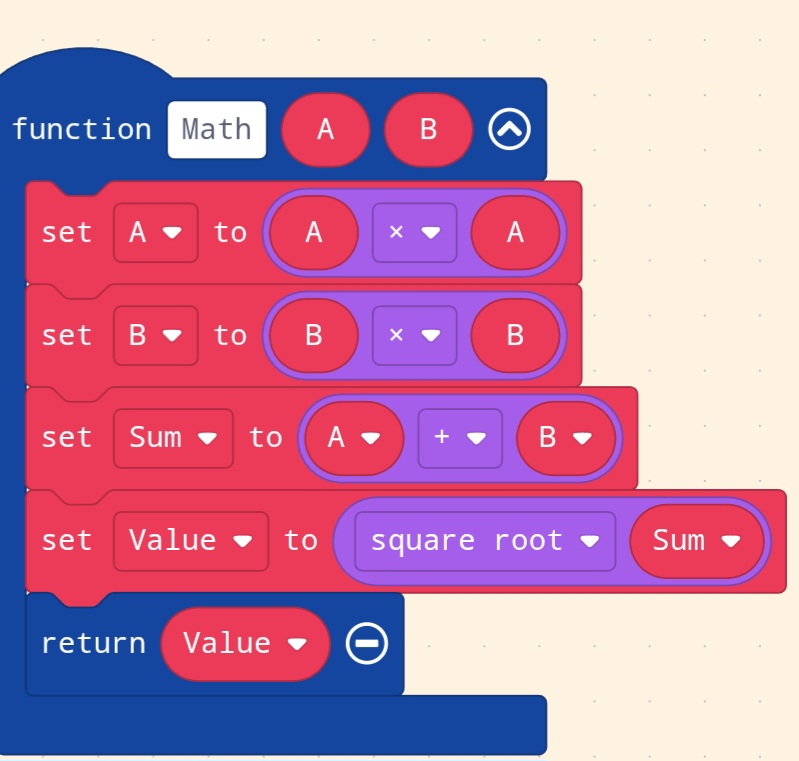
Lets say you want to do some math in your code. In your code, there might be a calculation you do very often, like sqareroot(a×a + b×b). You can actualy turn this into a function! To do this, you can add the return block to the end of your function and inside of it put the value you want to return. You will now see a new rounded block in the function category.

There are many different ways to do the same thing, so its mostly up to you how you want to do it.
Beware
Even when you use the function just to do some math, youre still doing everything inside of that function. So if youre function spawns an enemy and then gives you its coordinates, you cant use it to gets its coordinates, because it will spawn a new enemy every time! A very “dangerous” thing is using variables inside of the function that youre using outside of the function too. Calling the function will set the variables to whatever the function wants to and it can be very difficult to debug.
I hope this will be useful to someone and if you have any questions(even when you think they might be stupid) you can ask me anything!
There are quite a lot more interesting implementations of functions like recursion but that would be a bit too much to put inside one post.