As you see, in my current devlog, I may have asked this question. But I am asking it again to reach more people.
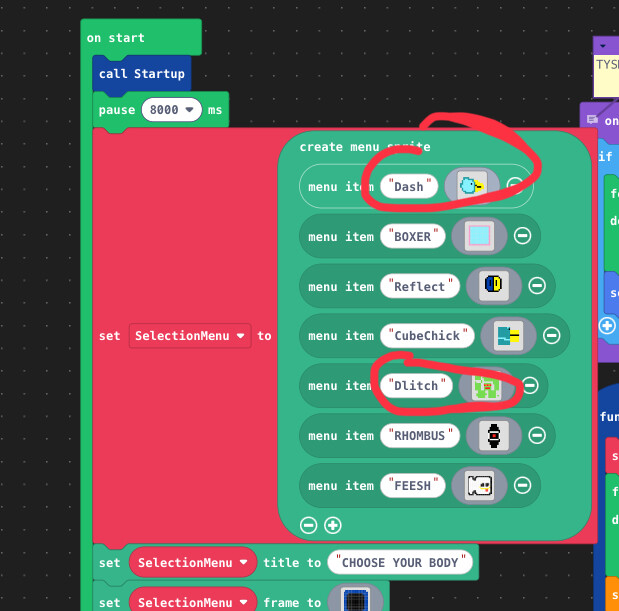
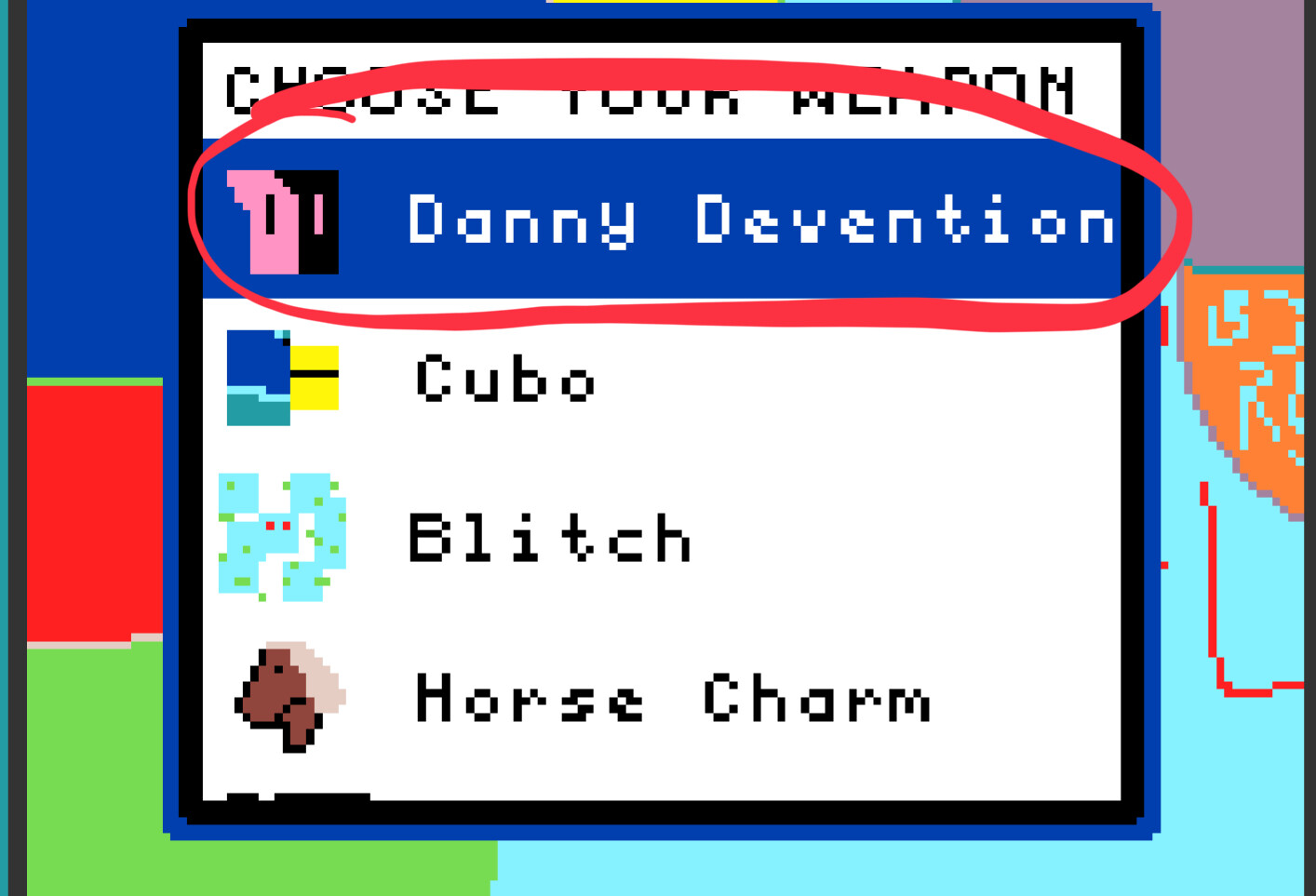
As you see, in the menu, the assets aren’t what they look like.
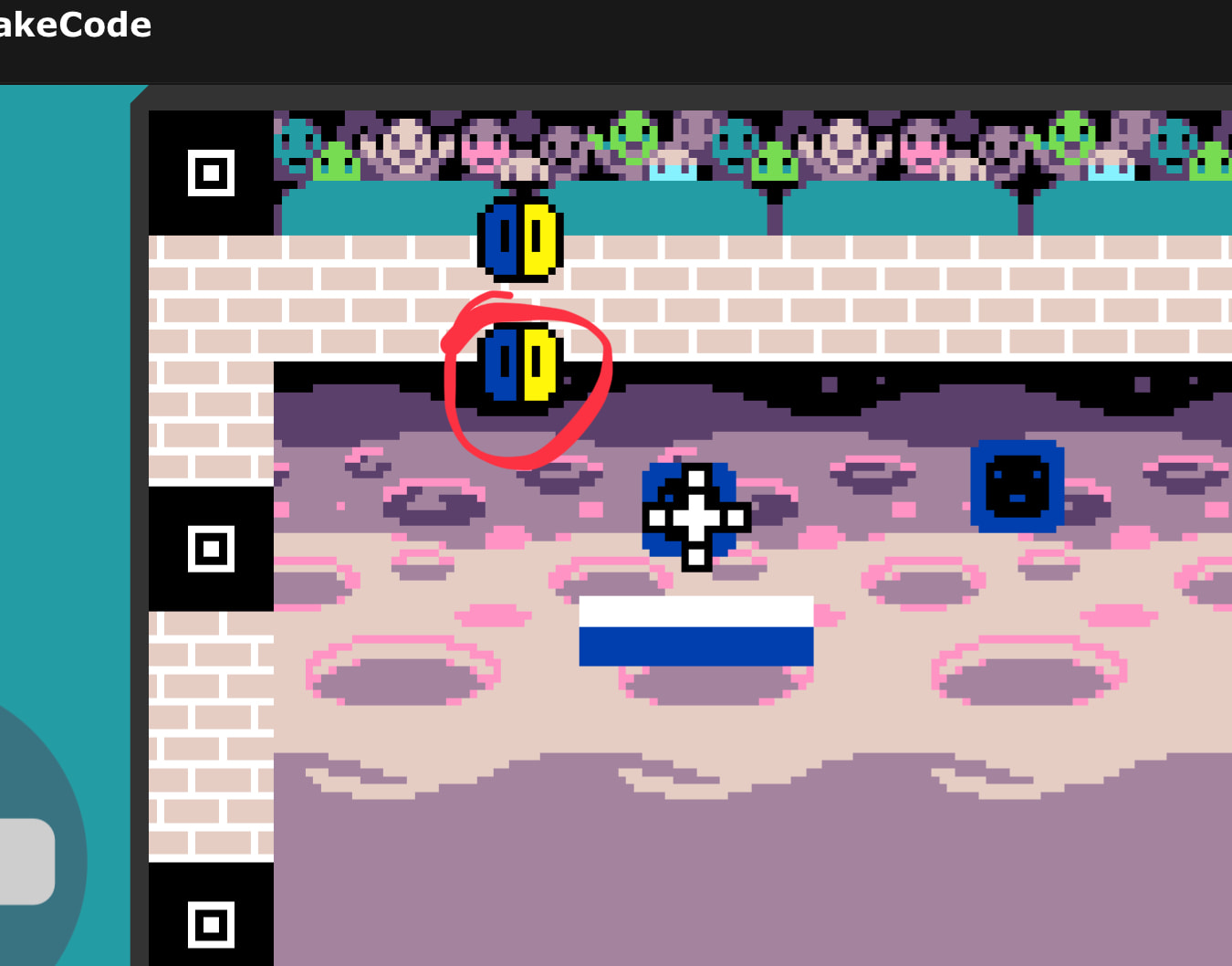
Game:
Sprig was originally Dash.
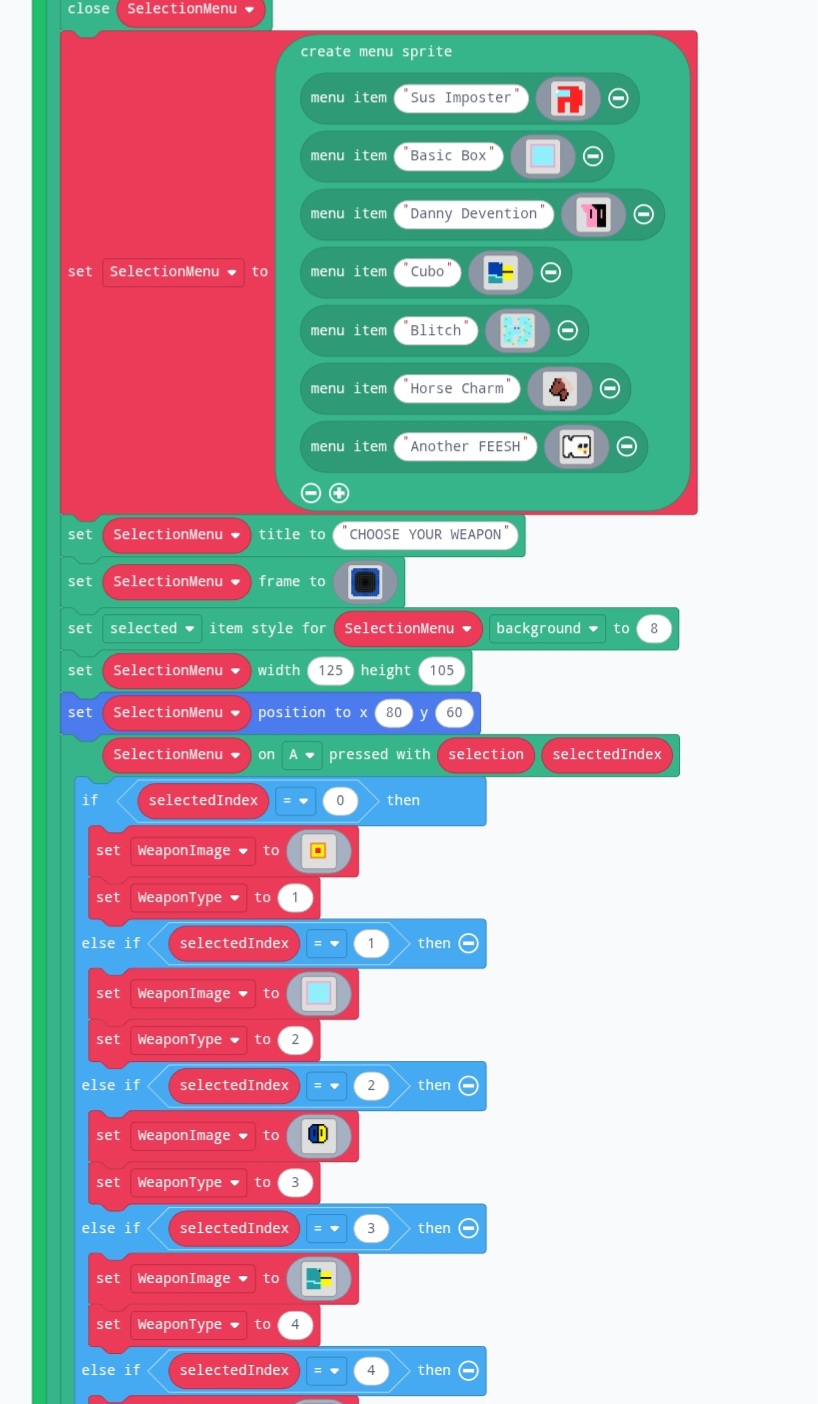
Code:
And don’t get this confused: Sprig was renamed to Dash. So yeah. Thanks.
2 Likes
Happens outside mini menu as well. My bandaid fix is usually cloning the image and renaming it, then using the new renamed image in place of the old one. Oddly, its always that pink squingly line thing…
About the name being wrong… yeah i got nothing… Maybe ask richard, as they made the mini menu extension.
2 Likes
Hey, thanks bro! It worked. But now I have a new problem.
I tried adding @Danny_Devention, but instead it keeps on showing Reflect.
Also the same thing is going on for some new characters I added. The method didn’t work for those though…
Look here.
3 Likes
This is because old shape smasher is coded really poorly. Here is the explanation:
You only changed the mini menu image. Now, when the A Button is pressed, it still sets your image to reflect’s. Considering “Sus imposter” is the menu option of index 0, “Basic Box” is index 1 and “Danny Devention” is index 2. On the “Menu on A button pressed” block, you can see that if your selected index is 2 (danny), your weapon image is set to reflect. Change that and you should be good.
3 Likes
What? I didn’t know I was being added? (Unless I said you could and I forgot) If not, could you ask next time? I like the game, Don’t know how to help ya with this one though, sorry.
2 Likes
Oh, I see it now. Why didn’t I look there first lol.
2 Likes
That’s fine if you can’t help, but I’ll ask you next time if you ever want to be on my game. I was just in a worst-case scenario for characters.
3 Likes
oh ok, Thanks. If you need help with Tilemaps or Sprite though, I will gladly do so! 
4 Likes