I would guess that it would not be powerful enough to run the game at a playable fps. The reason it’s not working on your Kittronic Max probably has to do with the screen size.
Thanks @Brohann - for the screen size, you mean the fact that the Kittronic has a bigger screen? or do you mean the custom size of the game shown in the video? Because if it’s the latter, I actually made a “handheld” version that uses the MakeCode Arcade native size, and that’s the one I’m unsuccessfully trying to run
I was referring to the custom size of the game. When you try to run it does it give an error or something? or does it just not run at all and show blank screen?
Hi @AlexK I’ve purchased both a PICO 1 and 2, so I’ll experiment. I believe the board is RP2040 for the Pico 1. This will be my first foray into electronics, so I’m discovering it as I go… I also purchased a bunch of ESP32 for good measures… I’m taking a first time “electronics/soldering” workshop this summer, and my goal is to create a bunch of handhelds that run MakeCode Arcade…
The simple version is that the Raspberry Pi Pico is not officially supported by the MakeCode Arcade platform. You can get it to work, though.
As for whether it will run “a large 3D game,” it might. The RP2350 (the processor for the Pico 2) has a little more horsepower than the Atmel chip used in the Kitronik Max (150 MHz vs. 120 MHz), but you might not see an appreciable difference.
If you want a major boost in performance, you may be better off using one of the full Raspberry Pi platforms (e.g., something based on an RPi 4 or RPi 5).
I expect to struggle!!! but that will make eventual success that much sweeter!
When I made the 3D game, I knew it was a Hail Mary, I won’t be too bothered if it runs slow, or doesn’t work at all, I knew I was doing something not “expected” with MakeCode… I just had fun with it
I’ve started making a new 2D game, much more in line with what’s expected from MakeCode.
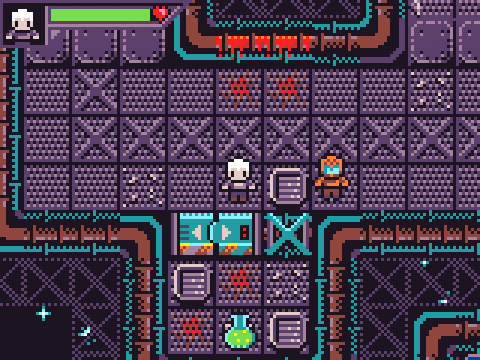
By the way, I tried to run the large 3D game mentioned on the first post in my custom RP2040 setup and it doesn’t run - it shows an error screen when booting.
I’ve also realized that the RP2040 is actually less performant than the Atmel SAMD51J19A that powers the Kitronic Arcade Max : games that run just fine on the Kitronic are a little laggy on the RP2040
It’s actually documented in Microsoft’s gitHub > https://github.com/microsoft/pxt-arcade/issues/6398
I just committed to the RP2040 ecosystem, so I’ll stick with that, but once I’m done with my project, I’ll explore alternatives…
Oh, and for good measure, eventhough I posted it in another thread, here’s a picture of my build so far :

 - it shows an error screen when booting.