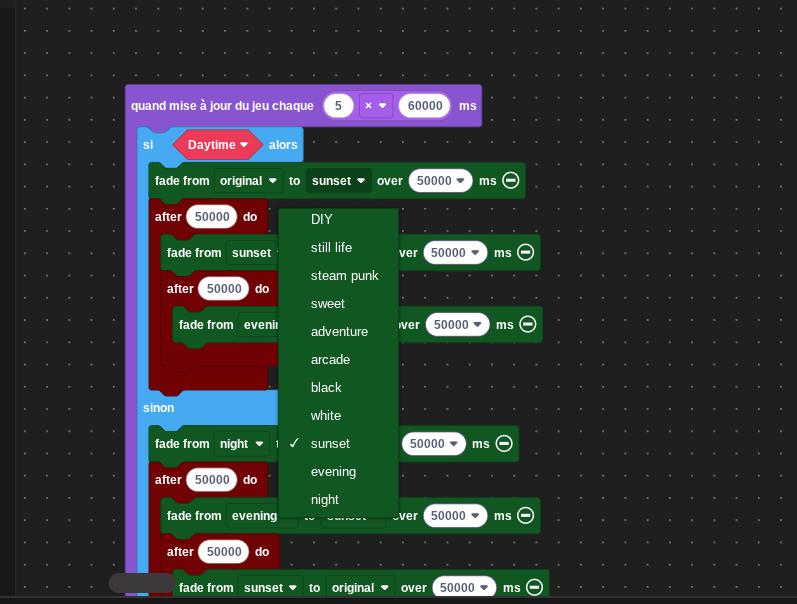
Hello evryone.I’m trying to add a custom color palette to the ‘colors fading’ extension in the ‘fade from - to -’ block, but I don’t know how.Can you help me please?
3 Likes
as far as I know, you can’t add custom palettes to the drop down menu
however, you can fade colours individually so its possible to fade all 15 colours to a different palette
@WoofWoof was working on making some additions to the colour fading ext, might add the custom palette feature if i beg hard enough 
4 Likes
Idk I seem to remember that I asked a certain someone for advice on what blocks to add and he never got back to me…
3 Likes
a block to adjust the HSV, a block to enter in custom palettes for the fading and a block to set brightness/darkeness levels across the entire screen
3 Likes
That is interesting. I wonder if they edited the extension’s code. Could you send the project you are referring to so I could take a look?
yes for sure
1 Like
i think it’s possible, you have ti go into the extension itself through java and add all your colors manually there
you can do this in js
namespace color {
     */
    //% fixedInstance whenUsed block="CoolNameHere"
    export const CoolNameHere = bufferToPalette(hex`
        000000
        000000
        000000
        000000
        000000
        000000
        000000
        000000
        000000
        000000
        000000
        000000
        000000
        000000
        000000
        000000
    `);
It wont show up as a enum in the block in blocks BUT you can use that palette in js like this test project
an alternative is to make a fork of jwunderl’s extension and add custom palettes in palettes.ts with the aforementioned method and then import your fork into the project this method will show an enum in blocks.( I feel big brain somehow)
1 Like
I remember that you could do it a while ago I’ll take a quick look at the extension
(edit: yeah you can edit the namespace color to do so)
Yes, this is what I found.
yo yo yo Luke could you try my fork of pxt-color I added these things btw
2 Likes
pls Luke for this cann we get an official weekly art challenge
1 Like
Maybe it too mutch but can you make a ‘set sreen brightness to’ for i can put it in a ‘if’.
ill do it in the morning with a commit if i can so the block will be if screen brightness(num)
or a block ‘fade to sreen brightness 100’
Thanks!