for the critter jam i am making a game (which will be my second game on the forums) with a little help from @TheEarth called “how a blue ladybug earns world domination" is about a blue ladybug solving Sokoban puzzles, here it Is and could someone help me, when i put the ball on the button and move it again the button disappears.
1 Like
someone please help whenever i go back to a level or restart a level the door doesn’t open 
I can’t check rn I’ll come back to you on that one tommorow
here is update ladybug, added 10 levels. @ADM_F maybe you could help me? you made a sokoban before right? could you pleaaaaase help me if I get the ball in the button and then move it again the button disappears
Just this once
Ive fixed the Exit door Code

We only need to check if every “button” is gone whenever we push a block so i placed this at the bottom of that function
this code reads:
if there are no “buttons” left (a length of zero total spaces with buttons)
then replace all locked doors with the opened ones
i also replaced the 4 diffrent doors with just this one lock as ive never liked repeating similar code just for visuals
you can just copy this again 3 times for the other doors but im not doing that (keep the for element inside the same boolean you dont need to copy that)
ive also compacted the level select
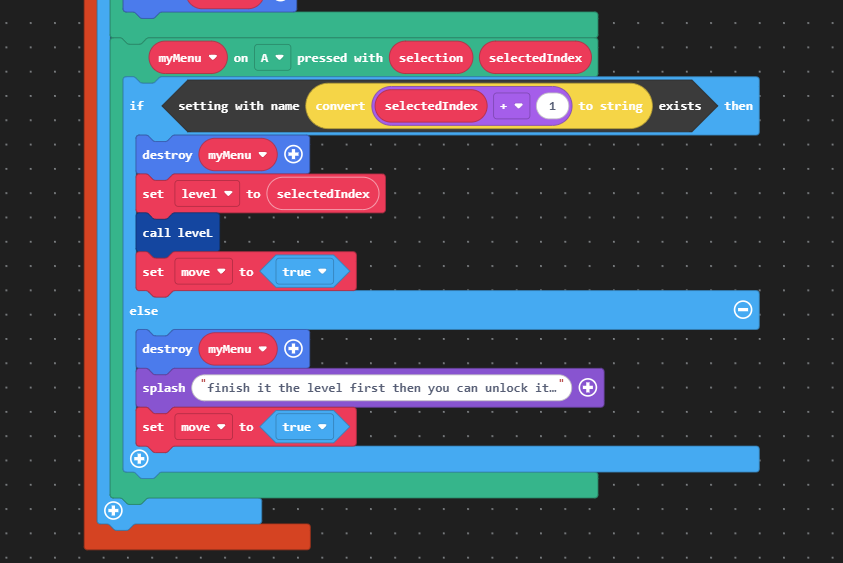
insted of copy and pasting the same template with diffrent values we can just refrence the current value we selected and offset it by that
I always found it fun that settings are strings
converting intagers and floats to strings and vise versa is quite useful
I changed how levels are setup aswell
Firstly on the tilemap side
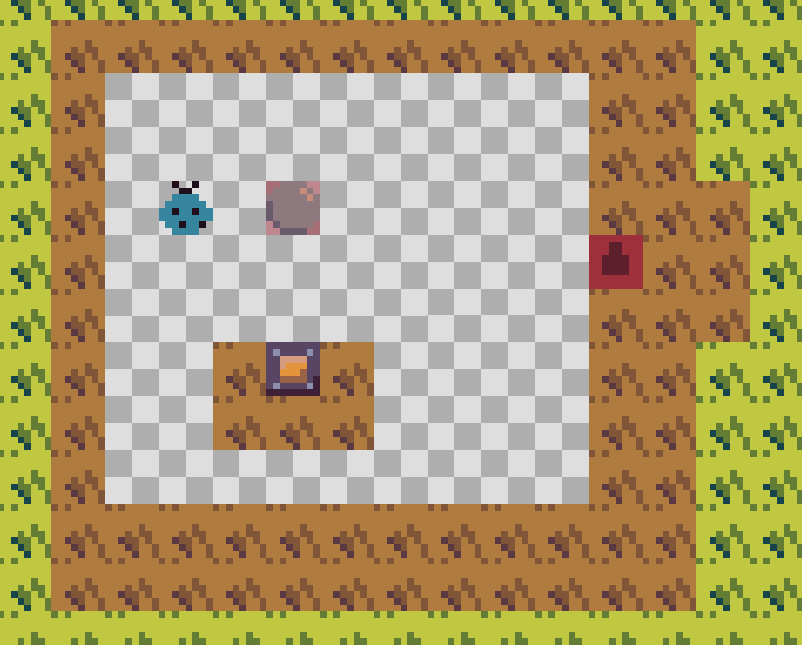
ive added a ladybug tile that the player will start on its a lot easier in my opinion then hardcoding it each time
as for setting up new levels. . .

it may seem like alot but lets break it down
We start by starting O:
then because we were able to enter the level lets unlock it with a setting
after that we need to set the tilemap
we can achive this with you guessed it ARRAYS
Please learn em ive made a topic about it in the past
after that we need to set the background color to what we want for the area we are in
and finaly place our player on our starting point
ive also created some Comments inside the Game to explain further
3 Likes
i may have used the wrong version of the game for my updates and if so
Sorry!
you should be able to stich them together but if there is any takeaway
arrays are the best thing since sliced bread
learn em use em and you can take any amount of coding know how you have and take it way further
1 Like
thanks! but when i put the ball on the button and move it again then the button disappears! can you please try to fix that? and so it works for other tiles too?
It Disappears because you are using tiles as your “boxes” and i believe i outlined that in a comment
I would GREATLY recommend using sprites instead of tiles as it would be way easier then trying to make tiles work for everything.
While forcing sprites to act as walls is pretty annoying to start it is very useful in more complicated puzzles.
Lastly
I believe in your coding ability to solve that yourself!
2 Likes
Thanks ill try but i think i dont have the the ability to do it