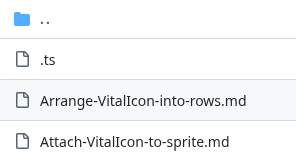
Is there an easier extension example I mean I looked at the status bar extension and it kinda looks like it could’ve worked I mean I don’t know if you have to do every block example but it looks like you have to give examples of blocks
Well, if I if inside the read me file if I put the exact same thing as I say the extension that you gave or like the status extension and I just changed it to be mine is that would that still work you know like edit it you know work off of something you know like even if the whole thing isn’t even if the original thing isn’t even there just have some just so you know what is there and what to replace it with You know like if it said create status bar more like vital icon
So exactly what would I put inside? The read me file would it be like see if it’s default by May code? I don’t know what to put in it likeThe the icon thing like I fixed the icon thing but now I’m trying to figure out if this is the last thing I have to do is edit to read me file. I don’t exactly know what to put because
when I checked, looked at I think the status works extension. I looked at one extension and I don’t exactly know what to put because I don’t know how to use those files but I think what it was with that extension is it was like there was a one that was like create status bar and then changed status bar Valley I don’t know. I don’t exactly know what you have to put. Is it like a description of like the main block?
So did I do everything right or
I have a question. I found that there are tile files on my like there’s no tile files in my extension on on my extension but when I go to get hub on the get hub report, there’s three tile mat files. I don’t know how to delete them do I what do I do with them?
I mean, like I said, I mean, I did. I did everything. I mean, I fix the icon file thing and I think I might know how to make me work. I might even have to improvise a little only thing. I can’t the only thing that I might not know how to do or know how to do is that there are a couple tile map files that I don’t like I said before I don’t know how to get rid of. I don’t know if it matters like in my main code project in the adjacent file they’re not there, but in the GitHub repo they are.
Well, I looked at the status bar extension, and I looked at the thing and I think where it says paste this link into the thing so like this is the extension link I looked at it and I think whatever you put inside to read me file is what appears there and explains everything about it is I think because it even says read me on it I think that’s just my guess
Sorry, but I really just don’t know. Again, I’ve never done this before because I usually just explain my extensions when I post about them on the forum, and I don’t care about having them on the main extensions list. People can still use them if they aren’t on the list, they just have to type in the full name, and that isn’t all that complicated in my opinion.
When I do new things with extensions, I usually just learn from examples, so that’s the best I can give you, unfortunately. Maybe @jwunderl will find that example file and will make this easier to understand? Unfortunately, this is where my expertise ends.
Hey WoofWoof said you could help me with this last thing so do you know what to do
neverstopthecoder/screen-brightness this is another extension that I have made it lets you force change the screen brightness but you can only see it on hardware
1 Like


also is it bad that there are this many files on the repo and why in the project there is no tile map files but on the repo there are
hey how do I know if my extension has a license because the add license button is not there but I found that page on my GitHub repo and as for the read me file I kinda just winged it I think I know what it does but I dont see why I can just leave it be all I did was add at the bottom it show the create block and the change block
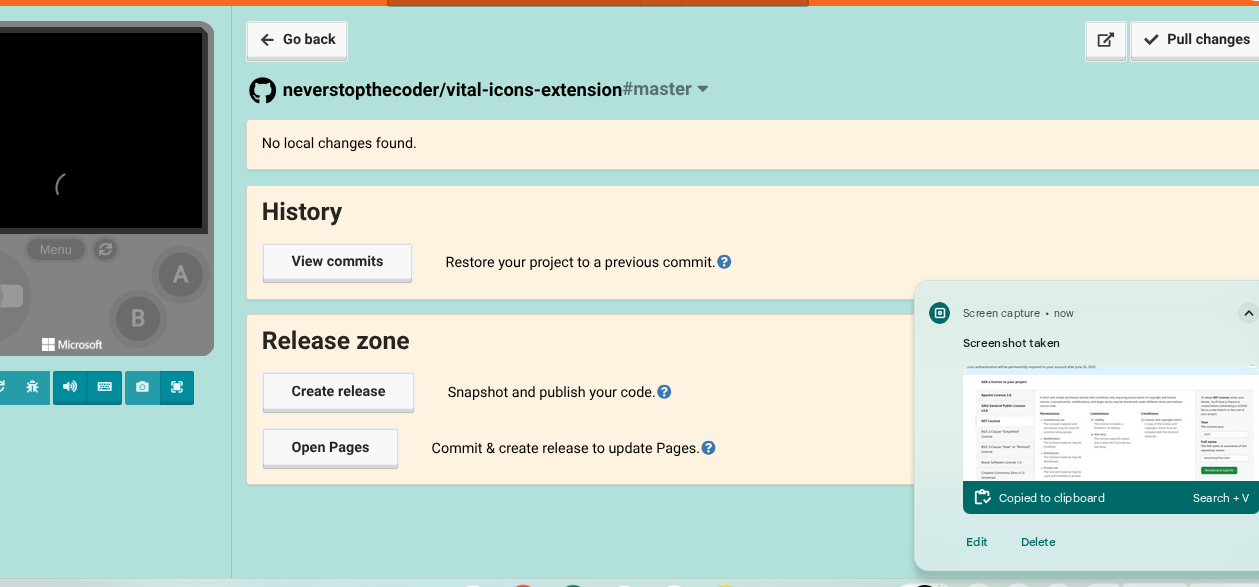


but I really want to know about the license thing did I do right or wrong

here’s a picture of what the GitHub repo looks like with it also does it really matter if this is changed I’m mean you just got to explain it a little
ok so I have opened the pull request and added the LICENCE file so now what
I think I did it right
1 Like
Yeah, so the last thing I really can’t help you with… well, second to last. This is where you need to add documentation for each block. That’s the stuff that shows up when you right click the block and click “help” on any of the default blocks. You get a nice little explanation of the block and stuff. Basically, you have to make those.
I’ve never done this step because I don’t really care if my extensions aren’t on the main list, but I can point you to this:
This is the “docs” folder of the character animations extension. Hopefully you’ll be able to figure out how this works and add your own to your extension. If you look at the code for this extension, you’ll be able to figure out how to use the “//% help = ” block tag to link each block to its documentation file. You probably can’t create these files in Makecode, you’ll need to create these files on GitHub. Good luck!
After that the last step is to create a pr (pull request) to have your extension added to the list of default extensions, which I can help you with if need be.
1 Like
so I have a docs folder on GitHub with all the md files I think I need but I did that on github and I don’t know how to get all those to the project it self because I think those files need to be there
1 Like
They probably don’t need to be there, but in the menu for updating the github version there is also a “pull changes” button that you can use, which should add the folder to your project. (Idk if it’s actually called that but it will be close and will be in the top left corner)