Image Mapping Extension

I recently posted an image mapping extension on my Procedural Animation Dev Page topic and It didn’t get as much attention as I would’ve liked, and that’s myself for kind of hiding it in that topic, so I’m posting it here for more people to see:

This extension is used for image transformation, you can think of it a little like texturing.
I got inspired to make this extension from watching this video about procedural animation.
This extension includes blocks on warping an image’s four corners to four other points of your liking. It includes blocks for color regions, which I’m really excited that this was possible, that are also mappable. And it contains blocks for drawing simple outlines on images.

The main reason this extension is useful, in opinion, is because maybe you want your character in your game to have different outfits, but you don’t want to draw every pixel for every single animation! Basically with this extension, it allows you to use a color region animation (blue for head, red for right leg, etc.) and map textures onto them in you liking.

I would love if people could check this out! Please let know what you guys think. I’m really happy with how this turned out and I want that for you guys as well., so let me know your thoughts on other blocks.

Here’s some examples of it in use:

  1. Animations
  2. Texture drawing
  3. Softbody skin
  4. Separate regions

Here’s an asset pack for color region animations:

Thank you!

12 Likes

Watching that video is a canon event and i know it-

This extension could definitely be useful, especially the texture drawing and the color region animations.

3 Likes

I just noticed a new utility extension was added to the built-in extensions on the makecode arcade site, Sprite FX:

This surprisingly has very similar utilities that are included in my image mapping-extension and in my continuous-rotation extension.

3 Likes

This is an AWESOME extension!!! :scream: :star_struck:
I’ve always wanted to do this, you’re right, its absolutely perfect for outfits and coloring. I could also see it being very useful for making a lot of variations on existing sprite designs (rather than the usual method of only swapping the colors)!
I actually guessed the video inspiration before I even clicked it because that video was the reason I wanted to see this in MakeCode too! :laughing:
Your demo animations and tools are also amazing in themselves!
@richard @UnsignedArduino I think this should be on Awesome Arcade and perhaps even one of the featured extensions in the MakeCode menu :face_with_hand_over_mouth:

5 Likes

@BLADEr if you’re interested in getting your extensions into the featured list, you need to open a PR in microsoft/pxt-arcade like so:

approved extensions must:

  • be licensed under the MIT license
  • have documentation and examples in the README
  • a thumbnail image checked in to the repo
5 Likes

I am interested! I know I’ve tried contacting UnsignedArduino to add extensions in the past, I didn’t know that was part of the process.

Thank you, richard!

1 Like

Can you give me some guidance on how to open a PR?
Still farely new to github.

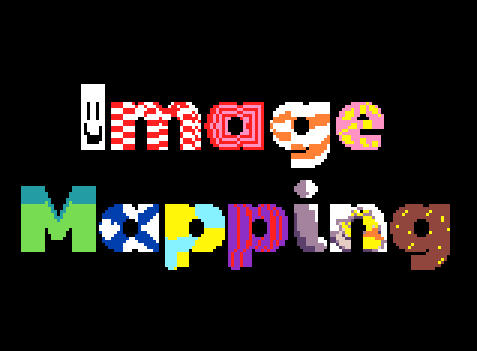
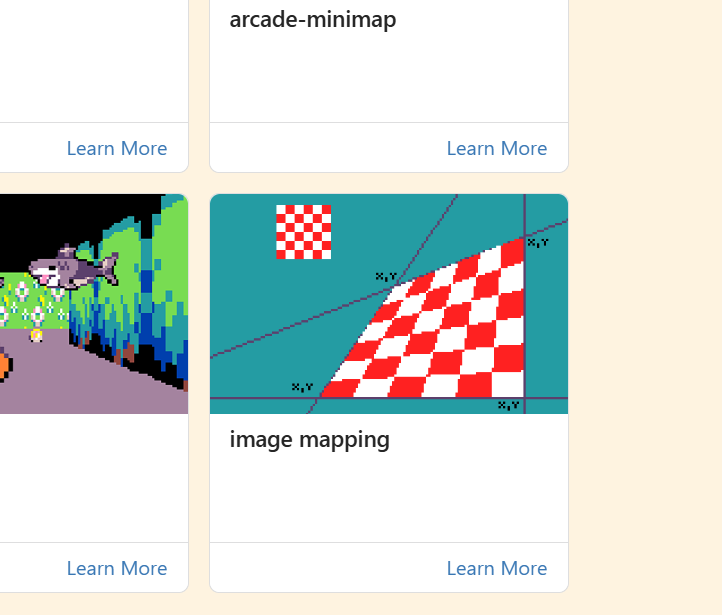
Also, I want to know what the community thinks of these thumbnail images.
Please vote your favorite!


4 Likes

@BLADEr I don’t know what your git experience looks like, so i’m going to give you instructions that you can follow 100% on the GitHub website

  1. fork this repo: https://github.com/microsoft/pxt-arcade (button in top-right). This will create a copy of the repository under your account
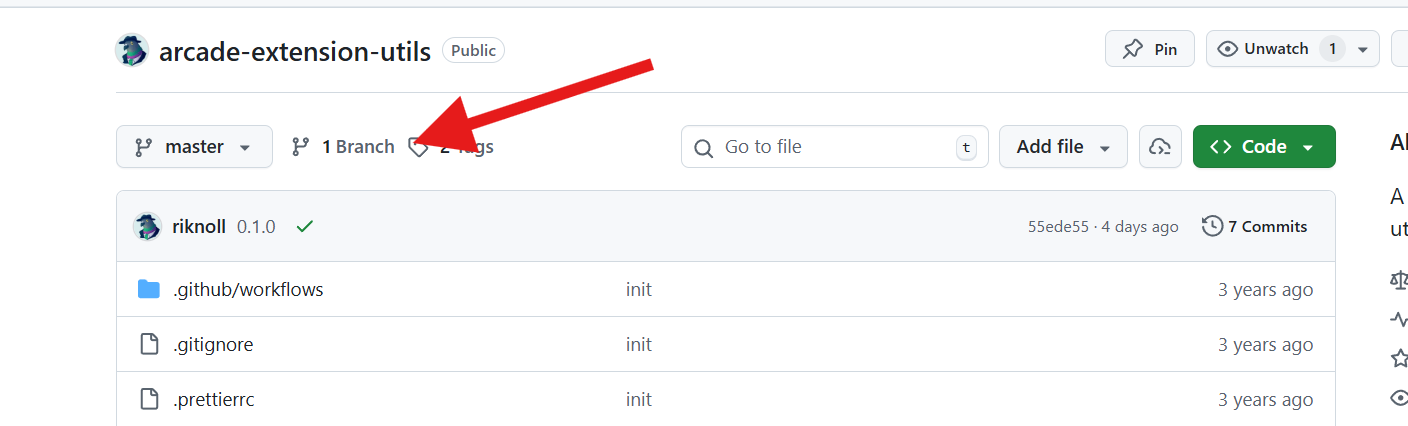
  2. beneath your extension name, next to the “master” dropdown, click the branch button here:
  3. in the page that pops up, hit “New Branch” in the top right
  4. name your branch something like image-mapping-change and click the create branch button
  5. your new branch should now show up in the list. click on it to open the repo view
  6. now you should be back on the page that shows all of the files in the repo. click on targetconfig.json
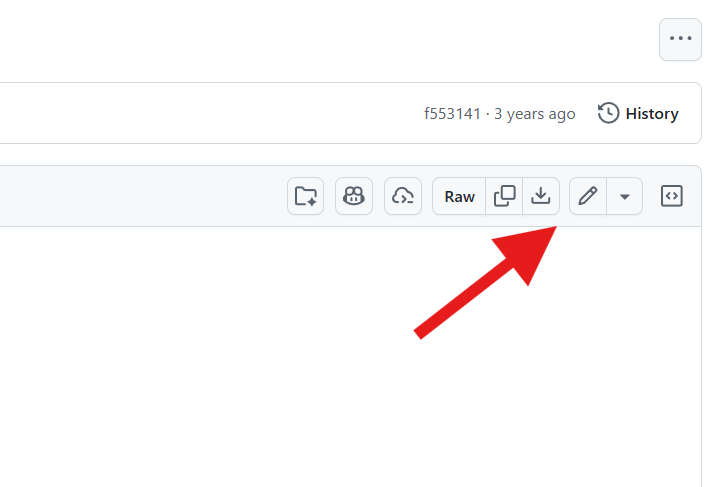
  7. in the file view, click on the pencil icon in the top-right to edit the file:
  8. edit the file to add your extension. for an example of what this edit should look like, check the PR i linked above
  9. when you’re finished editing, hit the “commit changes” button in the top-right
  10. put in a message describing your commit and click “commit changes” again
  11. now your file edit should be saved. click the name of the repo in the top-left to go back to the repo root
  12. above the file list, you should see a button that asks you if you want to open a pull request:
  13. click that.
  14. you should see two dropdowns, select the left one (base) and make sure that microsoft/pxt-arcade master is selected
  15. put in a description for your pull request and click “create pull request”
  16. send me a link to that PR
7 Likes

#3 looks best imo

3 Likes

3 is the most professional

3 Likes

I REALLY love the graphic design of the first one, but I agree, I think if we’re trying to get the idea across so people can use the extension, #3 is best!

2 Likes

Thank you so much everyone with your help! That’s something I appreciate about the forums.
I’ve come a long way and I wouldn’t be where I am without you guys.

2 Likes

Add image-mapping extension by bladebaillio · Pull Request #7530 · microsoft/pxt-arcade

4 Likes

Do you think you could use image mapping In conjunction with 3D rendering?

3 Likes

1 and 3 are great!

3 Likes

I’m sure you could! I was actually thinking that the other day.
All it is is quad warping. I’m sure someone could make it seem like depth or better yet for isometric games!

3 Likes

From what looks like, I’m all set with adding the extension to the featured list!
I still don’t see it in the list of built in extensions, so maybe I’m missing something, or maybe it just needs time.

@richard, is there anything else I need to do?

Again, thank you all so much for your kindness in helping me do this. I’m glad I was welcomed into the community, and now I feel like I’m returning back the favor. I don’t know if some of you realize how big of an impact you’ve been on my coding journey.
I’m glad to be on the forums!

3 Likes

nope! you’re all good. it might take a day for it to show up in the list under the “Visual Effects” category

4 Likes

Hooray!!!

This was so exciting for me! It makes me so happy to see one of my creations on the featured list! When I was 10 – which was around the age I started coding – I would’ve never even thought this was a possibility for me!

11 Likes

I’m using it for a game already

3 Likes