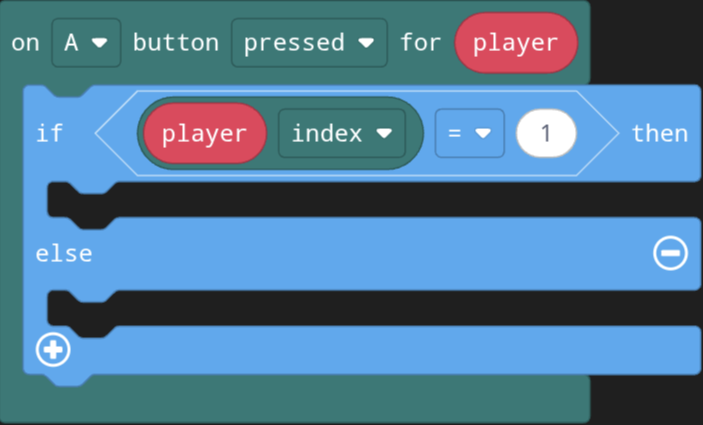
It seems the “On button for player” returns a sprite assigned to the player and NOT the player as a number, but i need it as a number. What am i going to have to do?
3 Likes
you could put all the sprites in an array and use the find index of () block in the array section to get a number.
1 Like
what do you mean, have it as a number?
1 Like
Looks like you need this block:
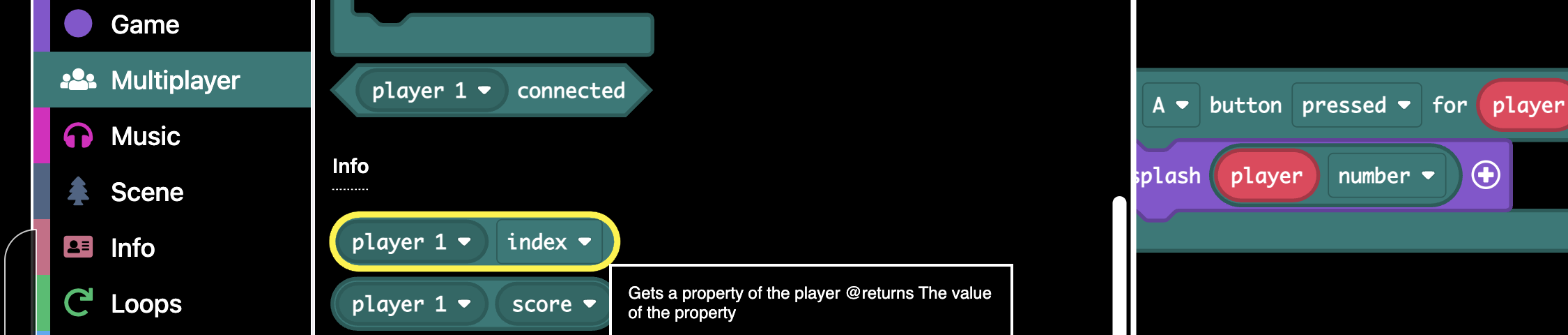
The “Index” options gives numbers 0-3 for the players and the “number” option gives 1-4
3 Likes
if it’s player 1, return 1, if it’s player 2, return 2 etc
2 Likes

2 Likes
also what’s The extension url (or send a project with the extension added)? I can’t seem to find it
1 Like
because the input of the green thing is “Player”, not “Sprite”. idk ask somebody else, but basically you need to define “player” as “Player” rather than “Sprite” (I’m kinda writting this in a javascript view)
1 Like
- You cannot change this.
2.This is the featured multiplayer extension, found without searching anything
1 Like