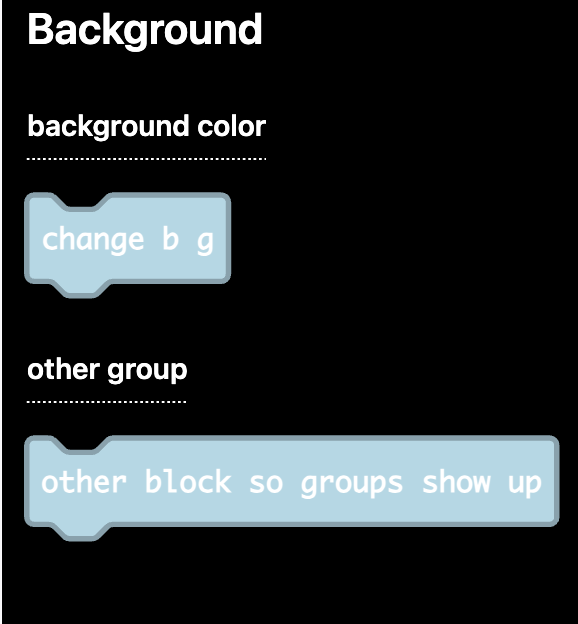
I made my first extension! It’s supposed to add one block that sets the background to a random color. The reason why I said its supposed to do that is because there is an error I can’t find and… I just suck at making stuff
Hi! Looks like it’s broken because you need some single quotes around the groups array, and normal quotes around the name. It should be groups='["background color"]' instead of groups=['background color']
You can see an example of this being used in Explorer → mixer → ns.ts
You’ll also need to specify which group the block is in, so the whole thing should look like this:
The thing is, it will only actually show the group name if there is more than 1 block defined. You also don’t need to specify the groups at the top in order to use them, you can just use the block specification, so what I would write is this:
@WoofWoof I did what you said and it worked! Sort of… I also wanted to add another block so I did but it the first one doesn’t show up I looked through my code dozens of times but it still doesn’t seem to work
Looks like you need to move your //% block and //% group=“screen split half” lines to be under the variable definitions. You can only turn functions into blocks, so those block definition lines can only work directly above a function definition.
Those variable definitions will still run just fine. They will always run at the start of the program like all other variable definitions.
Im making 2 new blocks but 2 of the blocks stilllllllllllll don’t show up.
I added a block to use a sprite as the background and im trying to add another one where you can make a background animation but the animation block doesn’t show up, AS WELL as the split screen into halves.
ALSO I want to add an image editor to the sprite background block but instead I got the gallery list…
PLEASE HELP ME sob
the code for the half screen one is this:
BG.splitScreenHalf(color1, color2)
By the way, the background is finished(kinda), but does anyone know why the array doesn’t show up in the new animation background block thingymajig? Here’s what I did: