Unique trying to steal Invalid’s “MakeCode Music Status” here /j.
As of late, I’ve been trying to learn how to compose music and translate that into my MakeCode projects. Naturally, that means the built-in music editor is what I rely on to create my music. Here’s where my issues begin though: the music editor is just not that great.
It does get the job done, but there’s many things that could use improvement. This is why I’ve decided to try and develop an alternative to the existing music editor within MakeCode Arcade: the Unique Tracker for MakeCode (UTM).
This isn’t meant to be an advertisement for the tool, since it’s still early, incomplete, and not a better composing method than the built-in music editor. The point of this post is to document what I’ve learned about how MakeCode’s music system actually functions under the hood, and why tools like this run into the problems they do. Anyone who’s tried pushing the music system beyond the basics has probably hit some of the same issues, so I’m putting this here as a research topic more than anything else.
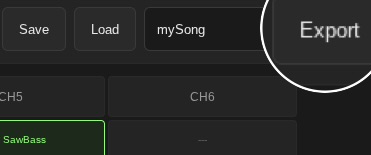
UTM attempts a tracker-style workflow with six channels that can use any instrument or frequency. Nothing is locked to a single waveform. Notes are color-coded, and custom instruments can be designed using the sound-effect API, giving you the same control you’d expect when creating standalone SFX. The goal was to see whether MakeCode could support a more flexible composing environment similar to FamiTracker or Pico-8’s music editor, but with a simpler, more intuitive interface. Developing this has revealed both clear structural limitations in how the audio engine behaves, and some issues with how the UTM exports sound.
The biggest issue is that every single note needs to be generated as its own sound effect. Since the built-in melody system can’t store custom instrument data, the only option is to recreate entire SFX objects for every note placed in the tracker. This becomes extremely large, extremely fast. Less than thirty seconds of music already results in over seven hundred lines of code. That’s for one piece. This obviously isn’t a realistic storage method for games that are trying to run on hardware or have any memory considerations at all.
There’s also the problem that UTM’s note playback doesn’t match MakeCode Arcade’s native note system. Since UTM relies on custom sound expressions, the way frequencies are calculated and played back isn’t identical to how the built-in music engine handles tones. Certain waveforms, especially noise, don’t behave the same as their built-in counterparts, and some pitches come out slightly differently than they do when using the stock music editor. Even if you set the same values, the two systems simply don’t generate the same sound. Because of this, UTM can’t perfectly recreate the built-in instruments or even guarantee the same pitch accuracy across different wavelengths.
Another major limitation is long notes. When using sound effects for music, MakeCode can’t play notes longer than a quarter note when multiple channels are active. If a note needs to sustain across beats, you have to chain together repeated quarter notes of the same frequency. This works, but you can hear the separation between the segments, and the note’s volume can’t evolve across its full length the way it normally would. The result is that long notes lose their shape completely, which removes one of the few advantages custom instruments theoretically had over the built-in music editor.
All of this is why UTM, in its current state, isn’t an improvement over the music editor. It’s heavier, less efficient, less consistent, and limited by the underlying audio scheduling system. To make it a real alternative, I’d need a way to generate a compressed representation of each song—something closer to the existing melody hex, but flexible enough to encode custom instrument data. The line count would need to be reduced by at least two-thirds for longer pieces to be viable.
This post is mainly here to consolidate what I’ve learned in just a few days of development and to provide a clearer picture of where MakeCode’s music limitations actually come from. Most of the issues stem from structural aspects of how the audio engine handles notes, timing, and mixing. But even with those limitations, I don’t think UTM is a lost cause or something that can’t become useful. If it can adapt to the way MakeCode handles audio and find ways to work within those constraints instead of fighting them, it could grow into a genuinely helpful composing tool.
There’s still a lot of room for improvement and experimentation. The more I understand how MakeCode processes sound, the more realistic the solutions become. UTM won’t surpass the built-in editor right now, but with the right compression approach and a better strategy for handling long notes, I can see it becoming a strong addition to the workflow rather than a replacement. This research phase is just the start.
If anyone else has dug into the audio engine or found different behavior, I’d be interested in hearing about it.
Below, you’ll find the UTM project link: UTM - Unique’s Tracker for MakeCode: A new music editor tool for MakeCode Arcade