So, the first step is to decide what state you want to save. Based on your game, it looks like your current state is:
- The player’s position (x and y)
- The health left in the status bar
- Whether or not the player has watched the opening cutscene
Now, let’s create two functions: saveState and restoreState:
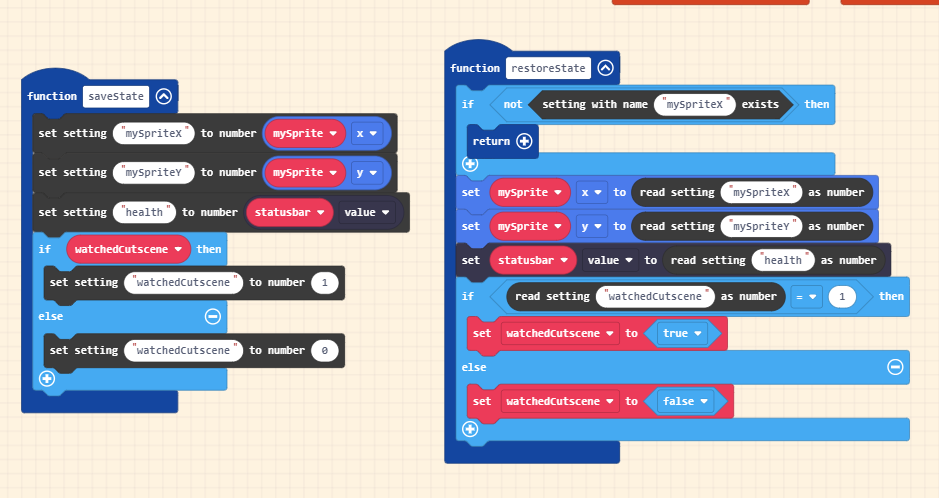
In save state we write all of our state to settings. For the “watchedCutscene” true/false value we need to convert it to a number, so we’ll do 1 for true and 0 for false.
Now in our restore state function, we first check to see if our settings exist. If they don’t, there is no state for us to restore so we can just bail out using return. If the setting does exist, then we just do the exact opposite of what’s in our save state function.
Now that we have those functions defined, let’s call them in the game! restoreState will get called in the bottom of our on-start code:

Note that I added a little code to make sure the cutscene doesn’t play if the watchedCutscene variable is set to true!
…and save state gets called in the menu button handler:
