I know it’s already been done a few times, but my goal is to be as faithful to the game as possible (within reason). This project is VERY early in development, and I have only implemented basic running and jumping. But I took time to polish the movement as much as possible by taking pixel and frame measurements of the actual game and tuning parameters to match. Most of the time spent to reach this point was on creating all the player animations.
Assuming I don’t give up, I plan on “at least” completing King’s Pass.
My next goals are:
Smoother/more accurate camera movement
Nail attacks in four directions
A basic enemy, probably a Crawlid
Damage, healing, soul, and the HUD
I will post a new version once I add these features.
So right now I’m implementing a freeze-frame upon player damage, but I can’t find a sensible way to do it.
It needs to:
Pause all physics and animations
Start two animations and render their first frames on the exact frame the damage happens
Apply a screen shake during the freeze-frame
My first solution was to pause game updates until the timer ran out, but this made it impossible to shake the screen during the pause. I’m pretty sure I wouldn’t be able to render new images either because it would wait until the next update.
The only other solution I could think of would be to save the velocity and acceleration of all sprites into an array, set these to 0, and then apply these values in the array back to the sprites. This would effectively freeze physics without surpressing the game update.
Does anyone know of a simpler way to pause physics without freezing the entire game?
maybe use scene.pop or push or something if your using js but that creates a new “scene” with nothing in it so youd have to have everything re render itself without falling or anything but that’s only in js and its gonna lag
Yeah, this would probably just be even more complex than my existing solution. It works for now, it will just become less manageable once I add more moving entities to the game. Unless there’s a way to copy and load the entire state of the game without looping through every sprite? I could be misunderstanding what scene.pop and scene.push do, I couldn’t find any documentation
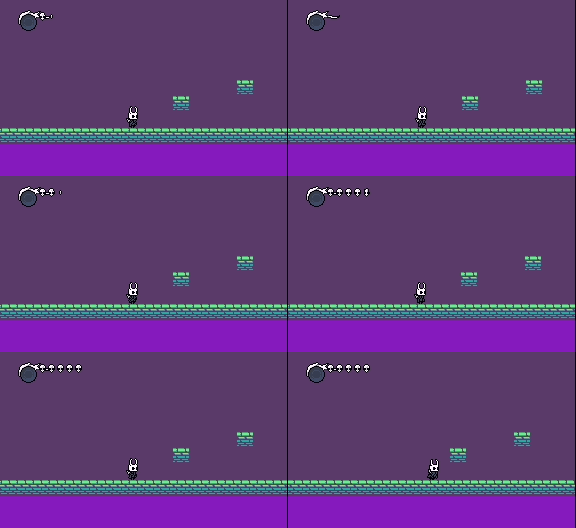
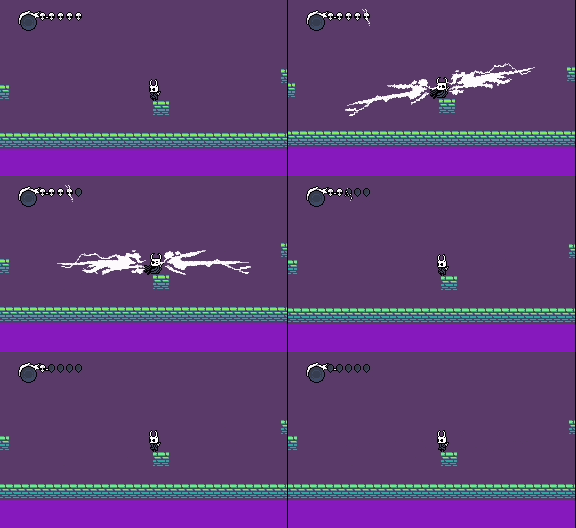
It’s most likely going to be a week or more until the next playable version is out, as I am trying to perfect each feature as I add them. In addition to many bug fixes and other improvements, here is a quick sneak peek of some new (unfinished) features!
Hud appear animation:
Player damage:
Hard falls:
Look up & down:
Some other notable changes are:
Smoother camera
Lots of player animation fixes
Coyote time
Lowered resolution slightly and re-tuned all movement (result of a measuring error while making the first version)
Ok, it’s gonna take a lot longer than expected to release the next version, BUT it’s for some very good reasons. First of all, the original code had become super messy because I didn’t really know what I was doing. So I’m rewriting the entire project from scratch and taking advantage of things like sprite data and more functional programming. Also, I’ve been learning how to datamine Hollow Knight and have realized that despite my best efforts, there were still many inaccuracies in my original project. On the bright side, datamining will make it MUCH easier to find various parameters. For example, how I previously calculated run speed was by screen-recording Hollow Knight, frame-advancing the video in a media player, taking screenshots of individual frames, and measuring the pixel distances between the frames. Now all I have to do is look at the “RUN_SPEED” constant in CinematicUnityExplorer and multiply it by a scale factor.
TL;DR: I’m redoing everything, but “properly” this time. Development has temporarily slowed down, but it should be much faster from now on.