Hey everyone! I’ve already made a topic for this game, but the link got flagged. Which is why I’m posting as an image, hope it isn’t an inconvenience. (Don’t worry, after chatting with a bunch of people, I’ve clarified this is okay, the filter is a bit iffy) So here is the game!
This is technically V 1.1, but it’s the most recent version and there’s no point in posting the buggy 1.0.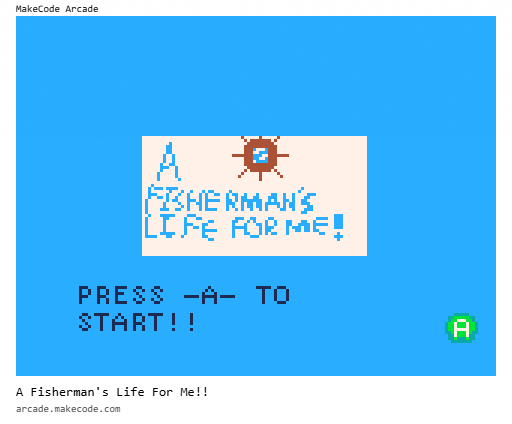
3 Likes
Whoops, it appears I posted the image twice, my bad!
3 Likes
Gameplay: The setting of the ship makes for great opportunities for quests!! However, I can’t figure out how to fish, so I can’t make it past the first quest to continue. Maybe you could add a tutorial to teach the player the controls?
Art:

AWESOME! Complements the story well.
Story: MY FAVORITE PART!! The characters all have very unique personalities. The captian’s a bit awkward, the fisherman is kinda rude, and little jim bob over here is probably going to smite me if I don’t find his dog who does things ‘for plot reasons’ (I think he’s this world’s god)
Other: Let me know when there’s a tutorial / set of controls for the fishing so I can keep playing!

1 Like
Heh, small oversight! I’m in the middle of making a new version, but for now, I’ll give you a list of controls for the game.
To go fishing, on the left side of the ship, you’ll see a blue dot, that’s a fishing spot! If you press B on that spot, you’ll start fishing. While fishing you’ll see Small Fry (The main character) flash yellow, when that happens, press A! Do that enough and you’ll catch a fish. Hope this helps!
Oh and if I may add, the quests aren’t for main progression, at least not all of them. You don’t need to have a quest to play the game, and you can pick up quests in any order! (There’s only two right now though.)
2 Likes
Very glad you like the game, even if you didn’t do the core mechanic! I really enjoy making all the character personalities, I love my group of silly ‘lil guys!
2 Likes
Here, you said “let me know” so here’s a ping. @randomuser . Hope you enjoy the rest of the game!
2 Likes
Thanks for the controls, I managed to get the stinky bait to catch the corgi!!  (and probably drain the entire ocean’s worth of parasite fish)
The quest design in this game is great; the personalities of the characters was very immersive and made me feel motivated to finish the quest.
I couldn’t figure it out though-- what’s the second quest? 
1 Like
@ItzWolfeel I would love to access your game, but I don’t know how to use images for a link. Could you tell me?
Option 1:
Open MakeCode Arcade in a separate window, then drag the image into the editor.
Option 2:
- Right-click on the image.
- Select Copy image link (or the equivalent for your browser).
- Open MakeCode Arcade.
- Select the Import button.
- Select Import from URL.
- Paste the URL that you copied earlier.
3 Likes
If you go to Captain Joe, and click buy, there’s an option to ask him about something. Doing that will start the second quest!
2 Likes
I now realize I uploaded a semi bugged version where the day/night cycle isn’t present! Which is a core mechanic  So here is a version where you can actually catch some of the fish!

2 Likes
So currently I’m working on V1.2. Which adds cooking, but OH MY LORD I have to add 3 variables per different fish to represent the different ways you cooked your fish in your inventory, and a new variable for when you’re cooking each different fish so it knows what fish to give you in your inventory.. Send help. ;(
3 Likes
I’m pretty sure there is a way to optimize this, Luke did something with his inventory system in robot survival, it was all one sprite:
2 Likes
i sure hope you are using arrays…
BetterArrays, sprite data and block objects might be helpful too
if you need any help let me know,
i have a lot of experience with stuff like this!
this inventory uses different arrays for each inventory type - cards, items, summons and relics. For the cards, the specific position of an image in the array (ie 12th) corresponds to a specific card (ie level 1 block 7)

4 Likes
I have no clue what arrays are..
I hear all this talk, what do they do and how the heck do I use them?
5 Likes
Arrays are lists of data, this can be numerical data, image data, text data, booleans and lots more. You can even make arrays with tilemaps
But why use them? A good example would be trying to store the information for 100 cards. Cards have properties that need to be stored such as what it looks like and its effect. Without using an array you would have to use a variable for each card resulting in a whopping 200 variables. This is highly inefficient and difficult to keep track of when coding. Even with five cards that’s 10 variables.
Using an array you can just use one variable: this defines an entire list of data to pick from. Using an array also allows the data to be processed more easily, such as with sorting, and adding and removing from it. Arrays help to keep all the data in one place, allowing you to quickly change and add to the core content without having to make adjustments to many different areas of the code.
ill quickly do a more visual explanation optimising your code if this was unhelpful^
you are SO close (you have basically already made an array here lol)
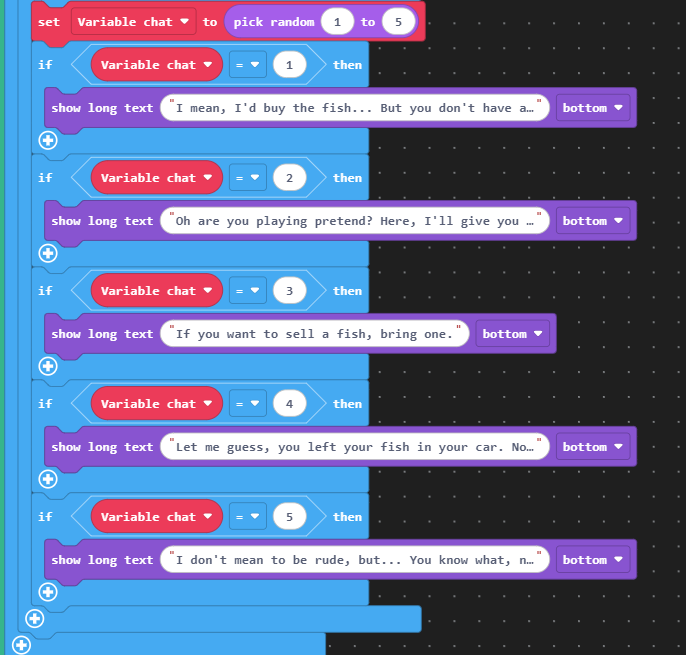
First, I created an array for all the dialogue options. Like your other variables I just define it at the start since it’s easier to keep track of here.
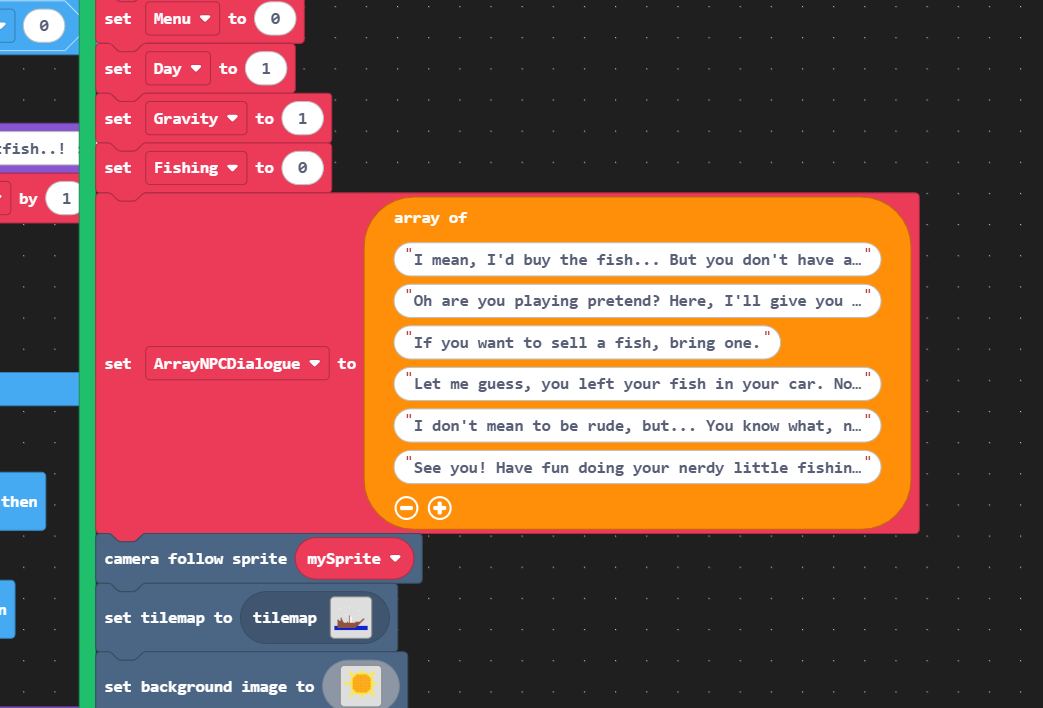
Replacing the entire if statement, we get this one block - much simpler
Below I have used an array block that reads a value from the list. Since you want it to be random I used the variable chat which determines which dialogue is chosen from the array. I also minused one because arrays start at 0, not 1. We can do better though

You don’t even need the random variable, just use the pick random block directly in the array to choose between the 0th and 4th position on the array

This is as far as you can optimise just using only one array - you really need to use functions with parameters and more arrays to get this in good shape - if you optimise everything to functions and arrays this can all be controlled by a function from the single number output from the menu

5 Likes
@Luke I’ve been thinking I should compile a list of tutorials and such for a while now, so that we could just send people the link to where the tutorial is when they want to know about a specific thing. I’m open to any suggestions you have for how such a thing might work. I was thinking just a topic where we can just sent links with short descriptions of the tutorial, and then they would all be in one place. Do you have any thoughts on how such a thing could work? I’ve been wanting it for a while, and this is such a good explanation. Seems like something that should go at the top of such a list.
5 Likes
heh this topic is a bit dead, I haven’t worked on the game since November… Curse you Goguardia!
2 Likes