nearly done
3 Likes
“PXT-Wireframe Engine” (PWE) 1.0 is here! 
It’s finally here, in it’s first release. It currently supports the following:
- Browser Events for mouse controls.
- There are additional keyboard controls in some scenarios.
- You can drag on the simulator to look around.
- Use the scroll wheel to increment your current layer.
- Export level strings (for debug purposes, and for building levels in future 3D projects
 )
) - Top-down 2D editor for ease on the eyes and better view. You could use this to make pixel art!
- The ability to play your level, in full 3D!
- Objects: Coins, Hazards, ETC…
- Saving and Loading (limited in simulator mode, better on hardware.)
It might lag in a moderately large level, and there’s sure to be a couple bugs. You can’t share your levels with others YET sadly, but I will have a way soon, just you wait…
CLICK HERE TO PLAY!
I do need some people to test this on different devices, like Xtron Pro or the Meowbit.
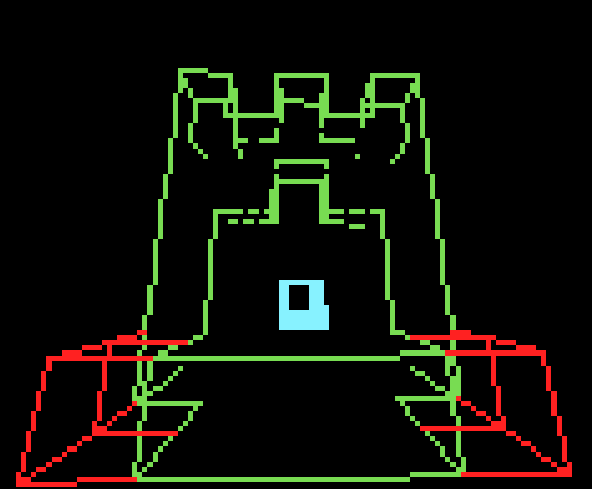
i’d also appreciate you guys sharing your creations here 
6 Likes
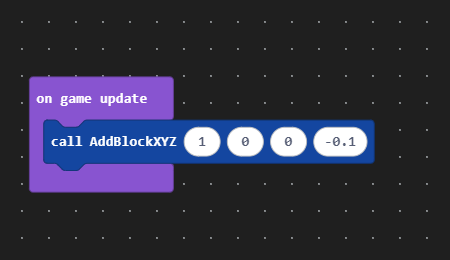

Next up, I’m working on making a template project for users who only know how to use blocks. They don’t want to miss out on the fun you know! 
3 Likes
I have one!
It’s really smooth on ovobot!
Yipee!!!
2 Likes
Hey everybody. I took a short break from the forums for my birthday, and I was amazed to see that people had been praising my work, when I had 11 notifications! 
Thanks to @BitBot for testing the game out on Ovobot. If you’d like to contribute then give the game a go on any handheld that isn’t:
- Ovobot Xtron Pro
- Retro Arcade for Education (the one I have currently…)
- Online Simulator (obviously)
I’m also still working on that template project, but it’s been slow for the minute as I have other engines I’ve been tinkering in…
Have a great day!
3 Likes
YAY! Thank you!

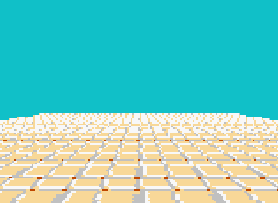
raycasting can have up/down
* Squeals with excitement *
Quick Announcement! 
I’ve been promoted to “Member” role! This means that I’ll be able to post an interact with the MakeCode community more frequently. This also means I’ll be able to share more behind the scenes on various projects that I work on!
Recently I’ve been looking into making an emulator, but no promises.
As for Pxt-Wireframe Engine, I’ve put hold on that project for the minute because of how time consuming it can be…
3 Likes
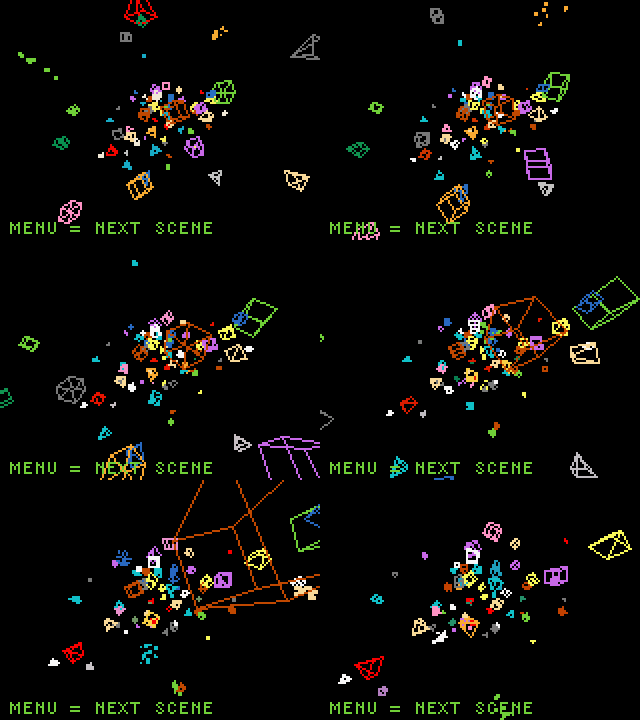
whaaaaaaa… !.
WHY IS THAT NOT LAGGING
2 Likes


Soooo cooooool
3 Likes
OpenPXT 3D Extension 1.0 
Have you ever wanted to make a 3D game easily but been unable to do so? Well, now you can, all in the comfort of Makecode Arcade!
What is OpenPXT?
OpenPXT is the first 3D wireframe extension for Makecode Arcade. It lets you create your very own 3D game in Javascript or (untested) Python.
Will it work in block mode?
Kind of… A lot of the things are broken which is the thing but if you switched between block mode and Javascript for some things then sure it’ll be fine. Just don’t expect it to stay fully within block mode.
Does it perform well and not lag?
The extension runs well, and shouldn’t break down easily as long as you aren’t using over 60 particles at a time.
What features are there?
You’ll need to check out the ReadMe.MD for the full documentation but essentially some of the biggest features are things like billboards (2D sprites in a 3D space), custom meshes, and camera rotation.
Is it fully finished?
No, I will likely make updates over the months for it, and some things are placeholder.
(For example, the sphere mesh is currently nothing like a sphere because I got lazy…)
How do I import the extension?
Simply copy the link at the top of this post, and then paste it into the extension search bar.
Footage in GIF doesn’t reflect performance in actual extension. GIF format will usually make video files appear choppy and laggy.
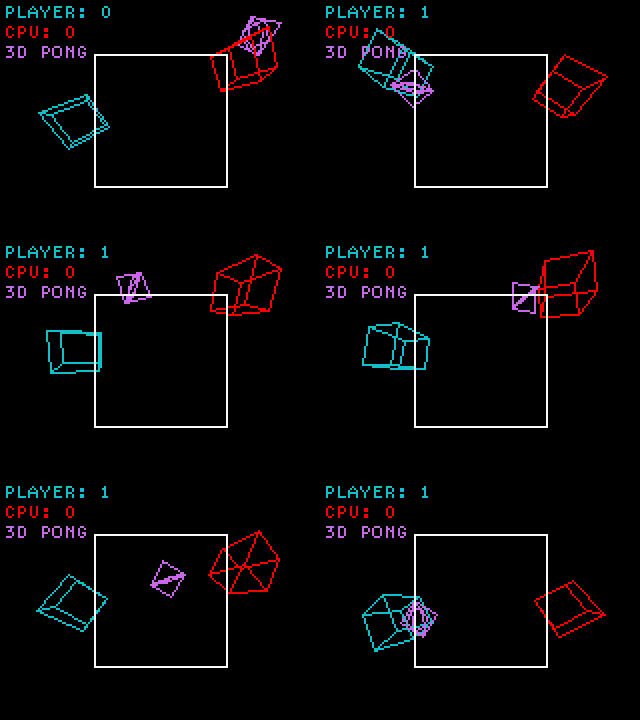
Made with lots of care by Abstract, enjoy! 
9 Likes
5 STARS!!! THANX!!! I LOVE IT!!! 
4 Likes
Thought that I’d leave a link to my Chip-8 emulator here too.
2 Likes
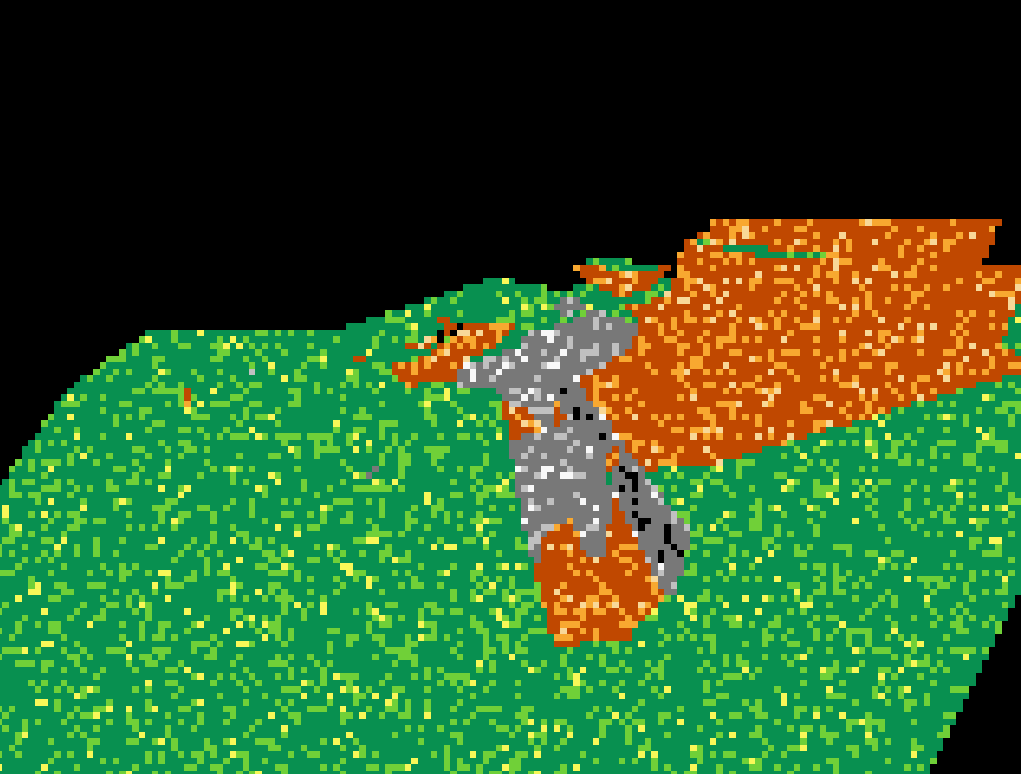

" Dear Mario, please come to The Castle. I have baked a cake for you. "
yup, that’s right. A fully 3D textured environment, running entirely on Makecode Arcade in glorious 160x120 resolution. OpenPXT 2.0 is looking promising!
I might get a video or GIF to show off soon, but I’m able to fully explore these two maps in glorious 20-30ish FPS. No pre-rendered assets, or trickery, just full 3D.
7 Likes