Hello there!
I have madeth a couple games for you.
This first game is very short, yet very difficult. And I must say that the graphics are quite splendid
Here’s how to play (keyboard and mouse only):
Use your mouse to click Start on the minigames (the boxes with the word “start” on it)
Use A and D to move left and right in the first and fourth minigame. Use W to jump.
In the second and third minigame, use WASD to move.
In the middle of the screen is a green dot moving toward a blue dot. If the green dot touches the blue dot, you fail and must restart. Press B to make the green dot go back to where it was.
There is a pink dot at the top of the screen. There is also a blue line that moves up and down. If the blue line touches the pink dot, you fail and must restart. Press the Up Arrow key on the keyboard to make the pink dot switch places (there are two places it can move)
There is blue in the third minigame, don’t touch it.
Enjoy https://makecode.com/_1VPTah5sY2ug
This second game has absolutely nothing to do with multitasking, although it was supposed to originally. The game had gotten so big (probably because I used a lot of timers for the beginning cutscenes) that I couldn’t add anything more lol
Right now there’s only 3 options for the menu, and they all lead to death. Basically there’s no way to win. Have fun! https://makecode.com/_6wbJV5CdWYHd
Compound productions, the proud team of 1 person… presents the (Hopefully) working demo of Monochromatic!
Some gamedev monologue: I thought I had it in the bag during the game heist jam but school got in the way big time, after doing some good ol’ thinking I decided to check out what was going on in Makecode forums and found out a mini-jam was happening, on the 15th… So I whipped up this game over the course of 12-ish odd days, there’s a lotta unused features in the demo but the full version is nearly done should be posted sometime around January?
A turn based combat/exploration game: play as a test subject known as: “Dizzy”. Escape the depths of an abandoned laboratory or face a terrible fate in the unknown depths…
Controls: Move around by clicking “A” on any circle or X over an enemy (Wait a little bit if an X isn’t above an enemy and it should resolve itself.) Select the heartbeat or backpack to open their respective UIs, you’ll be given the option to always heal wounds but they won’t be carried through if you lack the resources. Press “B” to exit any UI or UI interaction. Overlap with filled shelves to loot equipment off of them.
This is visually a great game, the UI is really clean and polished and the gameplay is pretty fun.
I will say that the game crashes when I die. I’m not sure if that was intentional or not but just wanted to let you know. Great game!
I present to you “Sync the Boat” where you and 3 other vikings must row their boat to shore before the Kraken attacks you! Watch out for enemy warships as well.
How to play
Each player must row the boat by pushing up and down in sync, following the shouts (and music)
The more in-sync you are the faster you will move (each 1/4 note ♩)
Notes and found bugs in Makecode Arcade during the build (this doesn’t need to be announced, I just like to document some of the issues we had during the build in an effort to help grow the platform)
Github decided to quit on us mid-build, basically just had to wait it out (this blocked our progress pretty quick since sharing assets became more difficult): https://github.com/microsoft/pxt-arcade/issues/7277
For some reason when adding new files to the project in the web editor it wouldn’t be added properly where any reference to it would fail until I manually added it to the pxt.json file in Visual Studio (in the web editor it would simply reset it).
Of course now with a smaller repeat project it’s not happening anymore, so maybe there’s something a-miss in my project
I built a Chrome extension to help us build the music (BeepBox to Makecode converter): https://cjweed.com/make-beeps/ (more extensions to come… think images)
Visual Studio is great as an editor however without block editor you can’t use the new copy/paste for sharing assets, so I found myself having to go to the web editor just for that. It would be awesome to be able to copy assets or have a bit more documentation around how to do it manually in the images.g.ts file
Thank you Makecode devs for all you do, this platform is a perfect mix of “built in” functionality, education and export abilities.
He did the art and music and helped me make it fun with game change ideas.
The whole thing started as a proof of concept on a 4 player game. Then morphed to fit the “multitasking” angle of this jam. I hope it’s “multi-tasky” enough
you can find all of our videos on our youtube page:
but we haven’t done a stream for this jam yet because of the holidays! we’re going to have the livestream where we play the games on Friday at the usual time
well I give you rolls https://arcade.makecode.com/S79251-39580-63480-44632 its like geometry dash but you have to get ducks in the sky for points and if you don’t have 10 points by the end of the level you get put back and level 3 has a timer that after 5 seconds you get pushed to the right to help you get over this pillar and when you jump you get pushed back to the left a bit I at least want to show it well I also know its to late but I wanted to try to enter a game jam so at least its here


 Sync the Boat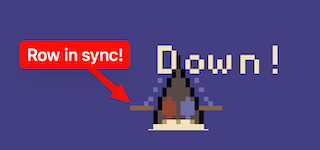
 )
)


