using arcade until is the solution I think
1 Like
thats a universal makecoe bug, still here too
1 Like
Hi,
can I choose which screens load into memory? I’m trying to make a Zelda-like game which will need optimization for hardware.
Is there a way to do this using this extension in platformer games with scrolling sections, like Hollow Knight?
yes just make the tilemap larger Iin parts and then use the camera follow sprite block it should work
oh, ok. I hadn’t tried the extension so based on the demo images I assumed they had to only fit the screen.
1 Like
wow I just now discovered this extension this is really going to help with my pokemon game!
3 Likes
Practically every top-down game could utilise this.
4 Likes
@richard I think I found a bug in your extension.
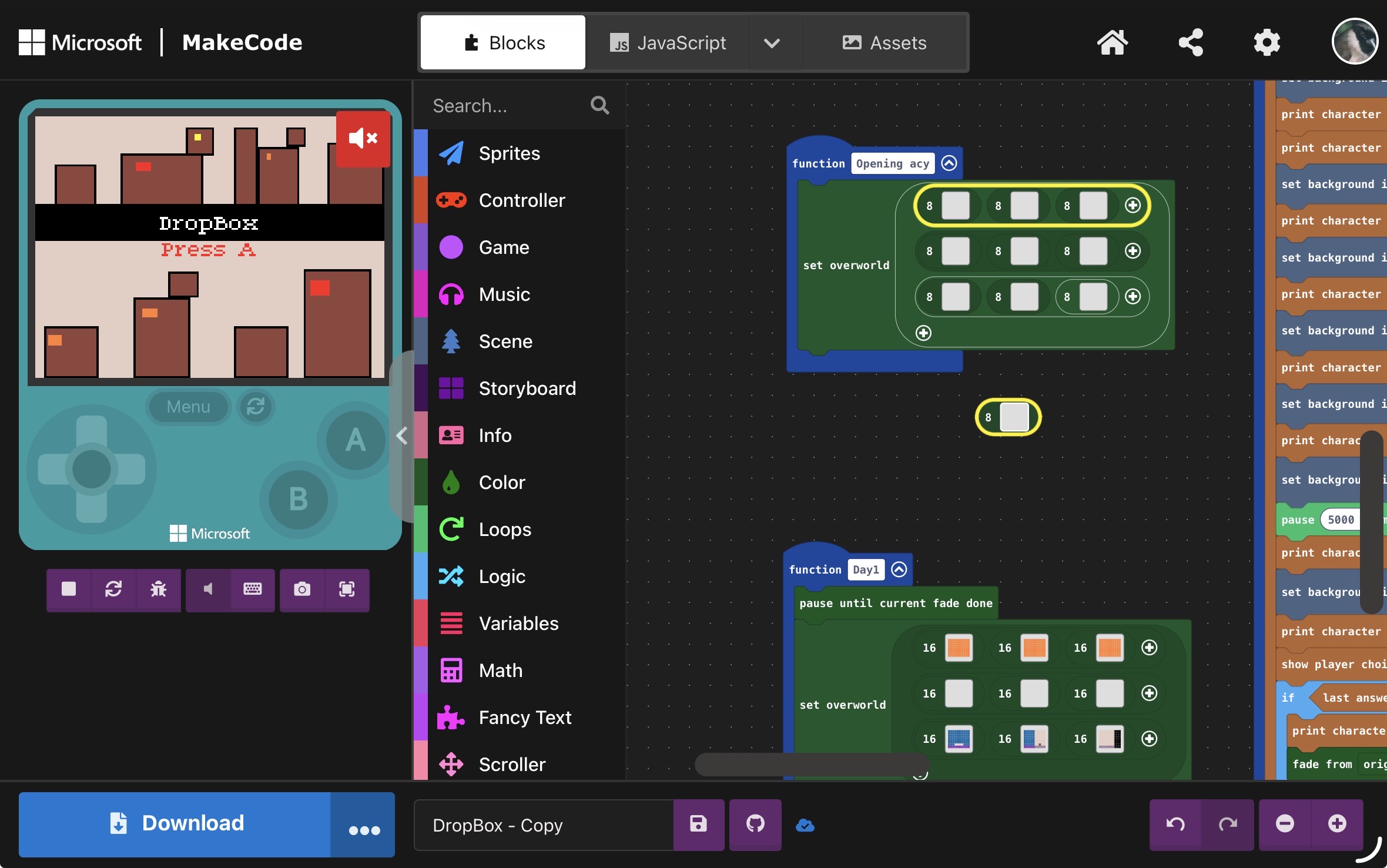
When I use the 8 overworld map, apparently the 8 map block part is following my finger and not letting me interact with blocks. Can you please fix this?
3 Likes
That’s not an issue with the extension, it happens with any tilemap block.
5 Likes
I really enjoy this extension! It adds some nice new features. I was glad to see the solution for having sprites spawn in particular rooms and not get duplicated in every room. My follow-up question to that is how to allow for a sprite in one room to fire projectiles at my hero player without the same issue occurring where the projectiles then get spawned in every room in the overworld map. Thanks!
2 Likes
@nayrbgo same answer! just destroy the projectile sprites inside the “on map loaded” function
3 Likes
Hi @richard !!! Cab u help me w/ something? Idk why my transition feel kinda weird, or don’t load the map correctly (focusing mainly on the first 3 ones, the other ones I know they are smaller). Ah, and adding on to that, the wall blocks transition does not work well either, since my character can teleport even if the maps are smaller. Can u help me? Thanks!
https://arcade.makecode.com/S77576-73537-73540-34933
5 Likes
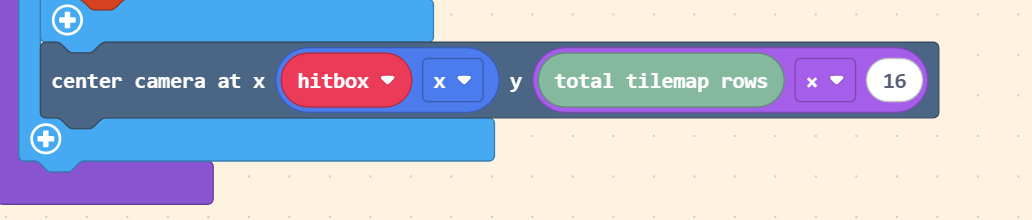
Really Cool Nice 
2 Likes
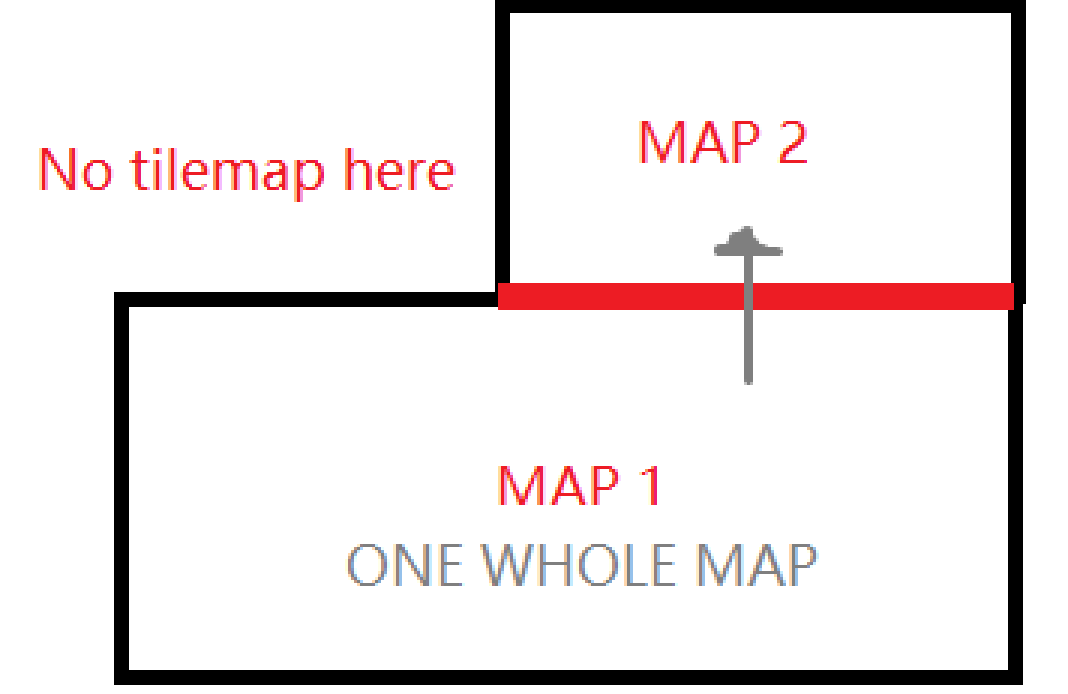
Hi @Richard! I was wondering if I can do something like this
 , because I had to create a new separate map from Map 1 with the chunk that was connected to Map 2, and not only feels weird but also its kinda annoying. Is it possible?
1 Like
so let me get this straight, map1 and map2 are two separate overworld maps (ie. 2d arrays of tilemaps) with different sizes?
i don’t have a block for joining overworld maps together, but i could certainly whip one up for you real quick if that’s correct. before i do, please share a screenshot of your definitions for map1 and map2 so that i’m sure i have the scenario correct
3 Likes
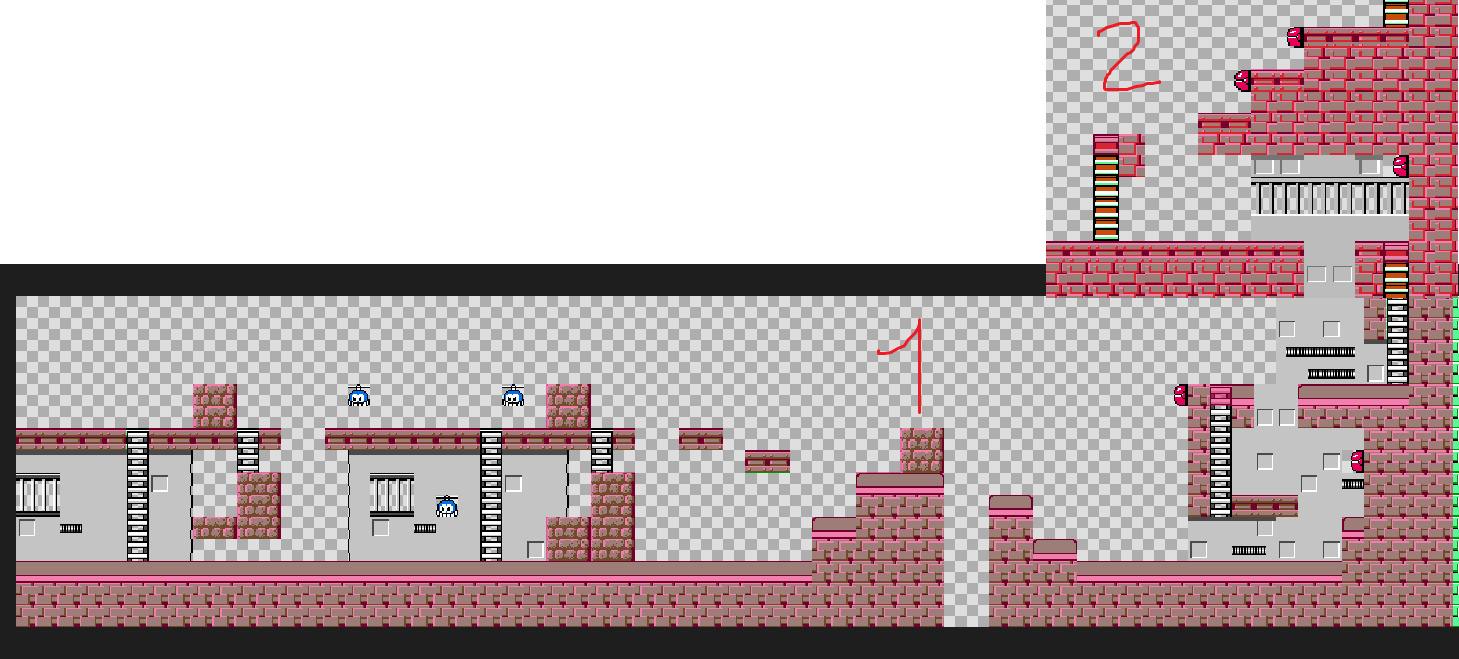
ah, i see! that’s not supported. right now the overworld extension works best when all tilemaps have the same width/height on their connecting edges.
i can’t really think of an elegant way to make that work with how overworld maps are declared. i guess i could make a wrapper block for setting which edge the tilemaps should be connected on sorta like this:
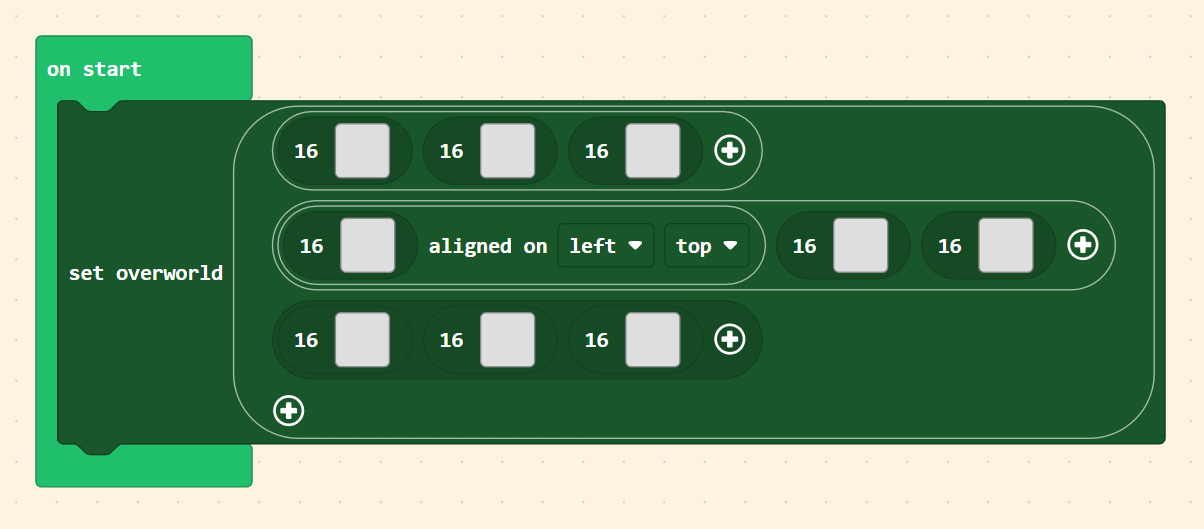
but it’s not the prettiest thing in the world… really ruins the whole column/row layout of the map declaration.
another alternative i guess would be to make it so that there is a special tile that the overworld extension will always try to make sure is lined up when transitioning maps. like this:

of course you’d have to handle covering that tile up in your code.
anyone who is interested in this feature please let me know which of those two options is better in your opinion (or if you have another idea that works too)
3 Likes
you could make it so that part that you want cut off is blocked by walls.