@richard , I need help! How do I cover the enemy tiles without destroying the tiles. I tried to use the cover block from the tile util extension, but it’s not working properly. I’ve tried with the drawing utils extension too, but when the map changes it just crashes. Could you help me? Thank you!
1 Like
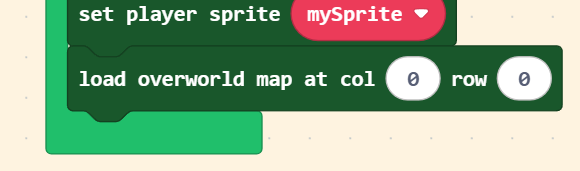
@BlueYoshi507 try creating a clone of the map when you load it like this:

the clone block comes from arcade-tile-util. this will make it so that you can change the tilemap without the changes persisting when you switch tilemaps and come back
1 Like
How do you set which tilemap you start on
when I get on my shark and go where it changes tilemap, the game glitches and I’m not on my shark anymore: https://arcade.makecode.com/S43731-96717-22233-42255 but it only glitches when I go to the top tilemap
@richard please i need help
alright, there’s a lot going on here:
first, you are setting the shark to be the overworld player sprite:
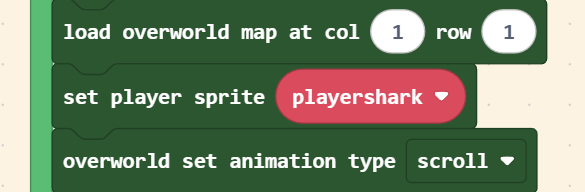
but you’re setting the camera to follow the player sprite:

when the overworld extension transitions tilemaps, it will only move the sprite marked as the player sprite to the place where it should be in the resulting map. all other sprites will stay at whatever location they were at before.
let’s look at this visually, let’s pretend that these two black rectangles are your two tilemaps and the colored pixels are your two sprites (he red pixel is the player and the blue pixel is the shark). additionally, the orange rectangle represents the position of the camera, which is following the player:

when we move upward between tilemaps, we want our sprites to appear at the bottom of the next tilemap. however, since the overworld extension only knows about one of your sprites, only the shark will move. the player will remain at the same location. here’s what that will look like:
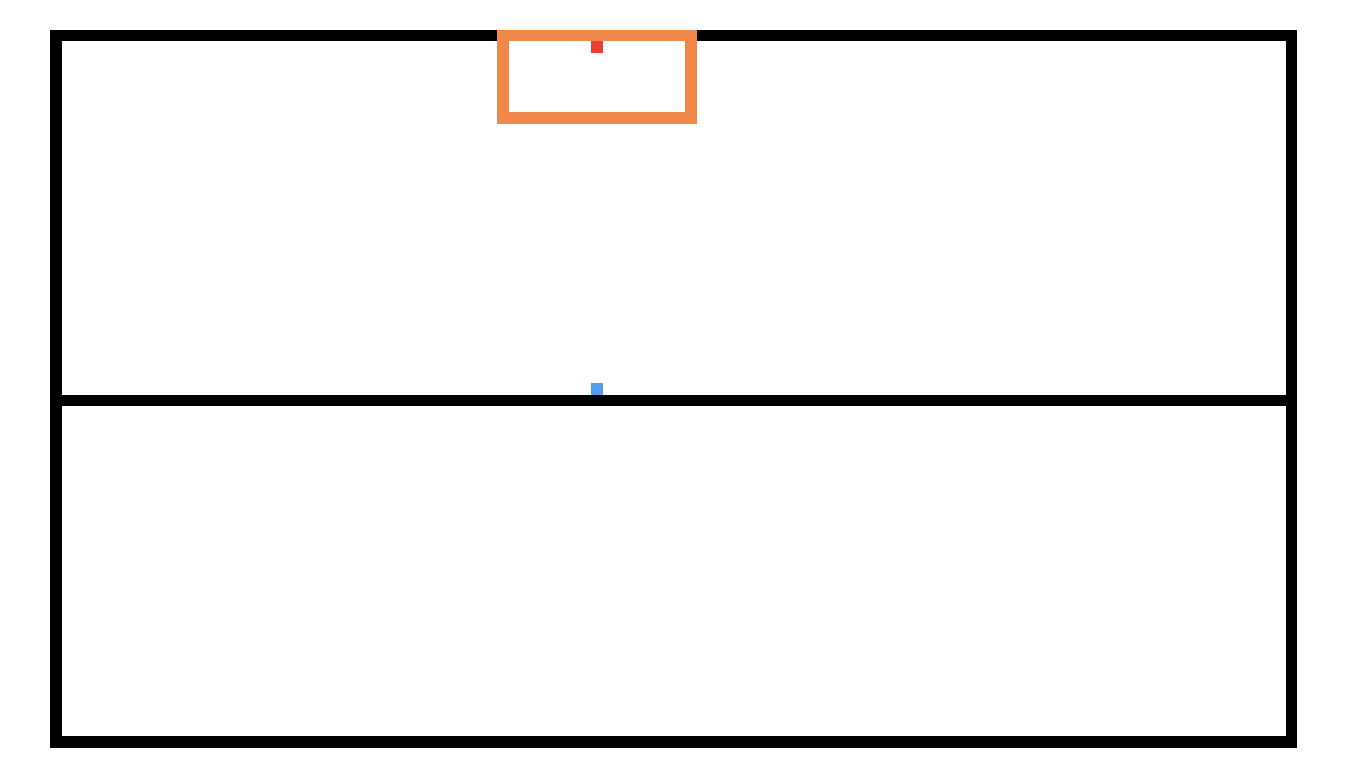
the camera is still centered on the player, but the shark is at the bottom of the tilemap. as a result it looks like the shark disappeared.
to fix this, you want to make sure the the overworld player sprite and the camera sprite are always the same. i recommend using the player for both.
next, it looks like the code you have for placing the player sprite on top of the shark only runs when you’re overlapping certain tiles:
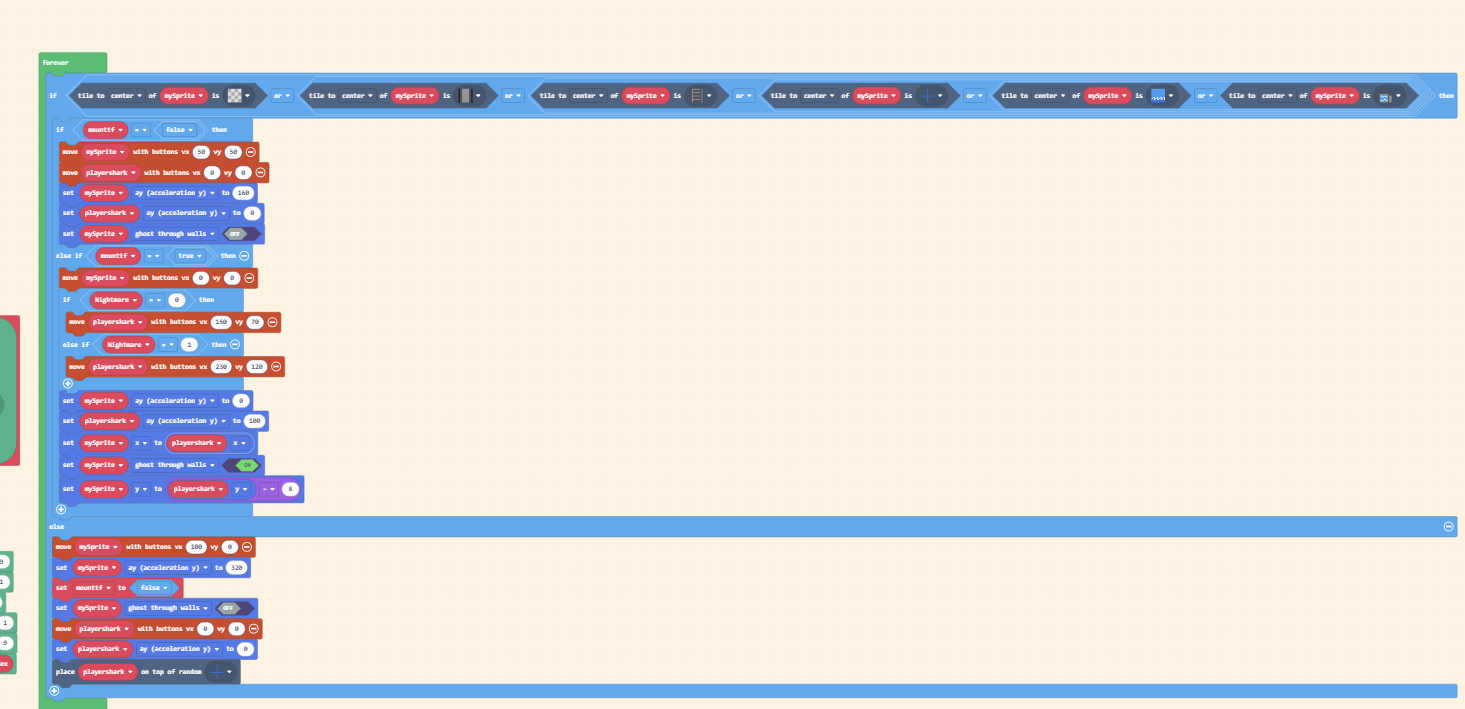
the tiles at the top of the tilemap that you’re moving too aren’t in that list you’re checking, so the player’s position isn’t being moved to the shark once the map transitions.
6 Likes
Please add the first one, that would help so much in my Hollow Knight game! The wrapper block is just what I need!
1 Like
@richard? Please add this feature, specifically the top one.
@engineer703 i think i’m actually leaning towards the bottom one, but i also don’t have time to work on this at the moment. i am committed to eventually making this better, though!
4 Likes
Okay, I guess I’ll be fine without this feature for a while anyway. And it’s fine whichever one gets added in, the top one just works a little better for my tilemap layout.
1 Like