We have just purchased kitronik arcade and was hoping to use them as a fun activity - but because our school has blocked USB ports we are unable to send code to the microbit -
I can use the standard makecode to transfer programs but for some reason the arcade version comes up saying we are read only. We cannot even use the bluetooth setting - anyone able to give advice we would be very grateful
If you are a teacher then you should be able to contact admin to get this ability unblocked. Since the micro:bit version works fine, this suggests that arcade specifically has been blocked (or vice versa, micro:bit unblocked) and therefore likely can be unblocked by admin. You just need to contact whoever manages the school devices.
Thanks our Network Manager was the one suggesting putting comment here to see if anyone knows why it is happening - I guess we’ll keep looking as there must be a fix for it - we cannot be the only school experiencing this!
We can access Makecode Arcade - but as the files save to downloads and then you drag onto micro:bit - this bit seems locked - we receive an error saying the microbit is write protected.
The normal makecode microbit site save straight to microbit and this works as long as we ignore the encryption error that appears when we plug in microbit.
Do you know if we can bypass the saving to download or turn off the write protection?
IIRC, that is the expected behavior for Arcade. Interesting, though, that the micro:bit is mounted read only on your systems. That wouldn’t have anything to do with Arcade; that’s something for your systems admins to sort out. It sounds like it has to do with the permissions that you all have to USB drives.
@richard Can you take a look at this and, if it’s not you, mind pinging the micro:bit expert on the team to see if there is a workaround?
we don’t use the same webusb stack in arcade as we do in microbit. as such, we’ve never supported flashing the microbit from the arcade editor over webusb. it’s always drag and drop.
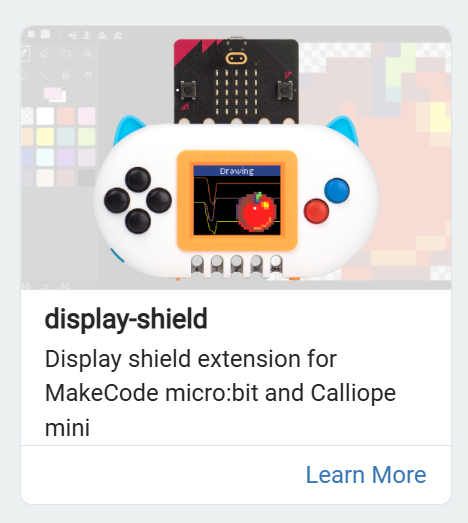
this isn’t an ideal fix since it doesn’t have all the capabilities of the full arcade editor, but @Lissa91 in the microbit editor you can use the display-shield extension to draw to the screen:
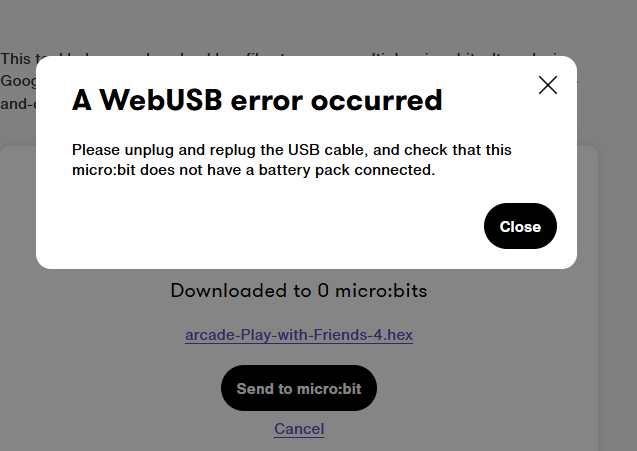
@richard unfortunately we cannot this to work either - we are now getting the message below - just for clarification our Micro:bits do not have the battery pack plugged in but are connected through the USB cable supplied. We also tried this on Edge and Chrome as well as trying on different Micro:bits.
Thanks again - I have set up a thread with Micro:Bit foundation - I am in contact with someone called Martin - hopefully it’s the same Martin you have tagged and we can resolve this asap.
hmm, i couldn’t get a hex file that i downloaded today from micro:bit to flash either. are you perhaps using old hex files? maybe something changed there?