So I’ve been coding this chess game and I want a mini menu to start it out. But I realized I don’t know how to code one (even after 2 years of experience with JavaScript) the thing is I’ve NEVER built a mini menu before. Also I need it with a Play button and credits thanks. here’s the link if you need it, btw if you need to edit stuff feel free to. https://arcade.makecode.com/S45490-55897-31086-74370
2 Likes
riknoll/arcade-mini-menu
Is what I use but there is also the old one
riknoll/arcade-custom-menu
- Type the link above into the extensions bar
- Create the menu
- Write the options
- Design it (set mymenu frame to, set mymenu color to etc.)
- Put on ‘A’ button pressed
- If custom-menu then put a if selected option = Start then… If mini-menu then put if option = 0 then.
- Then you should see the menu.
Theres a mini menu extension made by richard that’s pretty useful. If you’re thinking of something more fancy like a geometry dash style menu or something like that you’d probably have to use sprites…
thanks for the suggestins @YamJam and @OrigamiArtist that will really help me out

(I know I’m not origamiArtist but we’re the same person trust) everything is correct, but if you were to add more options you’d have to put an if (selectedIndex) = 0(for play) to let the player choose their option.
“Thou Hath Summoned me, And Appear Before Thee I Shall”.
(jk) Yes thanks for noticing I’m actually busy working with Mini-Menus right now! For My New Game! 
1 Like
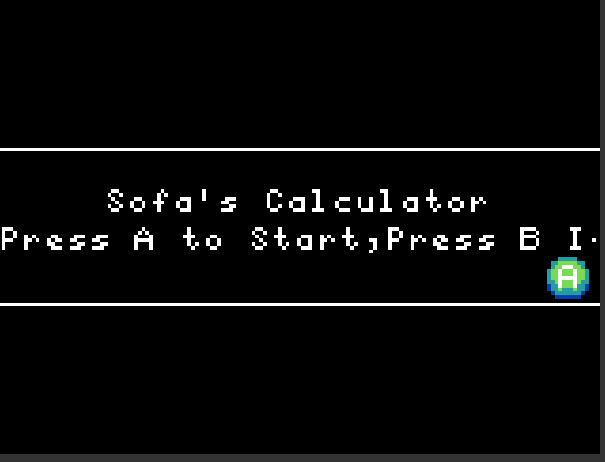
The only problem is the 10 second wait before the text starts moving so you can read the whole thing
1 Like
Yea I found that annoying. When someone reads it they wait the 10 seconds. Also for someone like me who is very annoyed at certain things (mostly when I code) I find it hard for me to wait those 10 seconds. Ill see what I can do.
1 Like
I also use the mini menu but I do NOT understand the = 0 thingy majiggy and it doesnt seem to work so… help me too plz?
There is a “show long text” block that I think you would find works well for this! It is at the very bottom of the Game blocks tab.
1 Like
One thing is the ask function, in the game toolbar there is an ask block next to the ask for number and string blocks. There the game will ask you a yes or no and will return true if you press an and false if you press b. The only problem is that you’ll still have to wait if the text is too long.
thats exactly why ive been working day and night to fix and hopefully make it better
1 Like