I might actually need this XD
For my game
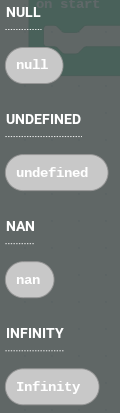
If the player is holding an empty item, then the variable “currenthelditem“ will be “null“, but I hate gray blocks and do not want to convert to javascript.
I might actually need this XD
If the player is holding an empty item, then the variable “currenthelditem“ will be “null“, but I hate gray blocks and do not want to convert to javascript.
will be
I meant “will need to be“
well
but I don’t care if you use it or not but I’d like if you do
also what does it mean when you add XD
XD looks like a laughing face if you tilt your head a little
ohhhhhhh XD
well have you used it for that yet just in case yeah I’m fine with it
I have now made a enchanting table extension neverstopthecoder/enchating-table-extension
so now I have
Crafting: https://github.com/neverstopthecoder/crafting-extension
Smelting: https://github.com/neverstopthecoder/furnece-extension
Hearts: https://github.com/neverstopthecoder/vital-icons-extension
Enchanting: https://GitHub.com/neverstopthecoder/enchating-table-extension
which one should I do next
Can I make a furnace extension mod specifically fit for my game, copied off your furnace extension is what i mean (sry for confusio)
oh fine sure but if you give give credit could you metion me
Yeah ofc i will
nan which I know was also there but also infinity
so I’ve updated the image letter extension where the up and down image sprites where create at the start and I moved stuff so there only create when the block is used so basicly just there was 3 extra sprites at the start without having any blocks out now there’s only 1 extra
so I’ve updated the image letter extension
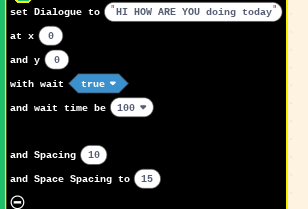
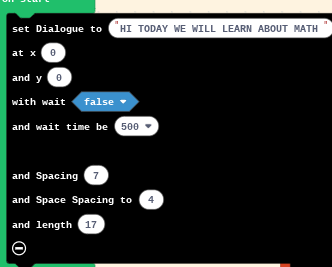
there’s now spacing
the spacing is the space between the letters and the space spacing is how much spacing would be between each word
and now you can type +,-,*,÷,=
ive updated it again so now 2,3,4,5,6,7,8,9,0 are able to type
so I’ve added
the length so 17 is how many letters including space are going to be on each line 11 is default
ok so I’ve updated the image letter extension so
1.for the choice one Press B for the No option and Press A for the Yes Option
2.Now you can set it up where if I say set it up so when I press A reset clear print this if I press it well its printing it will stop and print the next text instead of like combining the two