Just like the tittle where asking, I was trying to make a “Visual novel” type of games but I find out there is not enough color for all the assets.
5 Likes
You can use the color extension to bend the color palette in game, but you can’t have more than 16 colors at once, sorry.
1 Like
Good sir/madam, I recommend you look for the color extension mentioned in/ created in another post, as while you can’t add more colors, you could switch palettes mid comic, replacing on color with another temporally.
1 Like
The color-fading extension should solve your problem. You can’t exactly get more colors, but you can switch between color palettes, but I think that you can still only have one custom palette.
2 Likes
You can change each individual color with the color fading extension. You can’t have more than the base number of colors, however.
1 Like
You can only have 16 colors on the screen at a time, but you can switch colors using the Color Fading extension, so if you make some assets with certain colors and have those on the screen, then you can switch to other color palettes in between frames to show another art piece that uses a different palette.

(Luke is right, it’s technically 15 colors + transparent)
3 Likes
Makecode only allows 15 colours, no more, no less
However, you can do a lot with 15 colours, you just have to use them well!
I’d recommend checking out Lospec for palettes and art ideas.
And heres some makecode games i’ve made over the years which all adhere to the 15 colour format.
Nostalgia 15 palette:

NA16 palette

The After palette
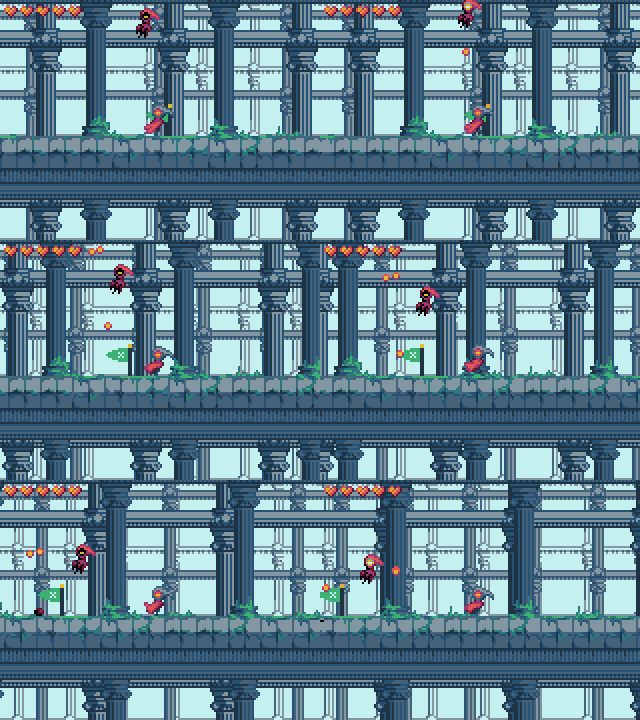
For this one i added 2 greens to my black hole 14 palette

I made an extremely cut down version of the Toasted 40 palette from 40 → 15 colours to fit the palette into makecode!
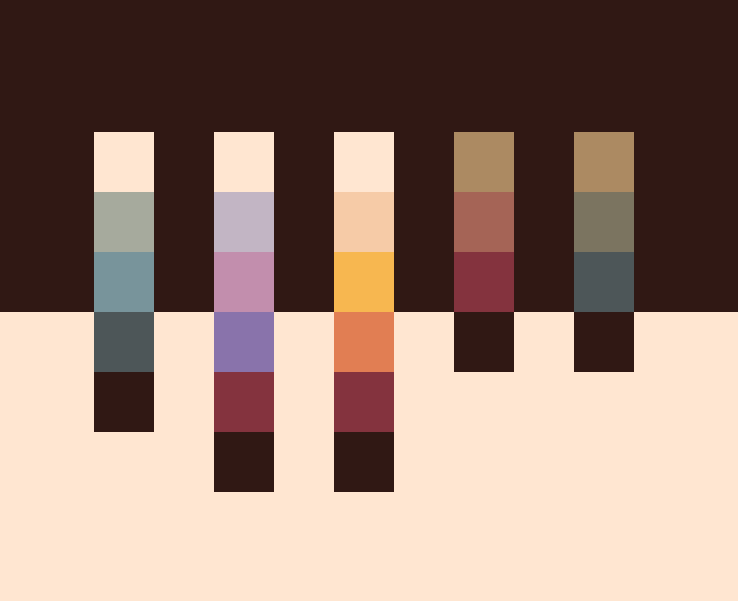

4 Likes
Sort of, a good way to do it is select a few colors that can change. Then use the color fading extension in the default extension list:

It lets you swap out a color from your color palette mid game.
2 Likes
You can use the colour fading extension, which is just one of the regular ones you can find.
1 Like