I want to ask. i changed the color of my simulator and made it so it used my colors when i share it. but why doesn’t it work after i click the link?
4 Likes
Here’s the demo.
not sure if the custom simulation theme i made works but meh.
let me know if i should change anything for chapter 1!
8 Likes
This looks real good so far! I can’t wait to see the rest!
2 Likes
the controls are a little finicky, but other than that, it’s a really good start! I like the art.
2 Likes
That the movement needs to be fixed alittle but idk how so i kinda gave up. as long as it worked i was fine with it
5 Likes
This is really cool! The animations are amazing. It might help to add an idle animation when the player isn’t moving, so that it doesn’t look like they stopped halfway through the step.
4 Likes
Ya. i first tried making it so it stops the animation but it doesnt work. i was gonna work on the idle in chapter 1. because i agree with you. it look weird
6 Likes
I havent started working on it yet because of school but the more that i think about it the more i dont want to follow the script of the book. so i wanna ask. does anyone have a theme that i can follow to make the game more interesting for me to make?
5 Likes
I guess no one is replying, so when I go back to coding on the weekend, I’ll continue the story the way it is. 
5 Likes
Honestly. ima restart the entire game (not really). im gonna make a new thing to put my game in. Let’s pretend the demo is like a prologue almost. im gonna move the animation to another game tab and just continue from the (The Obligator Arrives…) part. so basically saying. Lets call the link to the demo, Part 1! so ill start part 2 now ish.
@AlexK Could you change the link title to “Mistborn Pt.1” ? pls and thank you.
4 Likes
The link title comes from the project name; I can’t edit it. You’d need to re-share it.
2 Likes
oh ok. thanks for letting me know
4 Likes
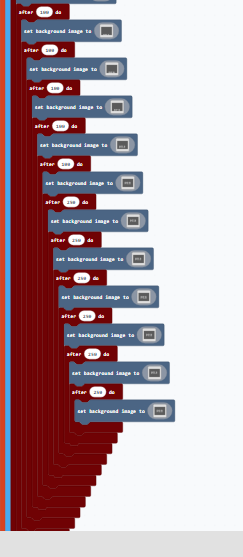
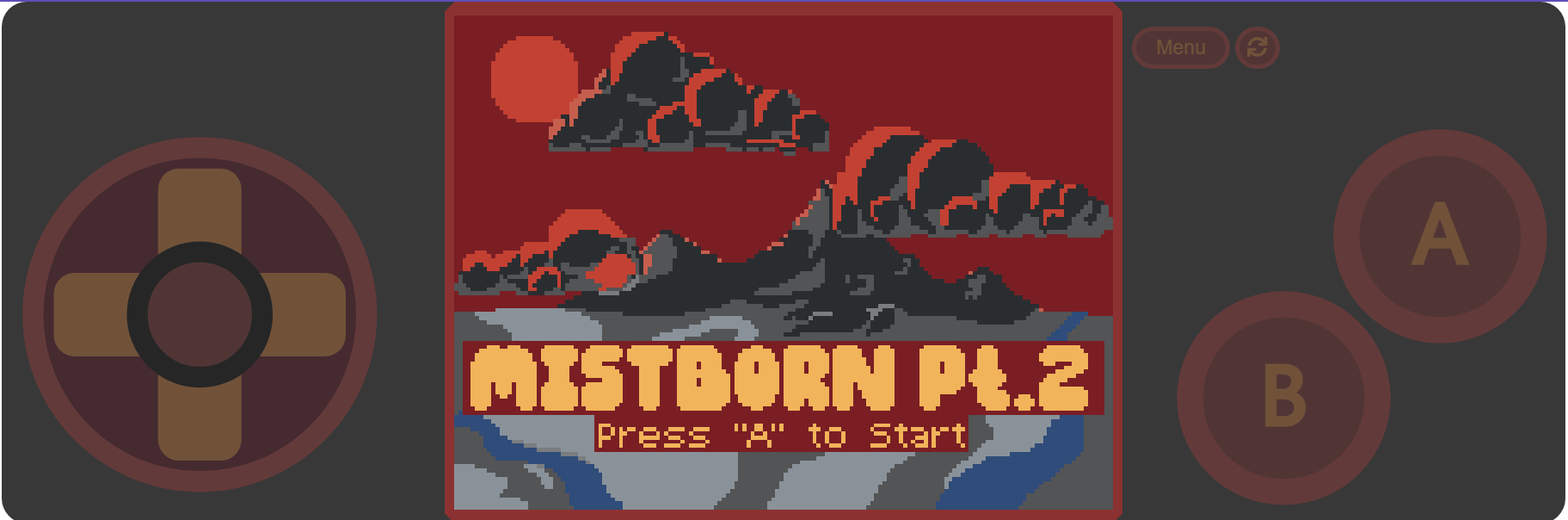
The simulator colors without touching it since it wont stay with the color when i screenshot it.
Why doesn’t it keep the simulator colors when i give the link?
4 Likes
Just use separately do instead and then replace all instances of after 500 do with pause x ms
1 Like
There’s a button underneath in the share link that say share game with your simulator theme or smth and then check it off and then post the link
2 Likes
Why dont you just
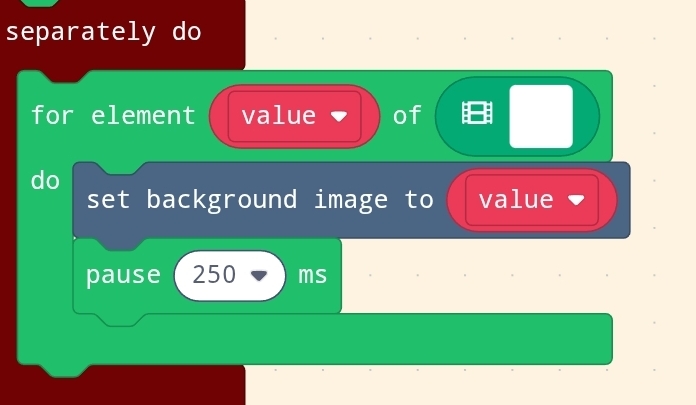
Animations are just arrays of images
With the seperately do block you can use pause blocks
3 Likes
I think there’s a check box that says “keep simulator theme”
2 Likes
I turned it on for the demo but it didn’t work. I’ll try again when I post part 2 in the future
3 Likes
- those are 250, not 500
- that uses more blocks
you could probably use arrays… but it might still be complicated.
1 Like