I’m back for more music related stuff haha
1: In the instruments extension, can you make the sound go past 100% by any chance? Probably not but I’ve seen crazier things done with extensions so idk
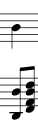
2: Why are the music blocks coded so that you can’t put two notes of different rhythms on top of each other with the same instrument? For example, in the first screenshot below, it would be impossible to make that in one song block using just the dog. I know I can just use a different instrument, but I really don’t want to do that because then it doesn’t sound balanced.
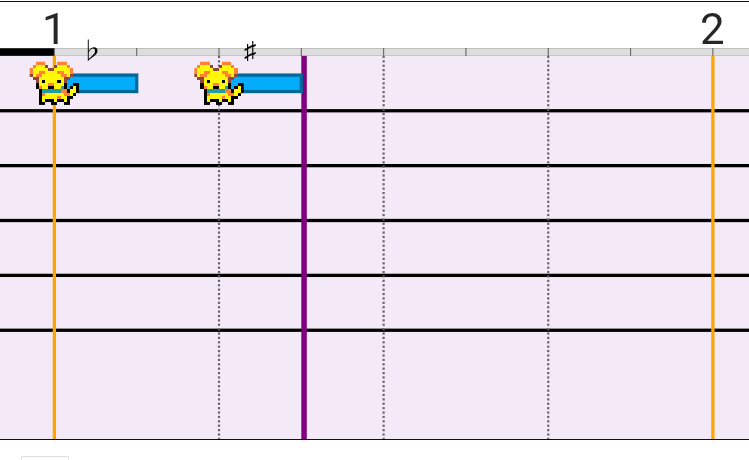
3: Normally, if you want to make a note sharp, you press shift + j (at least on my device). However if you place a note on high G (the highest note in the song block, one note above the highest line), when you press shift+j it does not cycle through sharp and flat like a normal note and instead goes straight to being flat. I always thought this was because of an inability of the block to play a G sharp, but I found out a couple days ago, that you can in fact play a G sharp in the block, but the way you get it is really stupid. Basically, you have to put a note on F (the line below it), make that note sharp, select that note, and then move it up one space with the up arrow key. I really don’t understand why this is because it just inconveniences me whenever I want to play a G sharp. This is shown in the second screenshot.
I would ask for a larger range in the song editor itself, but I already have the instruments extension for that so I’ll stop complaining about that
hmmm I think I’m out of questions abt music for now
P.S: plss let me play more then 50 measures in one song block plsssssssssssssssss it’d make my life so much easier